linux配置xrdp


源码
https://github.com/neutrinolabs/xrdp.git
xrdp需要安装openssl-devel, pam-devel, libX11-devel, libXfixes-devel, libXrandr-devel
./bootstrap //git submodule下载,需要安装nasm,autoconf生成configure ./configure && make -j4 && make install systemctl daemon-reload systemctl start xrdp
修改xrdp/xrdp/xrdp.ini中的配置,使执行打印日志,服务中启动EnableConsole=false
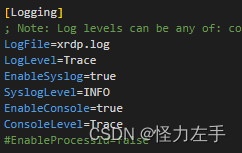
session相关配置在xrdp/xrdp/xrdp_sesman.ini中配置
mstsc连接
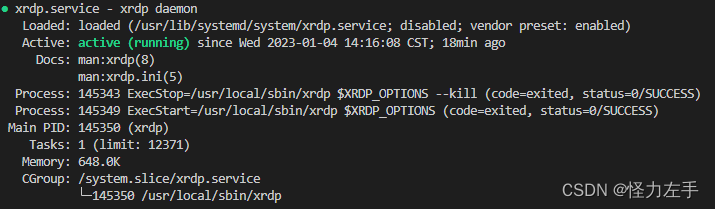
使用systemctl status xrdp或者service xrdp status查看运行状态,和运行日志。active项表示程序正在运行
服务启动方式会生成/var/run/xrdp.pid文件,避免重复运行,和进程启动的方式会重复,需要删除pid文件
使用netstat -apt |grep xrdp或者netstat -apt |grep ms-wbt-server,查看端口是否监听,ms-wbt-server=8839

windows中使用mstsc即可:(mstsc报0x204错误,检查ip地址)
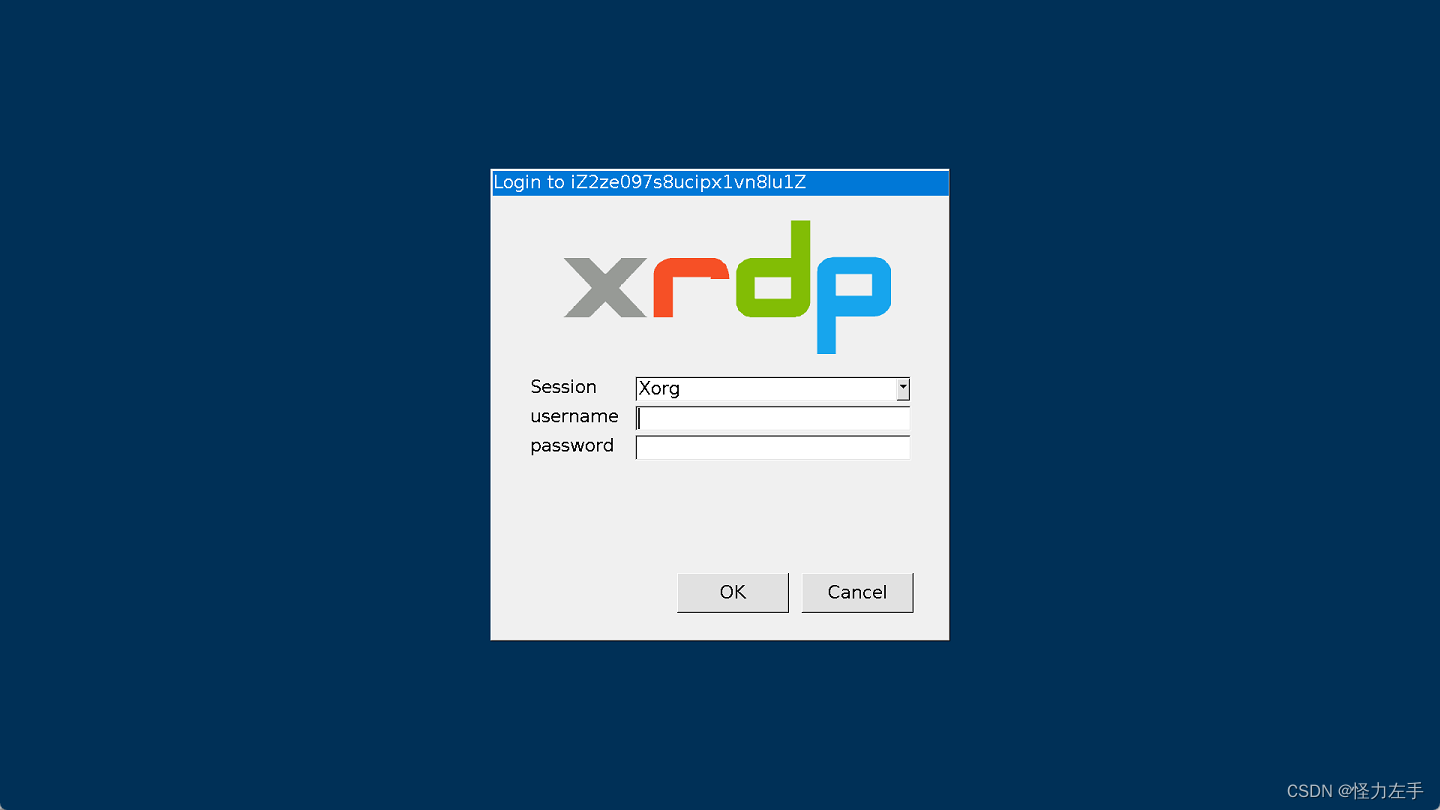
登录后蓝屏,等待提示

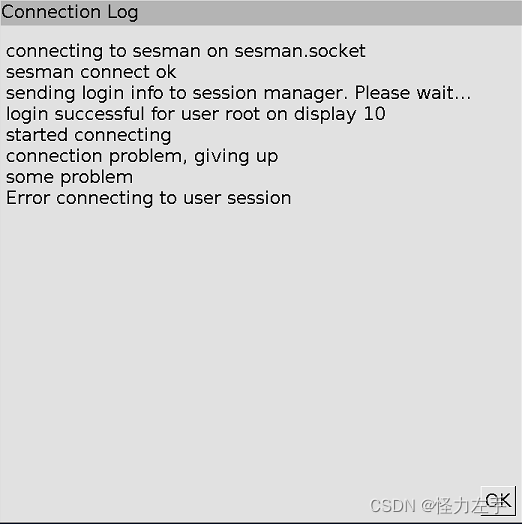
使用systemctl status xrdp-sesman查看日志:

提示找不到pam_sss.so 参考:http://www.trustcomputing.com.cn/bbs/redirect.php?tid=1860&goto=lastpost
authconfig --updateall authselect select minimal authselect current
session启动后关闭,安装Xorg,x window的服务端,启动Xorg,需要安装显卡驱动

本文参与 腾讯云自媒体同步曝光计划,分享自作者个人站点/博客。
原始发表:2023-01-04,如有侵权请联系 cloudcommunity@tencent.com 删除
目录
腾讯云开发者

Copyright © 2013 - 2026 Tencent Cloud. All Rights Reserved. 腾讯云 版权所有
深圳市腾讯计算机系统有限公司 ICP备案/许可证号:粤B2-20090059  粤公网安备44030502008569号
腾讯云计算(北京)有限责任公司 京ICP证150476号 | 京ICP备11018762号