玩转Bootstrap|按钮:9大样式+3种进阶技巧,让你的网页瞬间出彩!

玩转Bootstrap|按钮:9大样式+3种进阶技巧,让你的网页瞬间出彩!
大飞记Python
发布于 2026-04-14 19:59:01
发布于 2026-04-14 19:59:01
技术篇之Bootstrap,今天我们来学习一下【按钮】的制作
简介
按钮是HTML前端元素的一种,Bootstrap将其扩充至一个class属性,适用范围更广
class 属性
- 在 CSS 中引用,添加样式
- 在 JavaScript 中引用,操纵元素动作
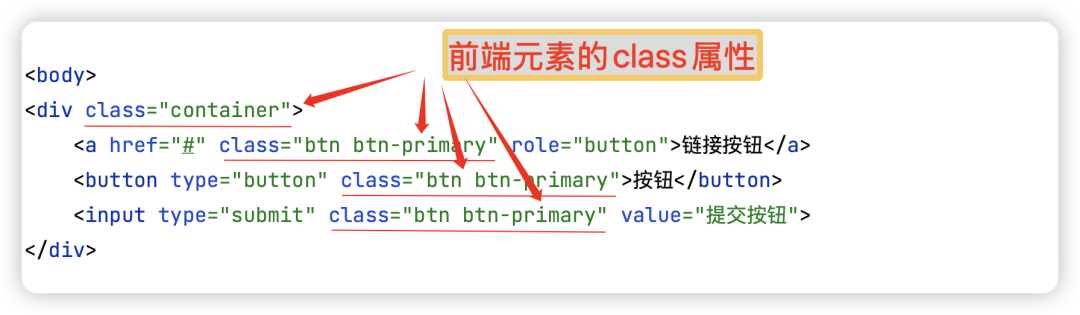
image-20250416上午111354629
应用场景
Bootstrap中,<a>, <button>, <input> 标签元素可使用class属性,成为按钮样式
<div class="container">
    <a href="#" class="btn btn-primary" role="button">链接按钮</a>
    <button type="button" class="btn btn-primary">按钮</button>
    <input type="submit" class="btn btn-primary" value="提交按钮">
</div>
基础样式
Bootstrap提供了9个基础按钮样式
<div class="container">
    <button type="button" class="btn">基本按钮</button>
    <button type="button" class="btn btn-primary">主要按钮</button>
    <button type="button" class="btn btn-secondary">次要按钮</button>
    <button type="button" class="btn btn-success">成功</button>
    <button type="button" class="btn btn-info">信息</button>
    <button type="button" class="btn btn-warning">警告</button>
    <button type="button" class="btn btn-danger">危险</button>
    <button type="button" class="btn btn-dark">黑色</button>
    <button type="button" class="btn btn-light">浅色</button>
</div>
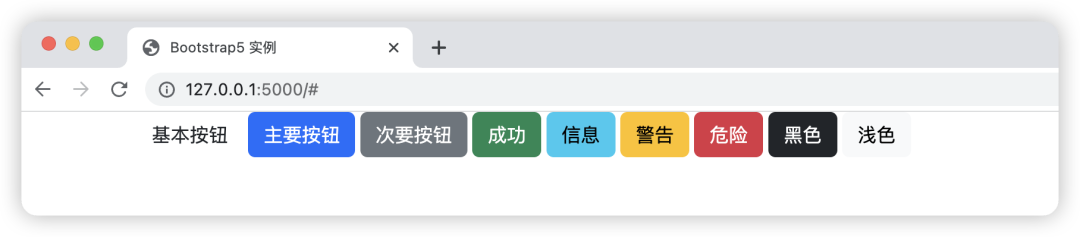
image-20250416上午105828046
进阶美化
要想实现更多样式,就需要一些其他属性
1.1、鼠标在按钮上添加效果
添加btn-outline-xxxx属性
<div class="container">
    <button type="button" class="btn btn-outline-primary">主要按钮</button>
    <button type="button" class="btn btn-outline-success">主要按钮</button>
</div>
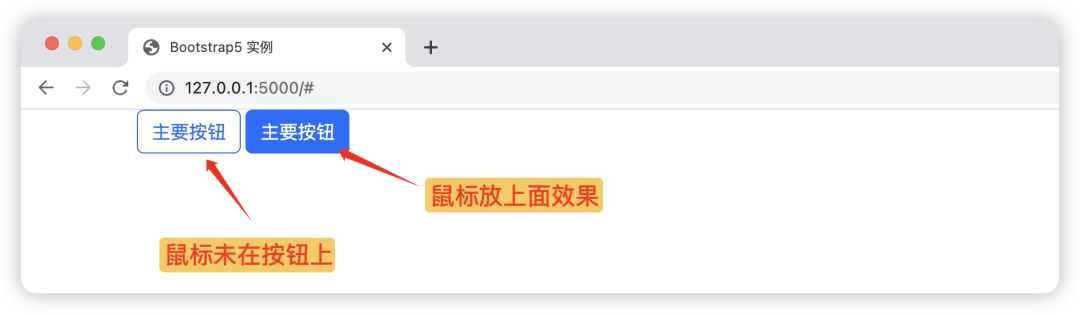
image-20250416上午113722319
1.2、改变大小
btn-lg 大按钮,btn-sm 小按钮
<div class="container">
    <button type="button" class="btn btn-primary btn-lg">大号按钮</button>
    <button type="button" class="btn btn-primary">默认按钮</button>
    <button type="button" class="btn btn-primary btn-sm">小号按钮</button>
</div>
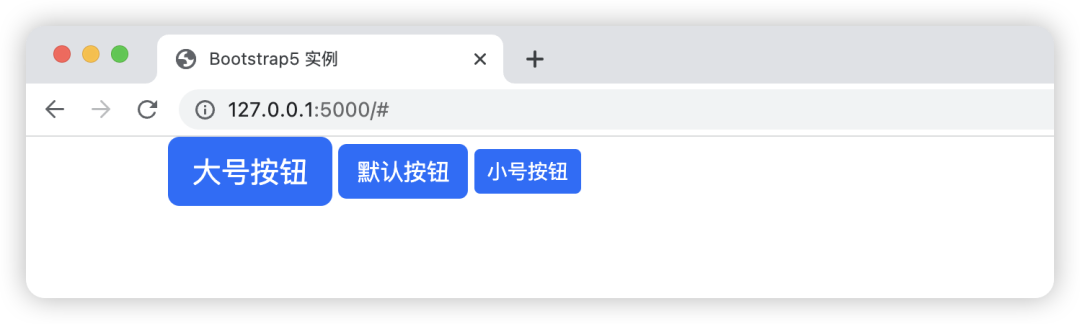
image-20250416上午113832545
1.3、加载按钮
固定写法,复制即可。但一般不太常用
<div class="container">
    <button class="btn btn-primary">
        <span class="spinner-border spinner-border-sm"></span>
        Loading..
    </button>
    <button class="btn btn-primary">
        <span class="spinner-grow spinner-grow-sm"></span>
        Loading..
    </button>
</div>
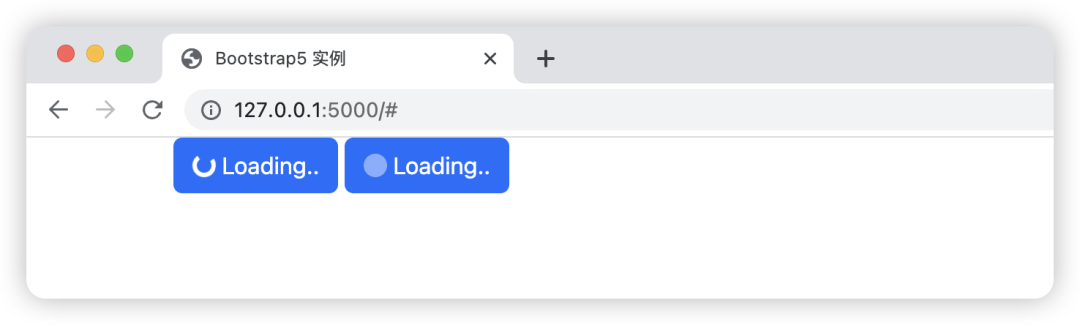
image-20250416上午114136584
按钮是我们在前端里(尤其手机端)使用频率很高的页面元素。它很好的适配了手指的点击动作,且划定一个范围,防止误触。按钮还是需要好好学一下的。
为你的持续努力点赞
本文参与 腾讯云自媒体同步曝光计划,分享自微信公众号。
原始发表:2025-04-16,如有侵权请联系 cloudcommunity@tencent.com 删除
目录
腾讯云开发者

Copyright © 2013 - 2026 Tencent Cloud. All Rights Reserved. 腾讯云 版权所有
深圳市腾讯计算机系统有限公司 ICP备案/许可证号:粤B2-20090059  粤公网安备44030502008569号
腾讯云计算(北京)有限责任公司 京ICP证150476号 | 京ICP备11018762号