用 Playwright 和 LLM 实现自愈测试自动化

用 Playwright 和 LLM 实现自愈测试自动化

deephub
发布于 2026-05-11 12:55:13
发布于 2026-05-11 12:55:13
Playwright 是一个用于 Web 自动化和端到端测试的开源框架。如果我们将他和LLM结合,就可以实现“自愈”的自动化测试,这样如果UI有了改动框架不再硬性失败而是在检测到失败之后分析当前的 DOM(Document Object Model),基于规则的策略自动恢复出一个能用的 locator。
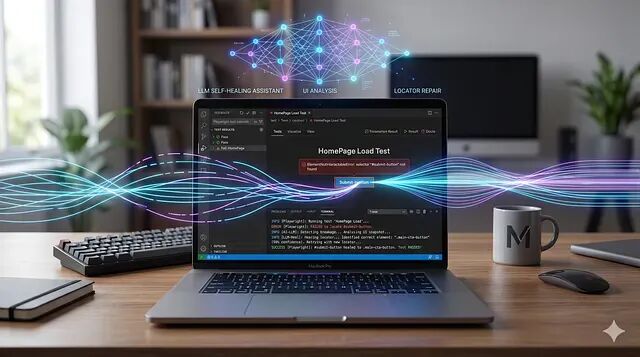
自愈遵循一条严格的三阶段 pipeline。
- Detection:一个 Playwright 动作抛错,目标元素在 timeout 窗口内没找到。
- Diagnosis:框架抓取一份当前页面状态的轻量 DOM 快照,发给 LLM(或交给基于规则的匹配器),识别最接近的元素。
- Remediation:生成新 locator,按 confidence 阈值校验,再用它重试原始动作。结果会进入 cache,后续运行不再重复 LLM 调用。
最常见的误解是把自愈只看作 selector 恢复。失败实际上分六类:broken selectors、timing issues、runtime errors、test data problems、visual assertion failures,以及 missing interaction steps。本文实现只聚焦在 selector 恢复,也就是日常测试维护中最高频的那一类。
架构概览
 Test action fails
        │
        ▼
waitFor(selector, 3s timeout)  ← fast fail, don't block 90s
        │ timeout
        ▼
extractDomSnapshot(page)       ← trim DOM to 150 interactive elements
        │
        ▼
askGroqForLocator(prompt)      ← Llama 3.1-8b-instant via Groq API
        │
        ▼
confidence >= 0.75?
   YES → saveCache() → retry action with healed locator
    NO  → throw error (explicit fail, no silent pass)
confidence 是这里的关键,当LLM 不够确定的时候,测试就该高声失败而不是悄悄拿错的元素当成功。
这个示例需要三个依赖:
 mkdir playwright-self-healing-js
 cd playwright-self-healing-js
 npm init -y
 npm install --save-dev @playwright/test
 npm install groq-sdk dotenv
 npx playwright install
在项目根目录建一个 .env 文件,我们用GROQ_API来测试:
GROQ_API_KEY=gsk_xxxxxxxxxxxxxxxxxxxxxxxxxxxxxxxxxxGroq 免费层给到 llama-3.1-8b-instant 每天 14,400 次请求、每分钟 30 次请求,对一个测试套件来说是很富裕的。
文件结构如下:
 playwright-self-healing-js/
├── playwright.config.js
├── package.json
├── .env
├── src/
│   ├── self-healer.js    ← core: DOM snapshot + Groq + cache
│   └── fixtures.js       ← Playwright fixture wrapping all actions
└── tests/
     └── login.spec.js     ← 4 test cases
这个项目的核心引擎是src/self-healer.js,他抽取修剪过的 DOM 快照、调 Groq 拿 locator 建议、管基于文件的 cache。
DOM 快照抽取:把一份 500KB 的原始 HTML 丢给 LLM 是浪费。快照只取交互式元素 —— buttons、inputs、links、labels —— 并且只保留与 locator 识别相关的属性:
 async function extractDomSnapshot(page) {
  if (page.isClosed()) {
    throw new Error('[self-heal] Page already closed — cannot extract snapshot');
  }

  return page.evaluate(() => {
    const selectors = [
      'button', 'a', 'input', 'select',
      'textarea', '[role]', '[data-testid]', 'label',
    ];
    const nodes = document.querySelectorAll(selectors.join(','));

    return Array.from(nodes)
      .slice(0, 150)
      .map((el) => {
        const attrs = [];
        ['id', 'class', 'name', 'type', 'role', 'aria-label',
         'data-testid', 'placeholder', 'for'].forEach((a) => {
          const v = el.getAttribute(a);
          if (v) attrs.push(`${a}="${v.slice(0, 60)}"`);
        });
        const text = (el.textContent ?? '')
          .trim().replace(/\s+/g, ' ').slice(0, 80);
        return `<${el.tagName.toLowerCase()} ${attrs.join(' ')}>${text}</${el.tagName.toLowerCase()}>`;
      })
      .join('\n');
  });
 }
page.isClosed() 这一行守卫不能省。否则当一个测试在 heal 逻辑跑起来之前就已经 timeout,page.evaluate 会抛 Target page, context or browser has been closed —— 一个把原始问题盖住的错误。
Groq LLM 调用
prompt 给模型下了一条强规则:按严格的优先级顺序返回单个 Playwright locator。0.1 的低 temperature 让输出确定、可复现:
 async function askGroqForLocator(originalLocator, domSnapshot, errorMessage) {
  const prompt = `You are a Playwright automation expert. A UI locator has broken.

BROKEN LOCATOR: ${originalLocator}
ERROR: ${errorMessage}

DOM SNAPSHOT:
${domSnapshot}

Return ONE Playwright locator using this priority:
  1. page.getByRole('...', { name: '...' })
  2. page.getByTestId('...')
  3. page.getByLabel('...')
  4. page.getByText('...')
  5. page.locator('css') — last resort

Return ONLY valid JSON:
{
  "locator": "page.getByRole('button', { name: 'Login' })",
  "confidence": 0.92,
  "strategy": "role"
}`;

  const completion = await groq.chat.completions.create({
    model: 'llama-3.1-8b-instant',
    messages: [{ role: 'user', content: prompt }],
    temperature: 0.1,
    max_tokens: 200,
    response_format: { type: 'json_object' },
  });

  const parsed = JSON.parse(completion.choices[0]?.message?.content ?? '{}');
  return {
    locator:    parsed.locator    ?? '',
    confidence: parsed.confidence ?? 0,
    strategy:   parsed.strategy   ?? 'unknown',
  };
 }
主函数 healLocator:
 async function healLocator(page, originalLocator, error) {
  const cache  = loadCache();
  const cached = cache[originalLocator];

  // Return cached result if still valid (1 hour TTL)
  if (cached && (Date.now() - cached.timestamp) < CACHE_TTL_MS) {
    console.log(`[self-heal] [v] Cache hit: "${originalLocator}" → "${cached.newLocator}"`);
    return { success: true, newLocator: cached.newLocator, confidence: cached.confidence, strategy: 'cache' };
  }

  const domSnapshot  = await extractDomSnapshot(page);
  const suggestion   = await askGroqForLocator(originalLocator, domSnapshot, error.message);

  // Confidence gate: never silently pass a low-confidence heal
  if (!suggestion.locator || suggestion.confidence < 0.75) {
    console.warn(`[self-heal] [!] Low confidence (${suggestion.confidence}). Skipping auto-heal.`);
    return { success: false, newLocator: null, confidence: suggestion.confidence, strategy: suggestion.strategy };
  }

  // Persist to cache and write audit log
  cache[originalLocator] = {
    newLocator: suggestion.locator,
    confidence: suggestion.confidence,
    timestamp:  Date.now(),
  };
  saveCache(cache);

  const logLine = `[${new Date().toISOString()}] HEALED: "${originalLocator}" → "${suggestion.locator}" (confidence: ${suggestion.confidence})`;
  fs.appendFileSync('./healing-report.log', logLine + '\n');

  return { success: true, newLocator: suggestion.locator, confidence: suggestion.confidence, strategy: suggestion.strategy };
 }
Playwright Fixture:src/fixtures.js
fixture 把每个 Playwright 动作都包在一个 withHeal 助手后面。这里的关键设计是 3 秒的快速 timeout —— 没有它,Playwright 会等满整个 90 秒的 test timeout 才抛错,把预算全部用光,healer 根本来不及跑。
 const FAST_TIMEOUT = 3_000;

async function withHeal(page, originalSelector, action) {
  try {
    // Fail fast: if element is not attached within 3s, trigger healing
    await page.locator(originalSelector).waitFor({ state: 'attached', timeout: FAST_TIMEOUT });
    await action(page.locator(originalSelector));
  } catch (err) {
    const result = await healLocator(page, originalSelector, err);
    if (!result.success || !result.newLocator) throw err;

    // Evaluate LLM-returned string to a live Playwright Locator
    const healedLocator = new Function('page', `return ${result.newLocator}`)(page);
    await action(healedLocator);
  }
}

const test = base.extend({
  healPage: async ({ page }, use) => {
    await use({
      click:        (selector)        => withHeal(page, selector, (loc) => loc.click()),
      fill:         (selector, value) => withHeal(page, selector, (loc) => loc.fill(value)),
      selectOption: (selector, value) => withHeal(page, selector, async (loc) => { await loc.selectOption(value); }),
      check:        (selector)        => withHeal(page, selector, (loc) => loc.check()),
      getText:      async (selector)  => { /* with heal fallback */ },
      isVisible:    async (selector)  => { /* boolean, never throws */ },
    });
  },
 });
留意 selectOption 的写法:它用了 async (loc) => { await loc.selectOption(value); },没有走简写 (loc) => loc.selectOption(value)。selectOption 返回的是 Promise<string[]>,没法赋给 Promise<void>,长写法绕开了这个 TypeScript(也是运行时)类型不匹配。
 const { test, expect } = require('../src/fixtures');
const BASE_URL = 'https://the-internet.herokuapp.com/login';

// TC-01: Correct locators — healer never triggered
test('TC-01 | Login with correct locators (baseline)', async ({ page, healPage }) => {
  await page.goto(BASE_URL);
  await healPage.fill('#username', 'tomsmith');
  await healPage.fill('#password', 'SuperSecretPassword!');
  await healPage.click('button[type="submit"]');
  await expect(page.getByText('You logged into a secure area!')).toBeVisible();
});

// TC-02: Broken locators — Groq is called, locators are recovered
test('TC-02 | Login with BROKEN locators (self-heal triggered)', async ({ page, healPage }) => {
  await page.goto(BASE_URL);

  // Real IDs: #username, #password, button[type="submit"]
  await healPage.fill('#user-name-input',  'tomsmith');              // ← broken
  await healPage.fill('#pass-word-field',  'SuperSecretPassword!');  // ← broken
  await healPage.click('#login-submit-btn');                         // ← broken

  await expect(page.getByText('You logged into a secure area!')).toBeVisible();
});

// TC-03: Same broken locators — cache hit, no Groq call
test('TC-03 | Second run — healer reads from cache', async ({ page, healPage }) => {
  await page.goto(BASE_URL);
  await healPage.fill('#user-name-input',  'tomsmith');
  await healPage.fill('#pass-word-field',  'SuperSecretPassword!');
  await healPage.click('#login-submit-btn');
  await expect(page.getByText('You logged into a secure area!')).toBeVisible();
});

// TC-04: Negative path — wrong password
test('TC-04 | Login fails with wrong password', async ({ page, healPage }) => {
  await page.goto(BASE_URL);
  await healPage.fill('#username', 'tomsmith');
  await healPage.fill('#password', 'vagrantwashere');
  await healPage.click('button[type="submit"]');
  const flash = page.locator('#flash');
  await expect(flash).toBeVisible();
  await expect(flash).toContainText('Your password is invalid!');
 });
Playwright 配置
 // playwright.config.js
module.exports = defineConfig({
  testDir: './tests',
  timeout:  90_000,   // 30s is NOT enough: 3 broken locators × Groq latency + assertion
  retries:  0,        // retries are handled by the healer, not Playwright
  workers:  1,
  reporter: [
    ['list'],
    ['html', { outputFolder: 'playwright-report', open: 'never', port: 9324 }],
  ],
  use: {
    headless:   true,
    screenshot: 'only-on-failure',
    video:      'retain-on-failure',
  },
 });
timeout: 90_000 y也是需要的,因为TC-02 会触发三次连续的 Groq 调用,按每次约 300ms 加上网络开销,机器有负载时 30 秒可能不够,90 秒留了足够的余量。
实际遇到的 bug 和修复
TypeScript:'el' is of type 'unknown'
用 TypeScript 版本时,VS Code 在 page.evaluate() 里提示 'el' is of type 'unknown' 和 Cannot find name 'document'。
这是因为tsconfig.json 的 "lib" 数组里没加 "DOM",TypeScript 不认识浏览器全局变量。page.evaluate 内部的回调虽然运行在浏览器上下文,但 TypeScript 仍会做类型检查,所以 DOM 类型必须在编译器配置里。
修复如下:
 {
   "compilerOptions": {
     "lib": ["ES2020", "DOM"]
   }
 }
给 .map() 的回调补上 : Element 类型注解:
.map((el: Element) => { ... })几条实践建议
1、不要静默放过低 confidence 的 heal。0.75 这个阈值不是随手定的。如果低于它,那么LLM 基本就是在猜。让测试失败、把问题端到人面前 review 是最好的方法
2、用基于文件的 cache 时保留 workers: 1。多个 worker 同时往 healing-cache.json 写会把它写坏。要并行的话可以把 cache 换成 SQLite 或 Redis。
3、把 healing-cache.json 加到 .gitignore。cache 条目里的时间戳和 locator 字符串只对当前机器有意义,跨环境没价值,提交 healing 报告日志就够了 。
运行测试
 # Set your API key (one-time per terminal session)
export GROQ_API_KEY=gsk_xxxxxxxxxxxxxxxxxx

# Run all tests
npm test

# Run with visible browser
npm run test:headed

# Open HTML report (uses port 9324 to avoid EADDRINUSE conflicts)
 npm run test:report
首次运行的预期输出:
 [chromium] › TC-01 | Login with correct locators            ✓  1.2s
[chromium] › TC-02 | Login with BROKEN locators
  [self-heal] 🔍 Locator failed: "#user-name-input". Calling Groq...
  [self-heal] ✅ Healed → page.getByLabel('Username') (confidence: 0.94)
  [self-heal] 🔍 Locator failed: "#pass-word-field". Calling Groq...
  [self-heal] ✅ Healed → page.getByLabel('Password') (confidence: 0.96)
  [self-heal] 🔍 Locator failed: "#login-submit-btn". Calling Groq...
  [self-heal] ✅ Healed → page.getByRole('button', { name: 'Login' }) (confidence: 0.91)
                                                           ✓  7.4s
[chromium] › TC-03 | Second run — cache hit
  [self-heal] ✅ Cache hit: "#user-name-input" → "page.getByLabel('Username')"
  [self-heal] ✅ Cache hit: "#pass-word-field" → "page.getByLabel('Password')"
  [self-heal] ✅ Cache hit: "#login-submit-btn" → "page.getByRole('button', { name: 'Login' })"
                                                           ✓  1.8s
[chromium] › TC-04 | Login fails with wrong password        ✓  1.1s

 4 passed (11.5s)
总结
自愈测试自动化不能替代写得好的 locator,但它解决的是: 在 UI 变更慢慢扩散到系统各处的时候,让你的套件保持绿色。并且通过审计日志,以 broken selector 保存遇到的问题,另外可以用Ollama、Gemini等多种 LLM 替代,也会有更好的效果。
by Tito Irfan Wibisono
喜欢就关注一下吧
本文参与 腾讯云自媒体同步曝光计划,分享自微信公众号。
原始发表:2026-05-07,如有侵权请联系 cloudcommunity@tencent.com 删除
目录
腾讯云开发者

Copyright © 2013 - 2026 Tencent Cloud. All Rights Reserved. 腾讯云 版权所有
深圳市腾讯计算机系统有限公司 ICP备案/许可证号:粤B2-20090059  粤公网安备44030502008569号
腾讯云计算(北京)有限责任公司 京ICP证150476号 | 京ICP备11018762号