全新研发Flutter3.41桌面版OS系统
原创

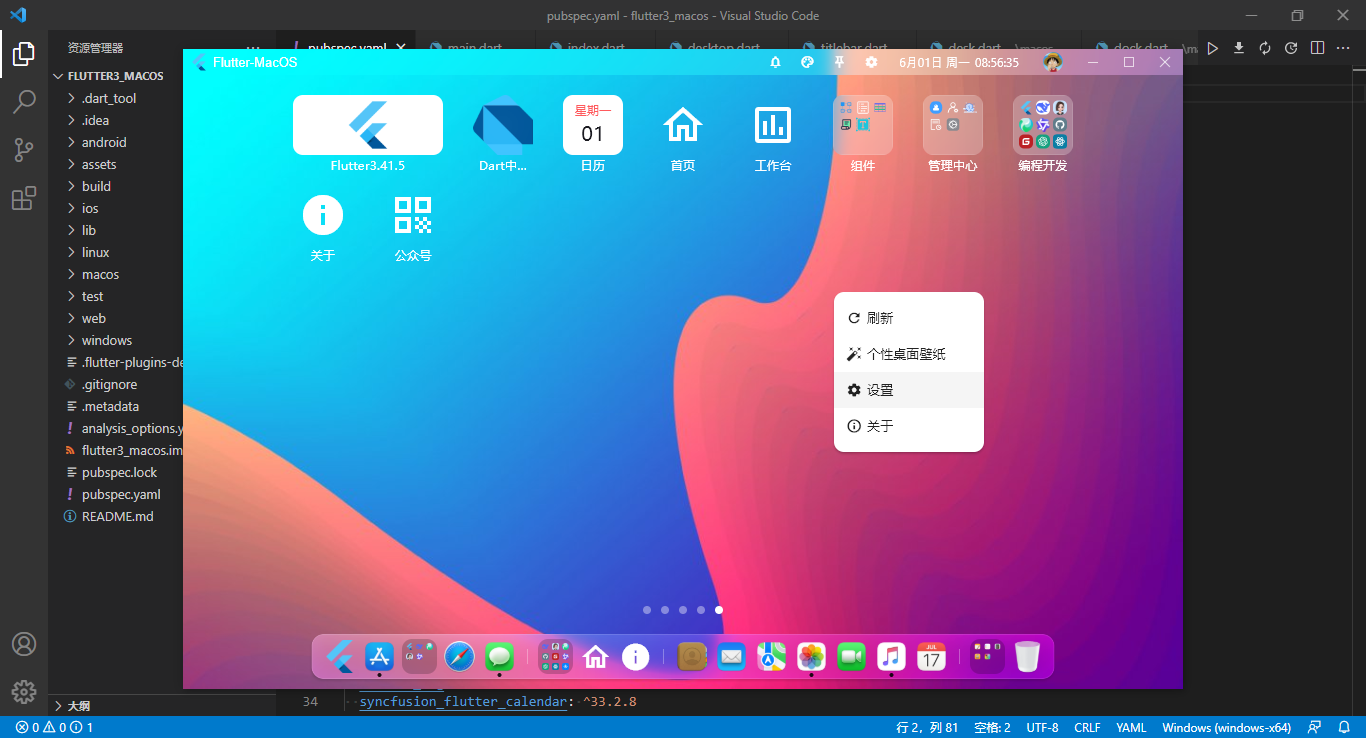
2026/6最新研发flutter3.41+dart3.11+window_manager桌面OS解决方案Flutter3MacOS。
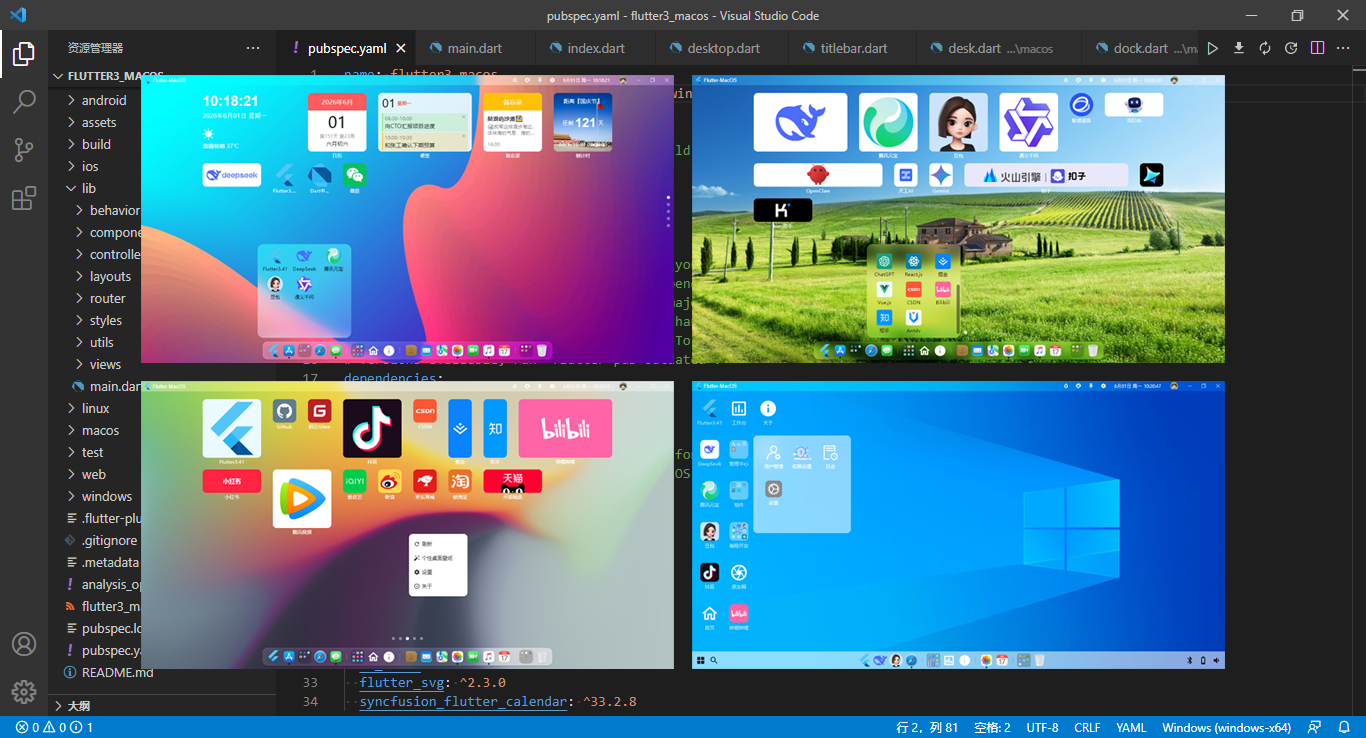
使用技术
- 编辑器:VScode
- 框架技术:Flutter3.41+Dart3.11
- 窗口管理:window_manager^0.5.1
- 路由/状态管理:get^4.7.3
- 缓存服务:get_storage^2.1.1
- 拖拽排序:reorderables^0.6.0
- 图表组件:fl_chart^1.2.0
- 托盘管理:system_tray^2.0.3
- 日历插件:syncfusion_flutter_calendar^33.2.8
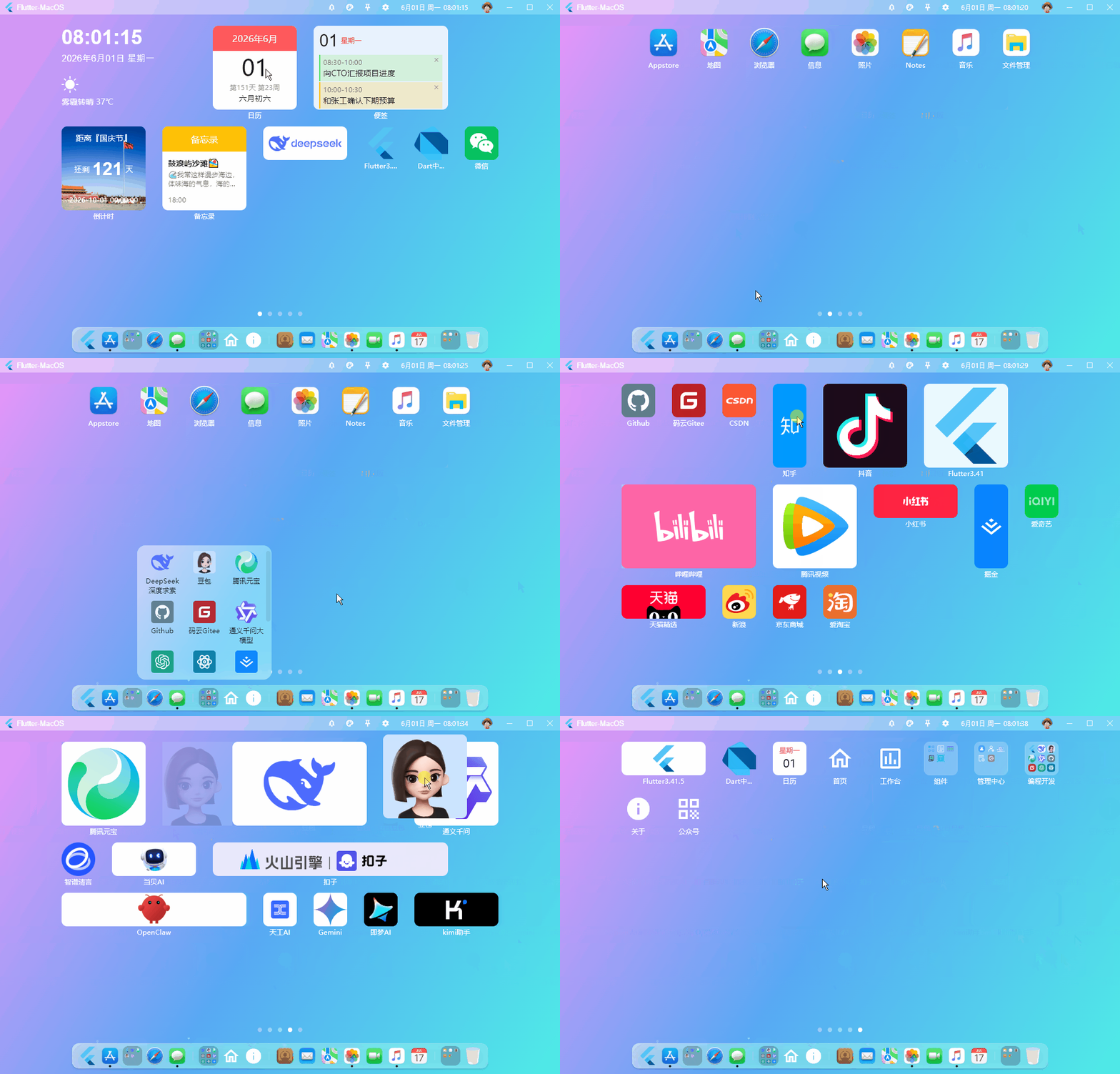
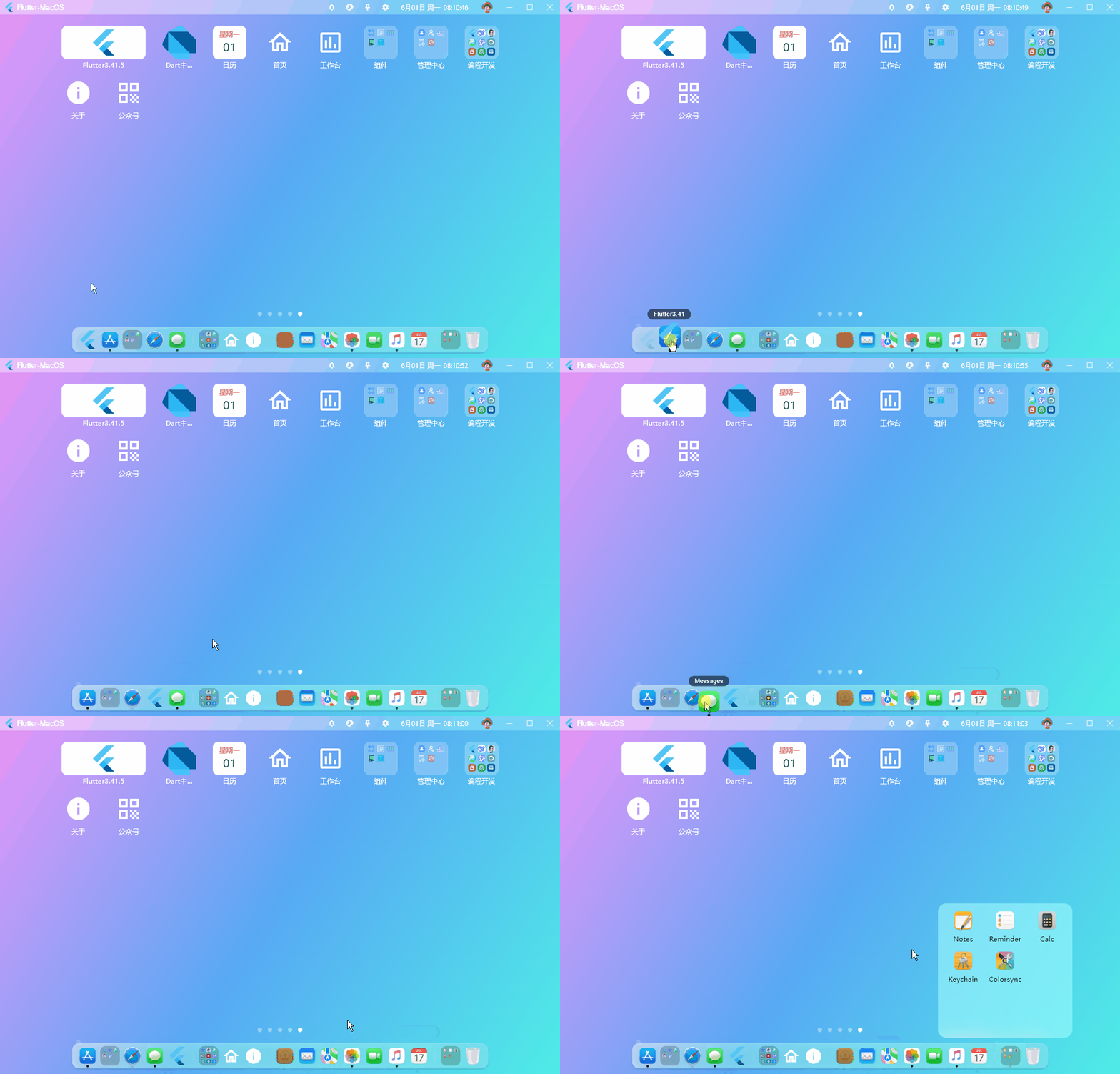
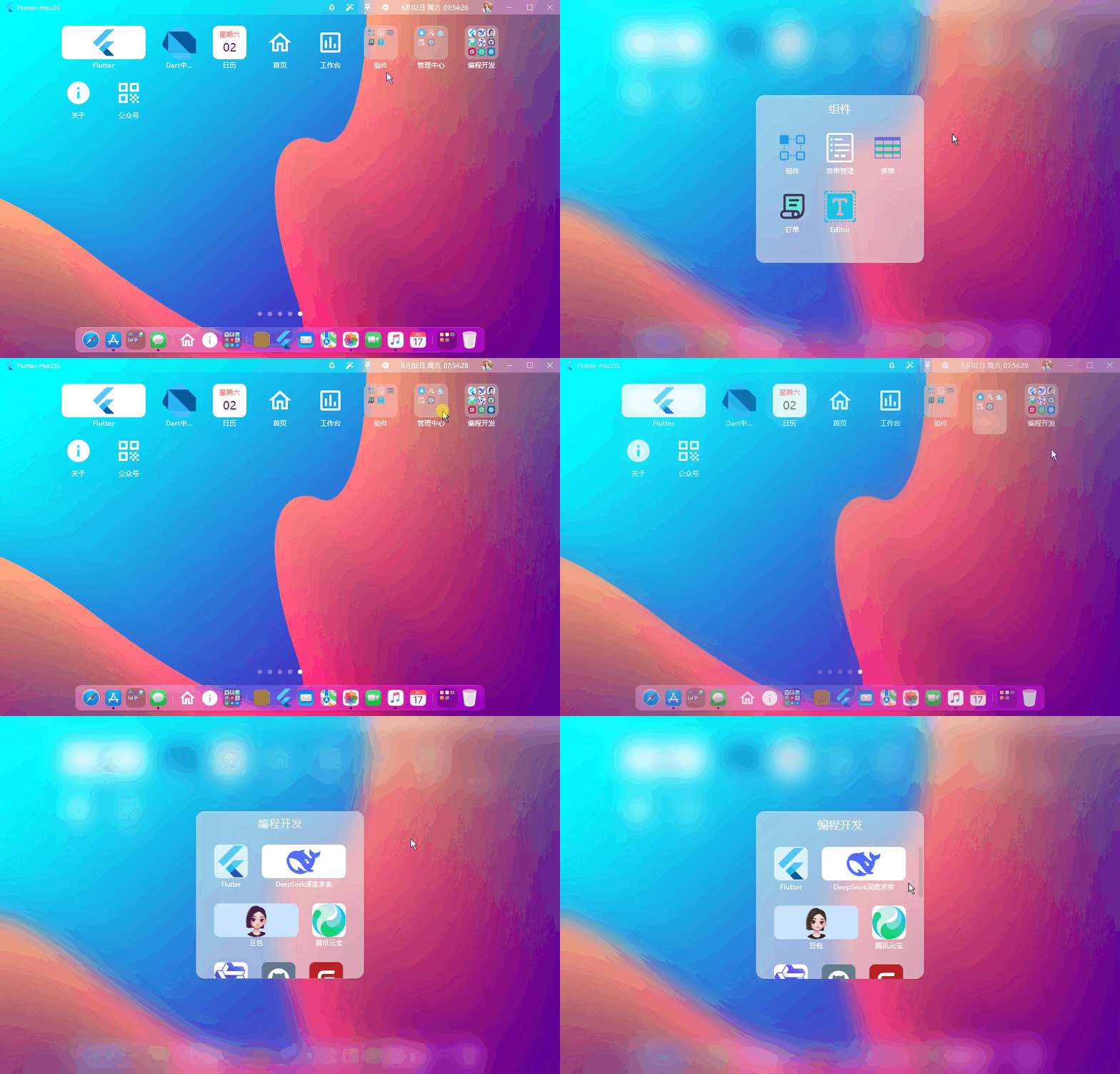
功能性
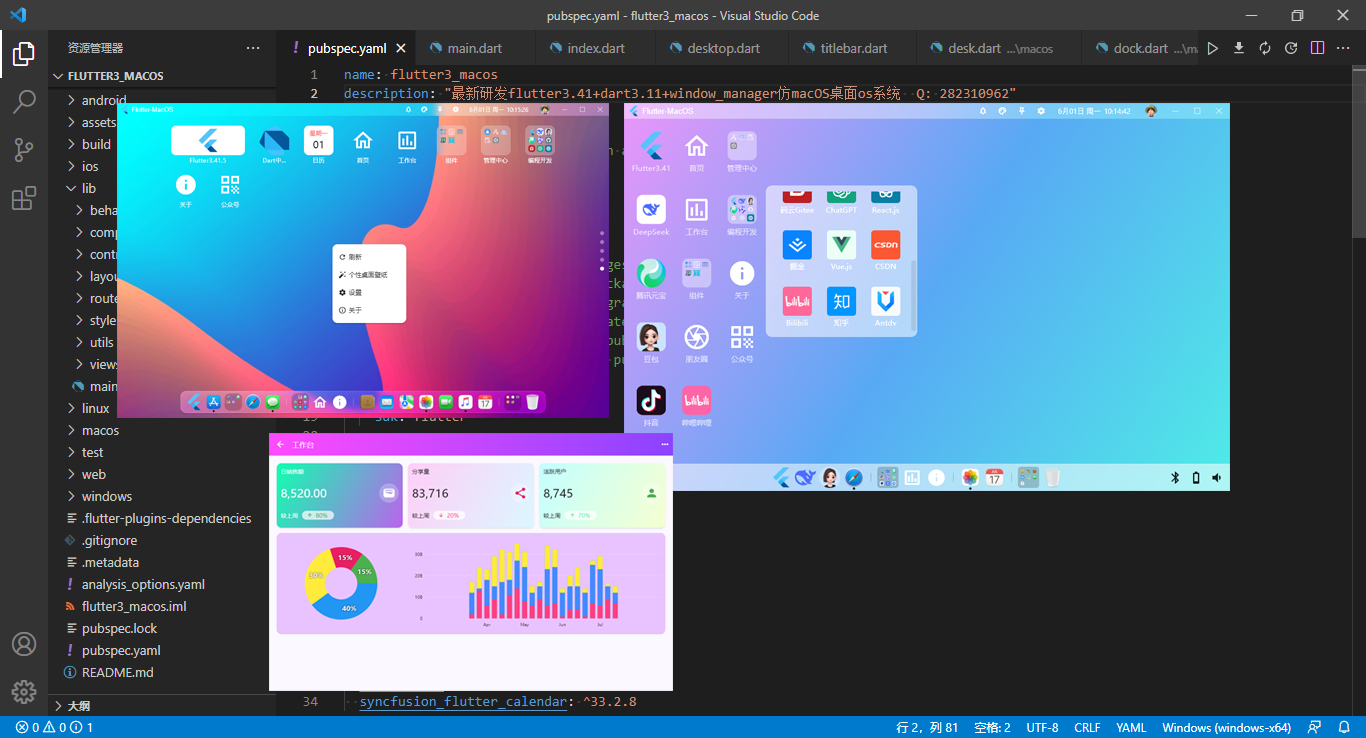
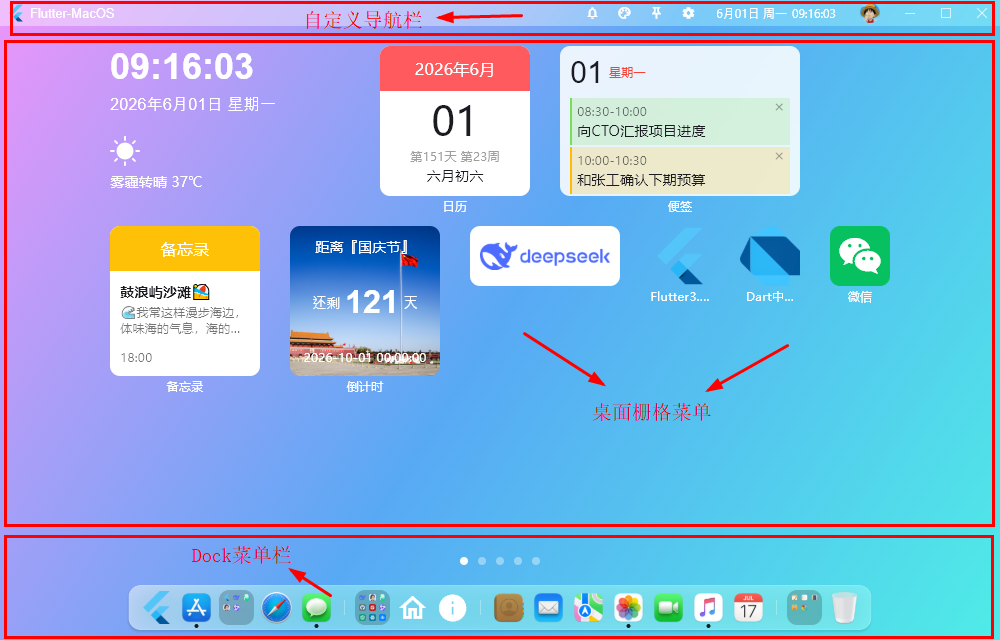
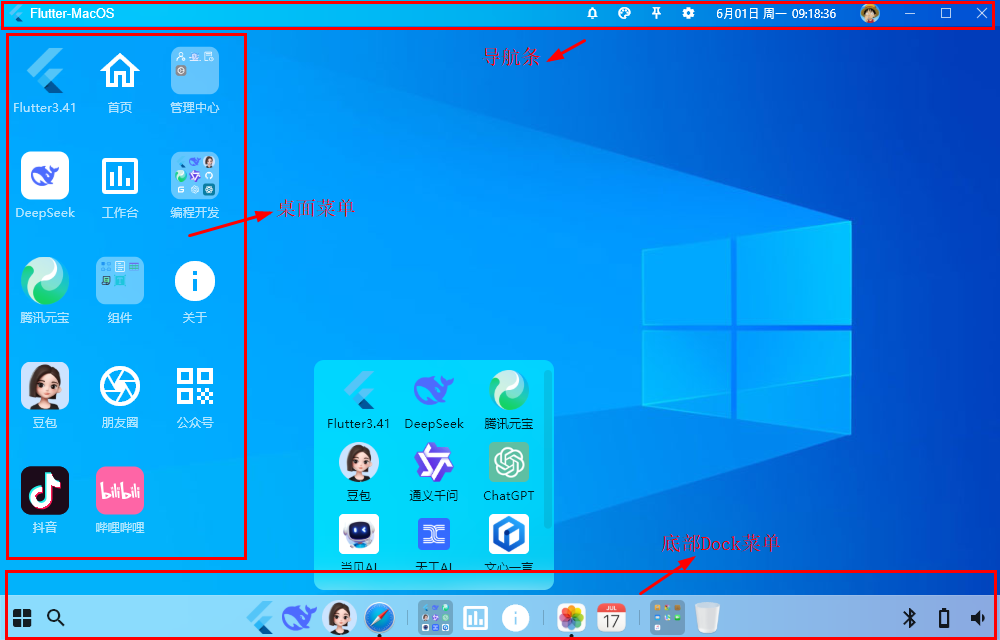
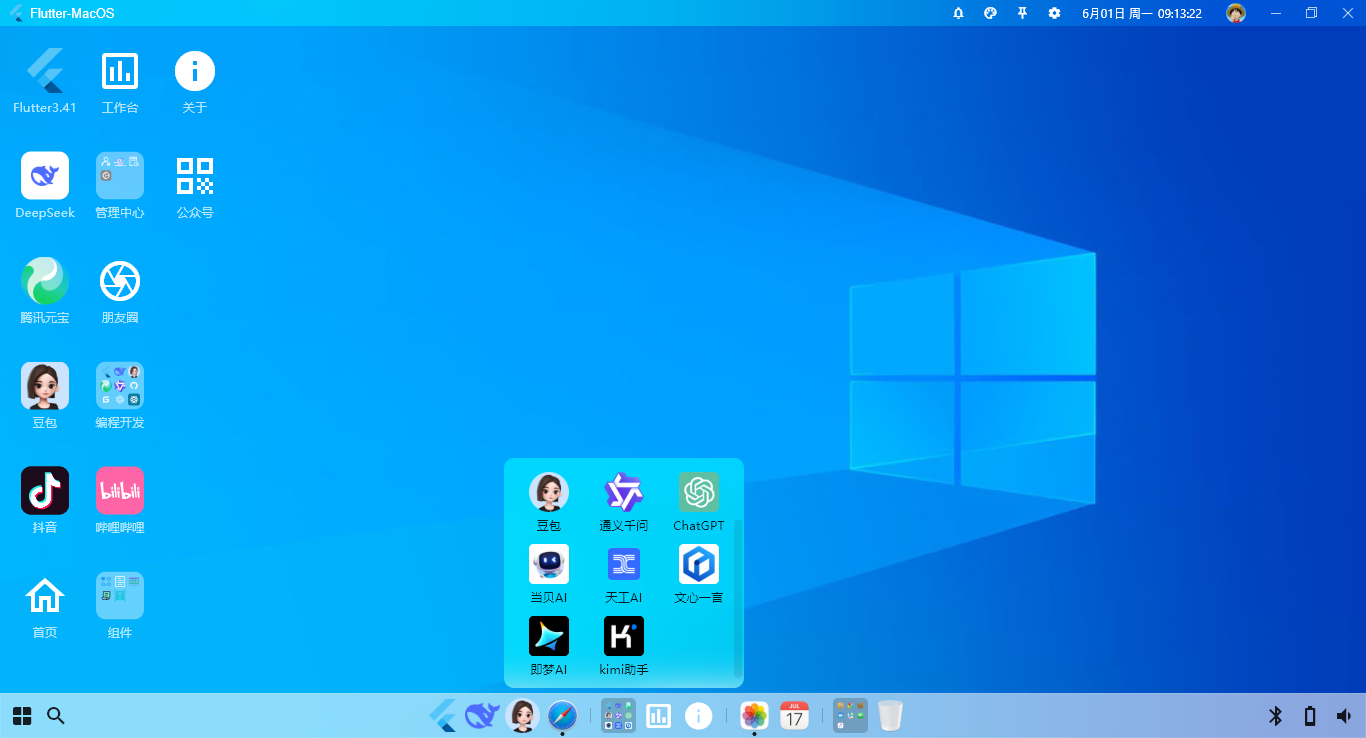
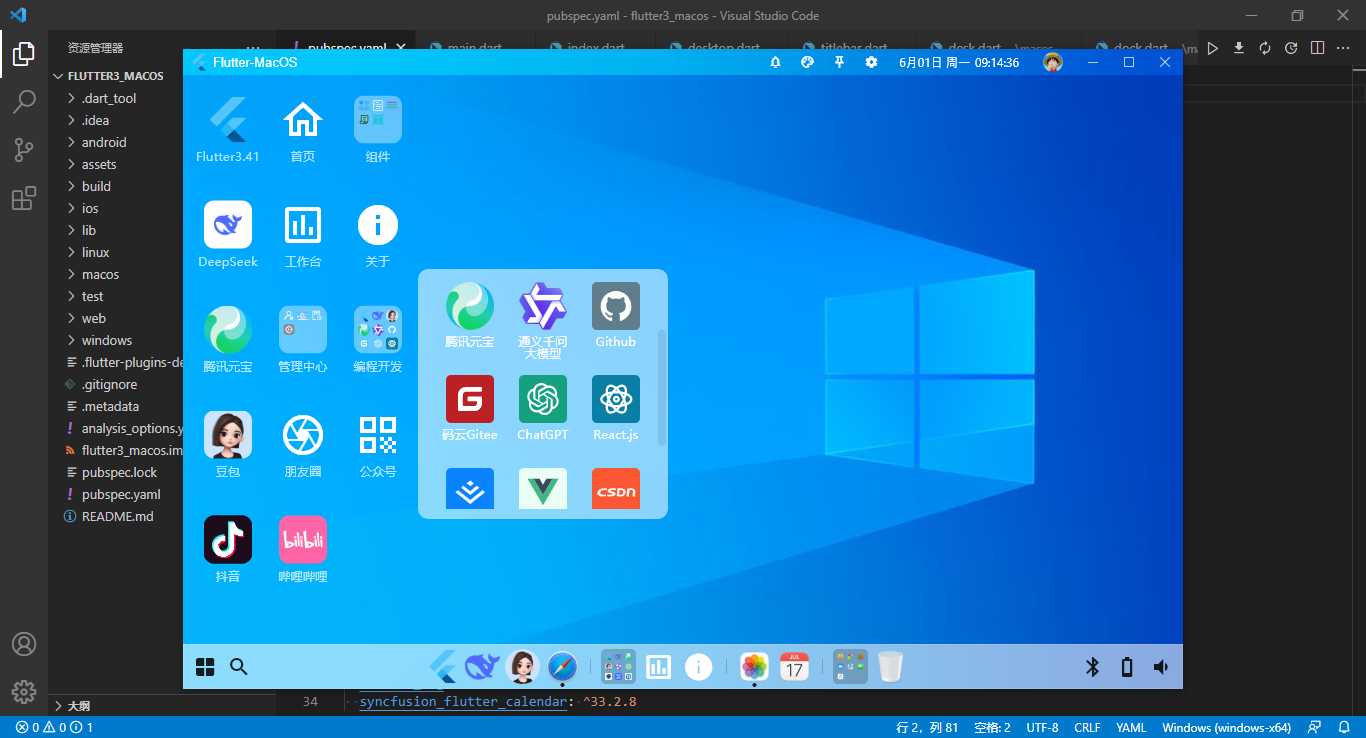
- 支持macos/windows两种桌面风格
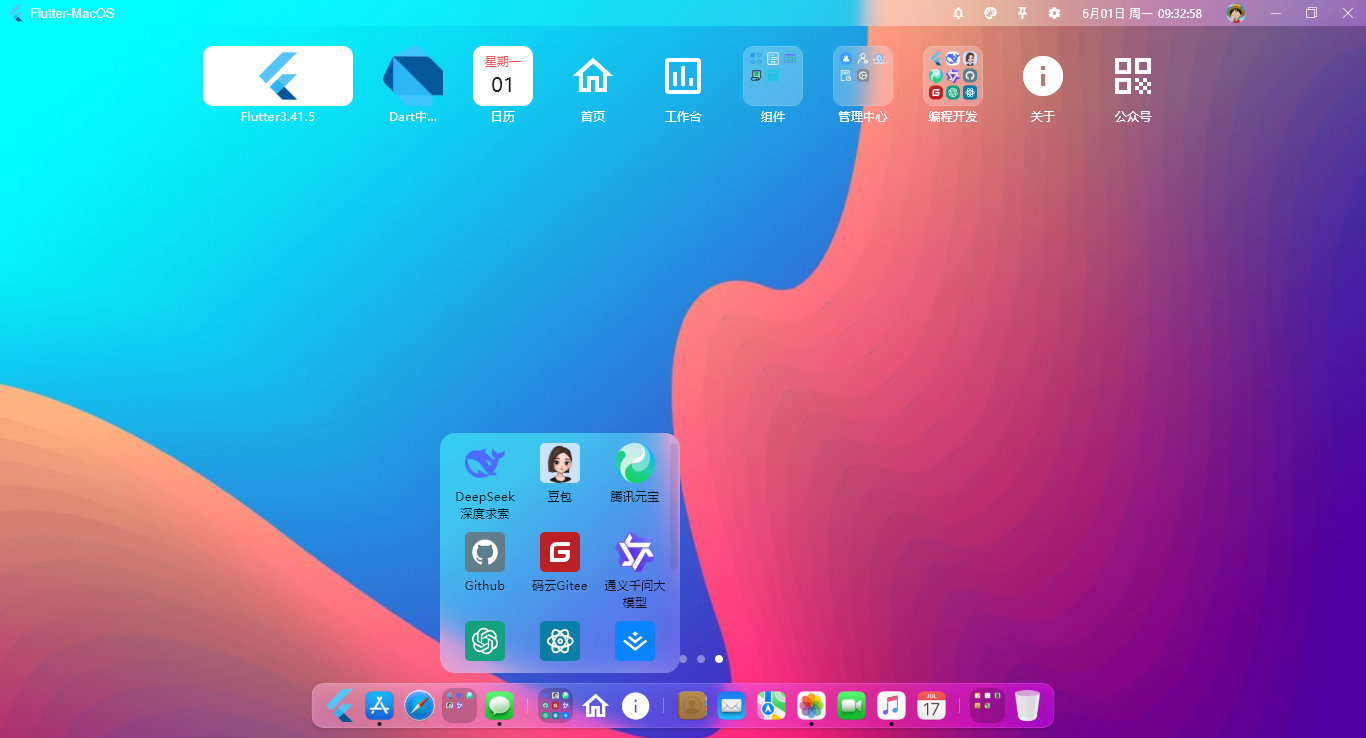
- 经典程序坞Dock菜单(可拖拽排序/二级菜单)
- 支持自定义json配置桌面菜单和Dock菜单
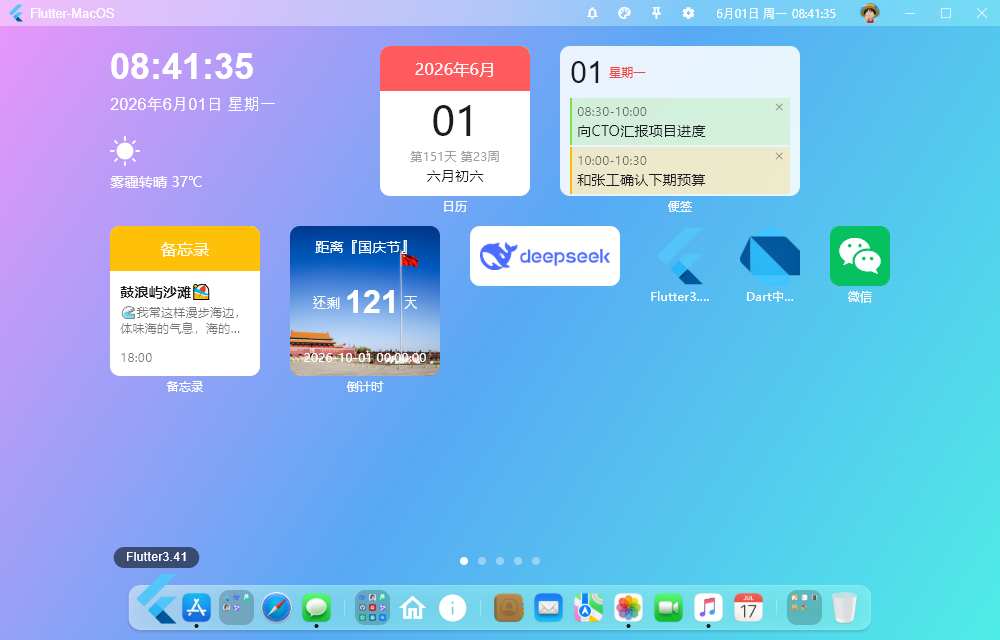
- 自研桌面栅格化布局模板(支持拖拽桌面菜单)
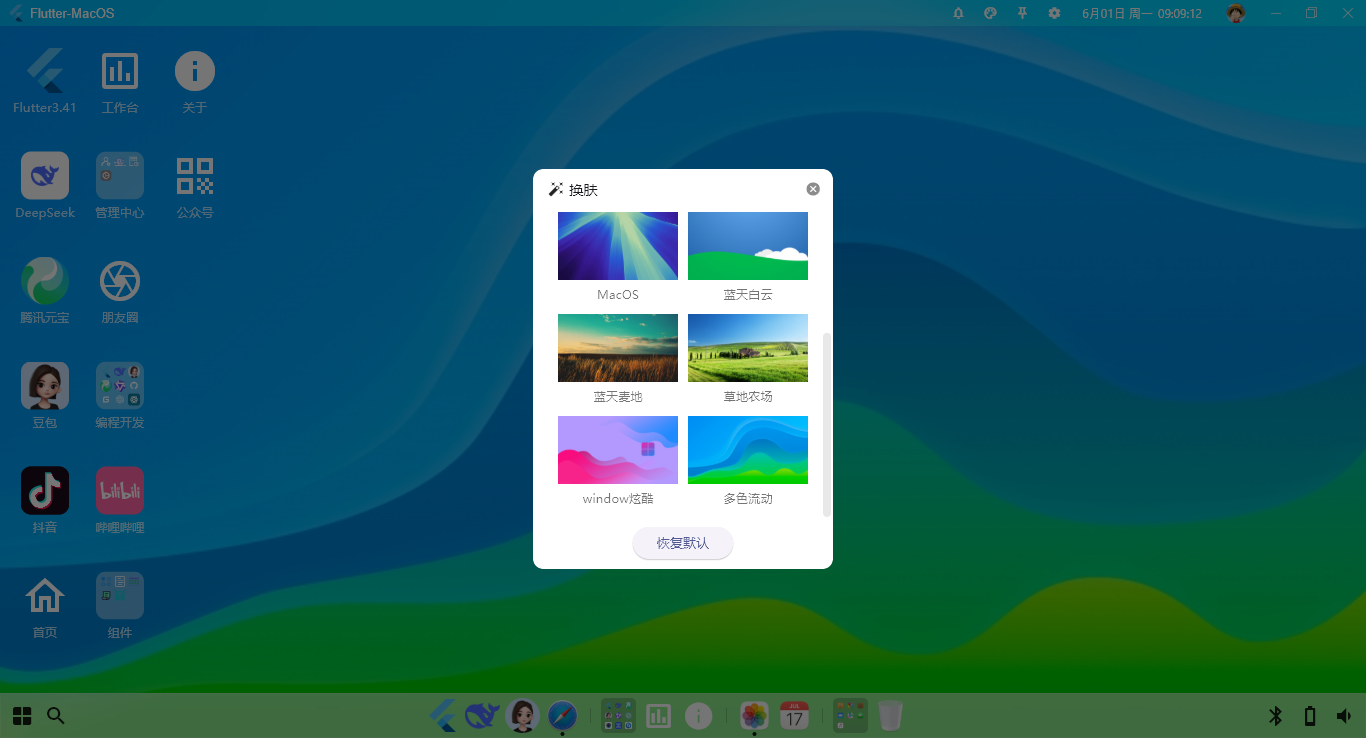
- 自定义桌面个性化壁纸、全场景毛玻璃虚化UI质感
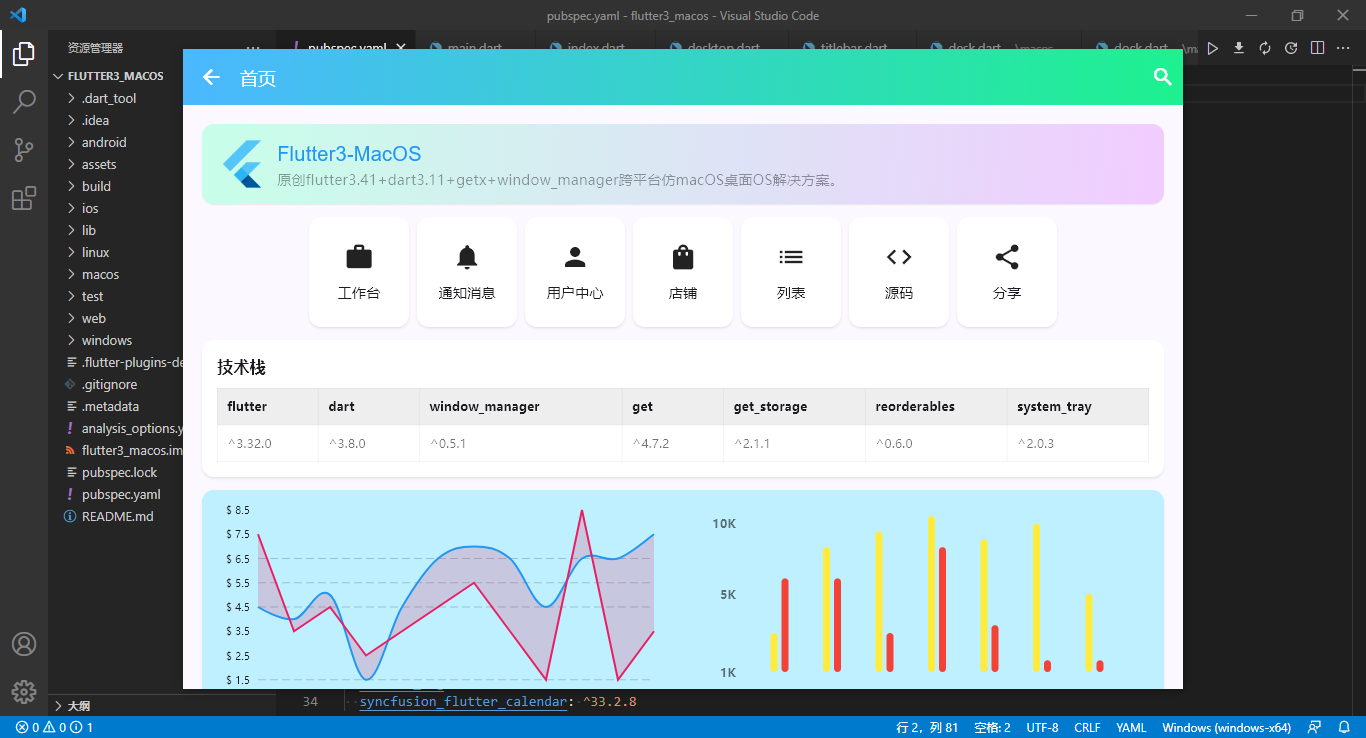
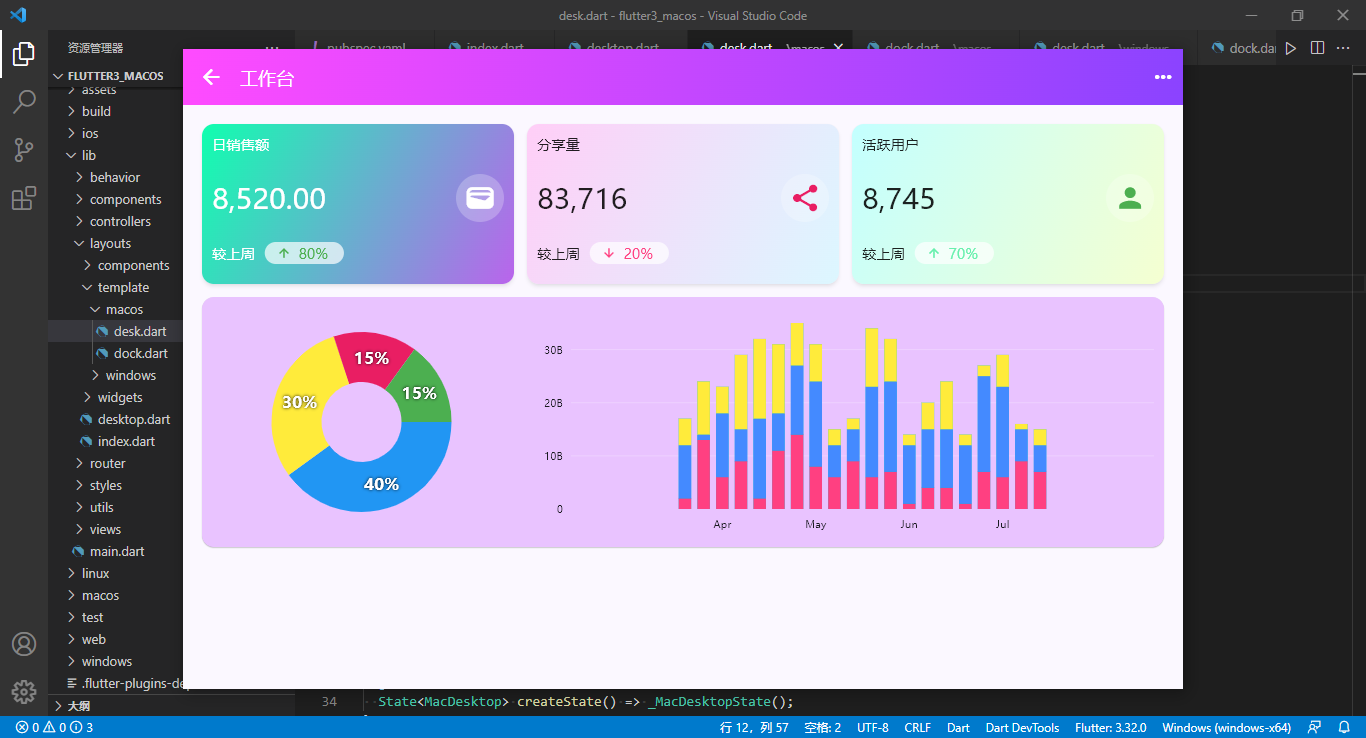
- 支持自定义弹窗加载页面组件(支持全屏/拖拽/缩放)
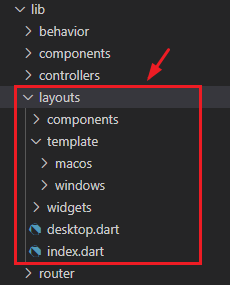
项目结构目录
使用最新版跨平台框架flutter3.41+dart3.11搭建项目模板。
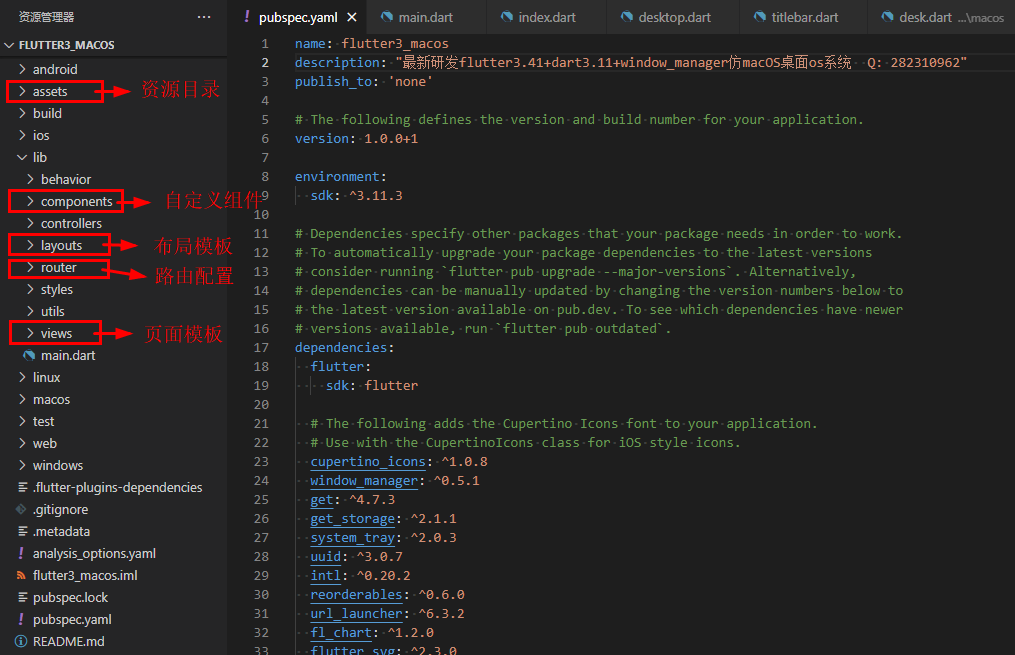
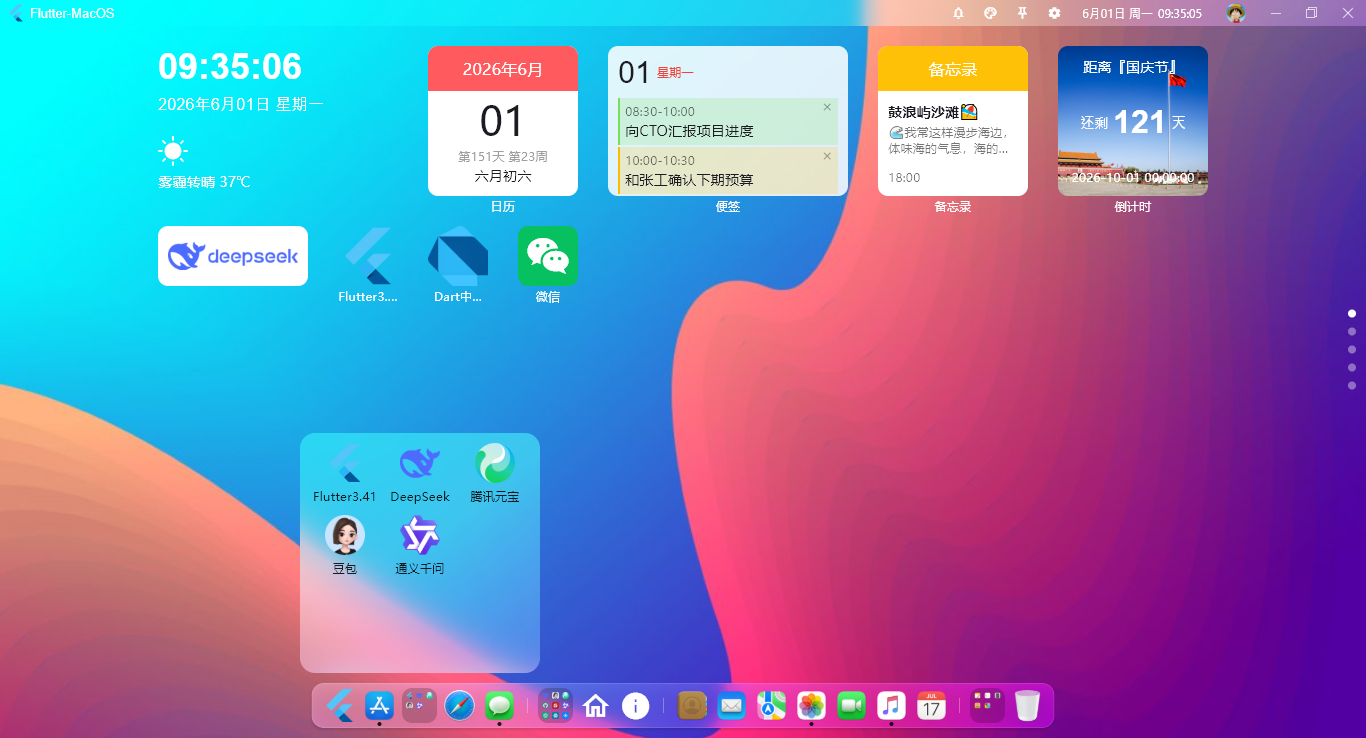
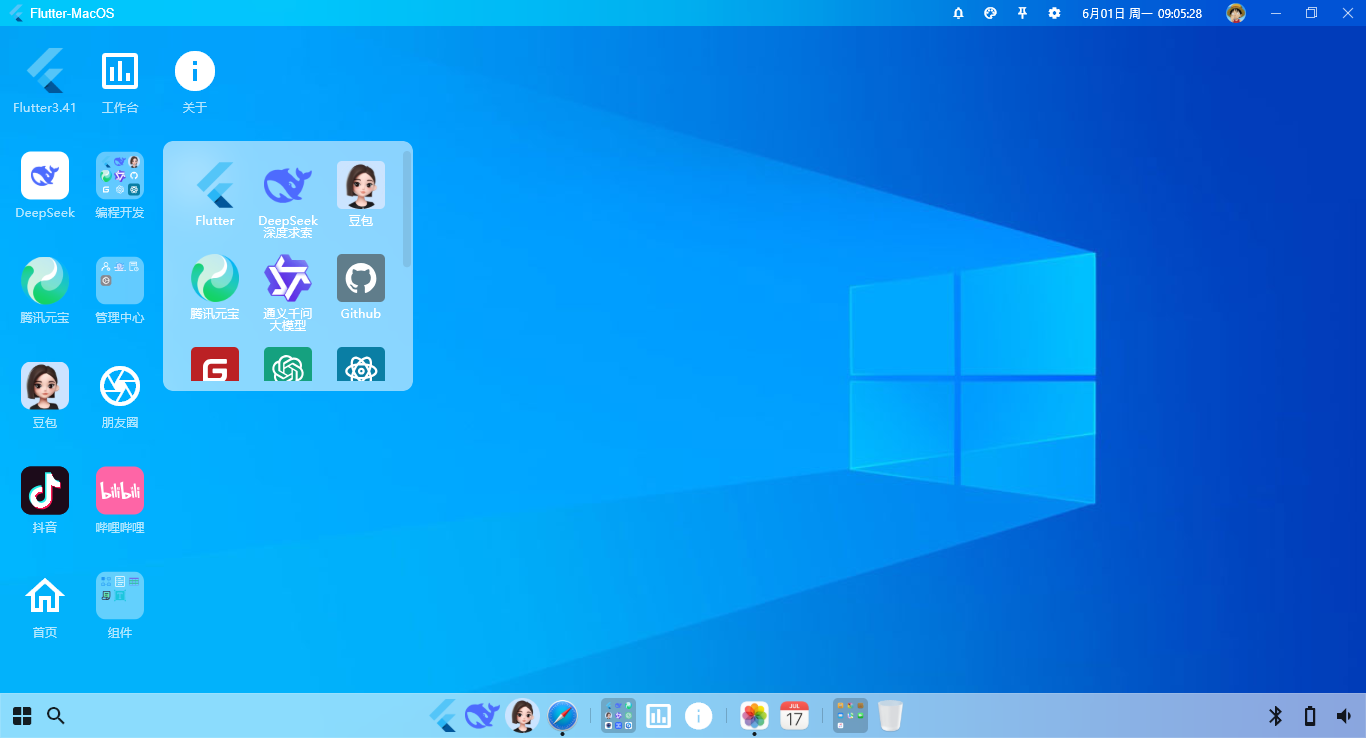
项目入口文件main.dart
import 'dart:io';
import 'package:flutter/material.dart';
import 'package:get/get.dart';
import 'package:get_storage/get_storage.dart';
import 'package:intl/date_symbol_data_local.dart';
import 'package:system_tray/system_tray.dart';
import 'package:window_manager/window_manager.dart';

import 'utils/common.dart';

// 引入布局模板
import 'layouts/desktop.dart';

// 引入路由管理
import 'router/index.dart';

void main() async {
  // 初始化国际化语言
  initializeDateFormatting();

  // 初始化get_storage本地存储
  await GetStorage.init();

  // 初始化window_manager窗口
  WidgetsFlutterBinding.ensureInitialized();
  await windowManager.ensureInitialized();
  WindowOptions windowOptions = const WindowOptions(
    title: 'Flutter-MacOS',
    size: Size(1000, 640),
    center: true,
    backgroundColor: Colors.transparent,
    skipTaskbar: false,
    titleBarStyle: TitleBarStyle.hidden, // 是否隐藏系统导航栏
    windowButtonVisibility: false,
  );
  windowManager.waitUntilReadyToShow(windowOptions, () async {
    windowManager.setAsFrameless(); // 无边框
    windowManager.setHasShadow(true); // 是否有阴影
    await windowManager.show();
    await windowManager.focus();
  });

  await initSystemTray();

  runApp(const MyApp());
}

// 初始化系统托盘图标
Future<void> initSystemTray() async {
  String trayIco = 'assets/images/tray.ico';
  SystemTray systemTray = SystemTray();

  // 初始化系统托盘
  await systemTray.initSystemTray(
    title: 'Flutter-MacOS',
    iconPath: trayIco,
  );

  // 右键菜单
  final Menu menu = Menu();
  await menu.buildFrom([
    MenuItemLabel(label: '打开主界面', onClicked: (menuItem) async => await windowManager.show()),
    MenuItemLabel(label: '隐藏窗口', onClicked: (menuItem) async => await windowManager.hide()),
    MenuItemLabel(label: '设置中心', onClicked: (menuItem) => {}),
    MenuItemLabel(label: '锁屏', onClicked: (menuItem) => {}),
    MenuItemLabel(label: '退出', onClicked: (menuItem) async => await windowManager.destroy()),
  ]);
  await systemTray.setContextMenu(menu);

  // 右键事件
  systemTray.registerSystemTrayEventHandler((eventName) async {
    debugPrint('eventName: $eventName');
    if (eventName == kSystemTrayEventClick) {
      Platform.isWindows ? await windowManager.show() : systemTray.popUpContextMenu();
    } else if (eventName == kSystemTrayEventRightClick) {
      Platform.isWindows ? systemTray.popUpContextMenu() : await windowManager.show();
    }
  });
}

class MyApp extends StatelessWidget {
  const MyApp({super.key});

  @override
  Widget build(BuildContext context) {
    return GetMaterialApp(
      title: 'FLUTTER3 MACOS',
      debugShowCheckedModeBanner: false,
      // 配置主题
      theme: ThemeData(
        colorScheme: ColorScheme.fromSeed(seedColor: Colors.indigo),
        useMaterial3: true,
        // 修复windows端字体粗细不一致
        fontFamily: Platform.isWindows ? 'Microsoft YaHei' : null,
      ),
      home: const Desktop(),
      // 初始路由
      initialRoute: Common.isLogin() ? '/' : '/login',
      // 路由页面
      getPages: routePages,
    );
  }
}
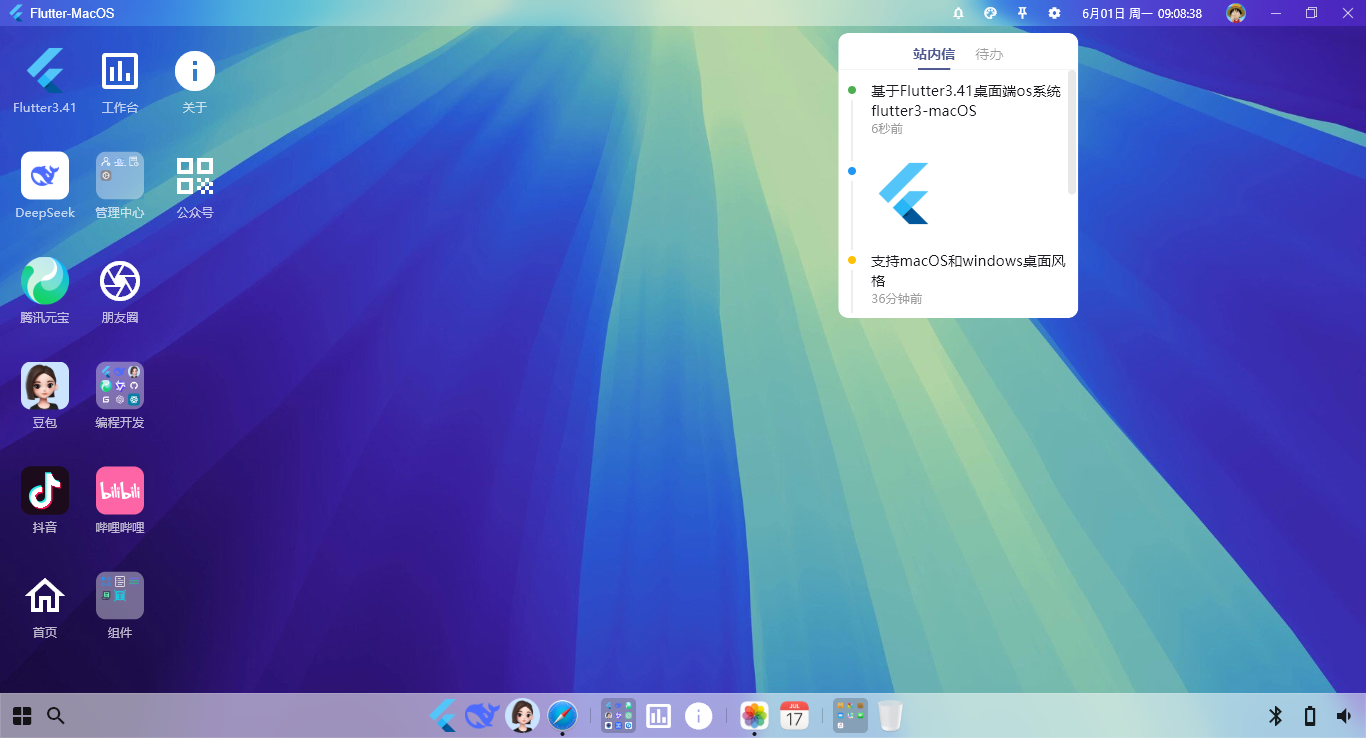
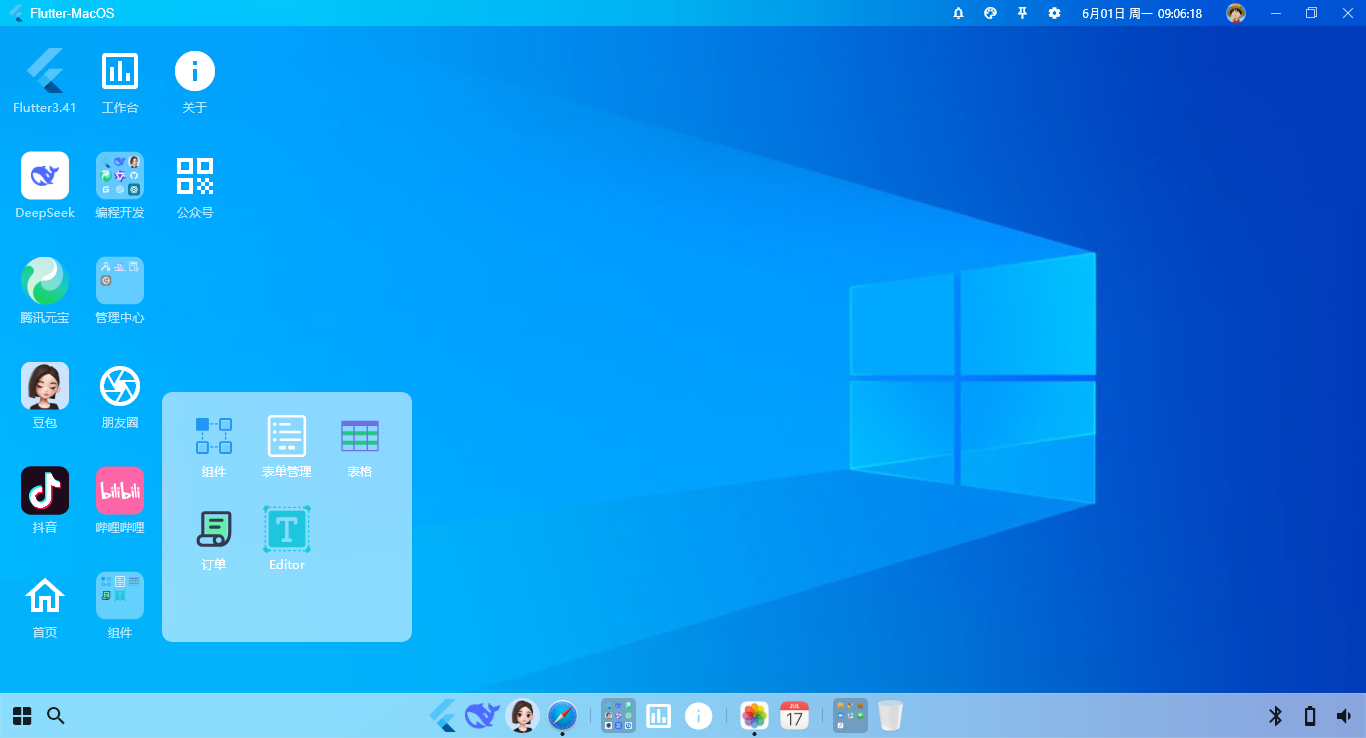
flutter-macos桌面布局模板
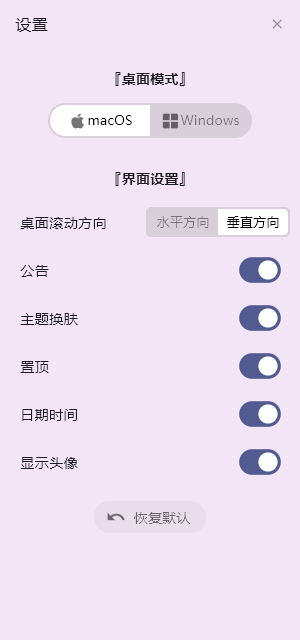
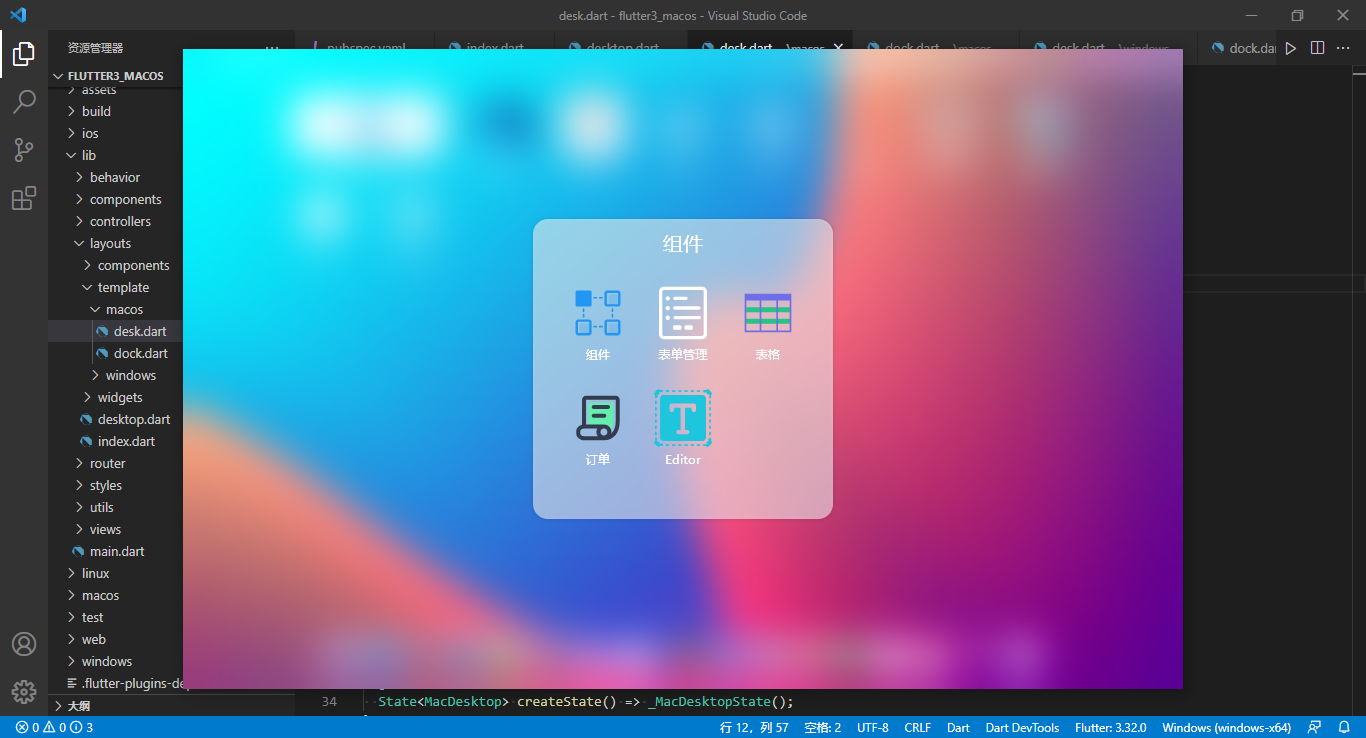
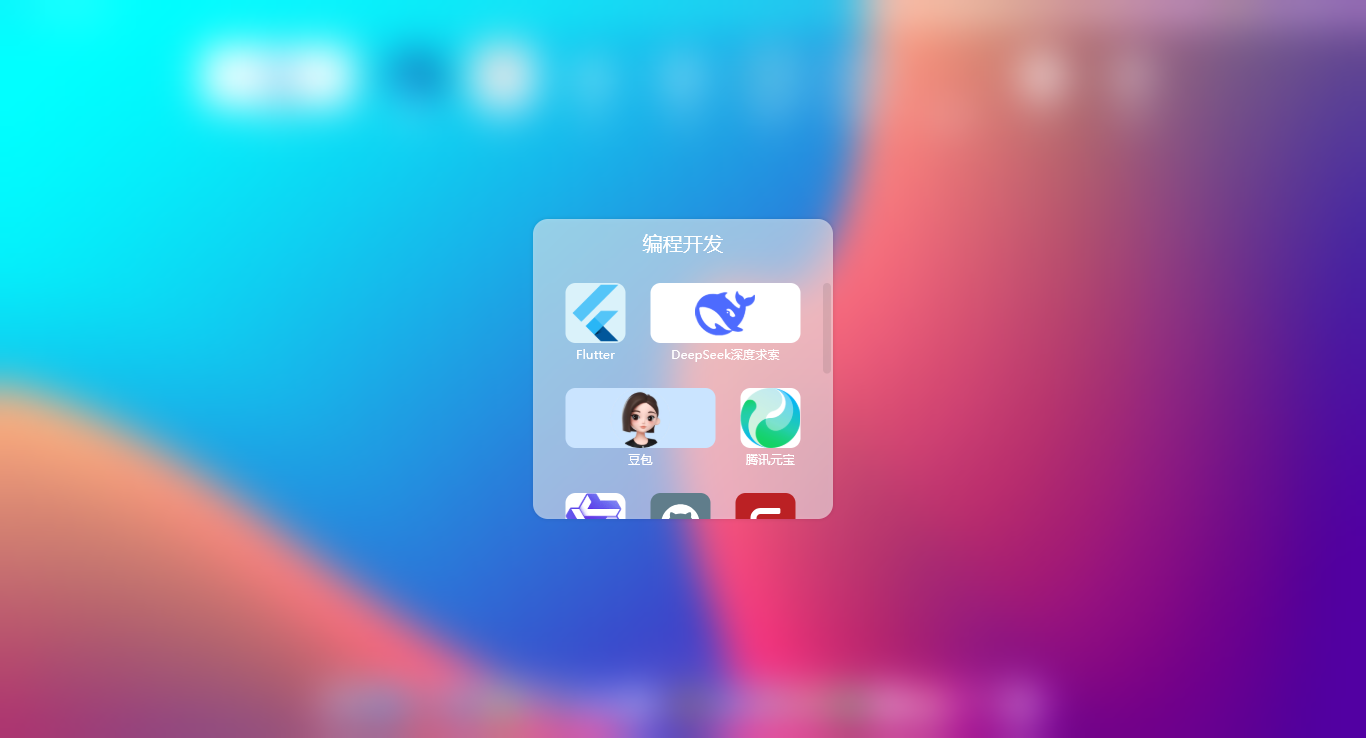
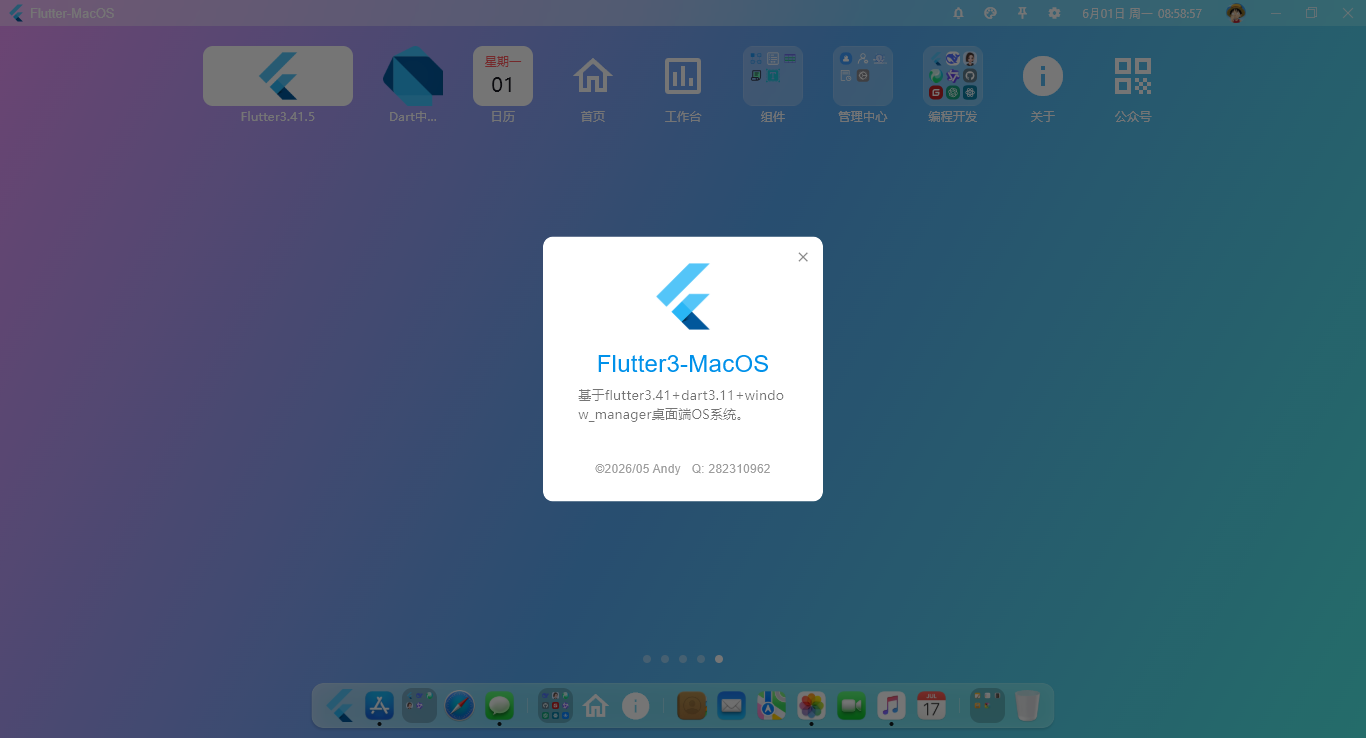
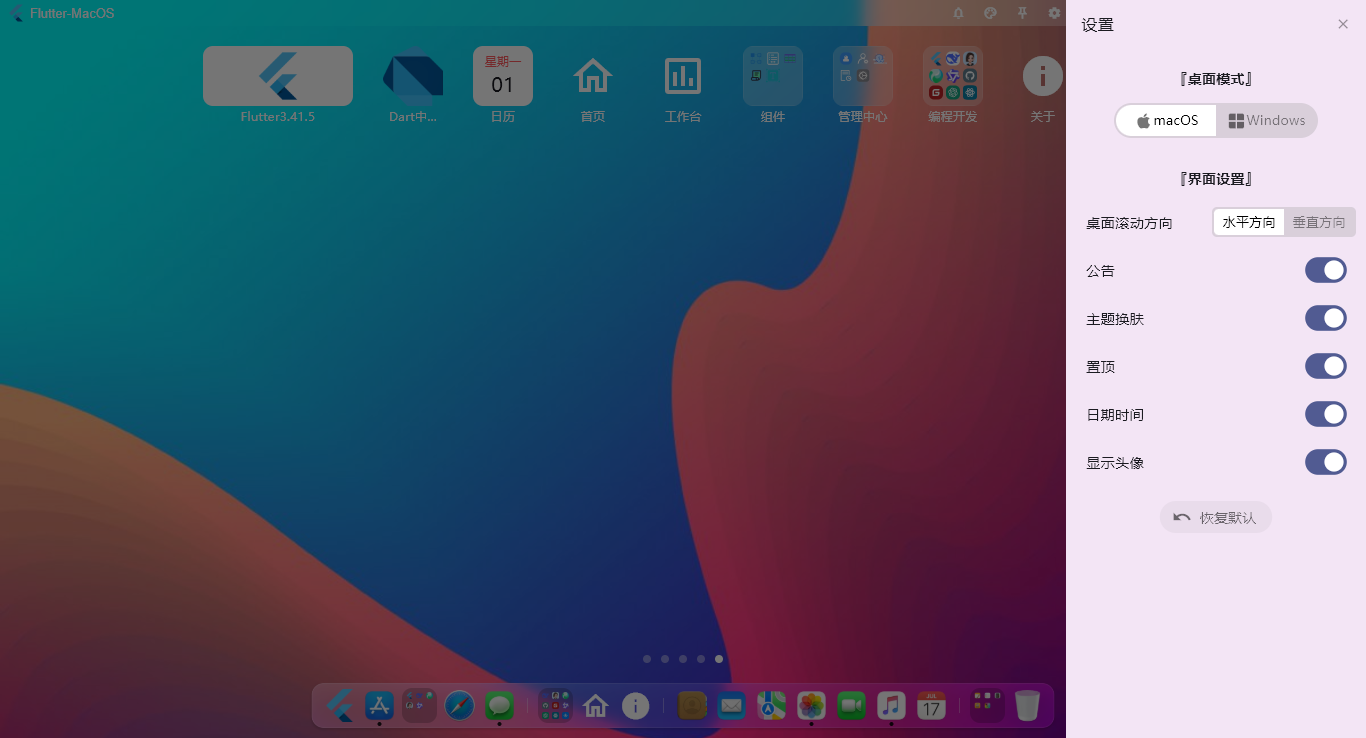
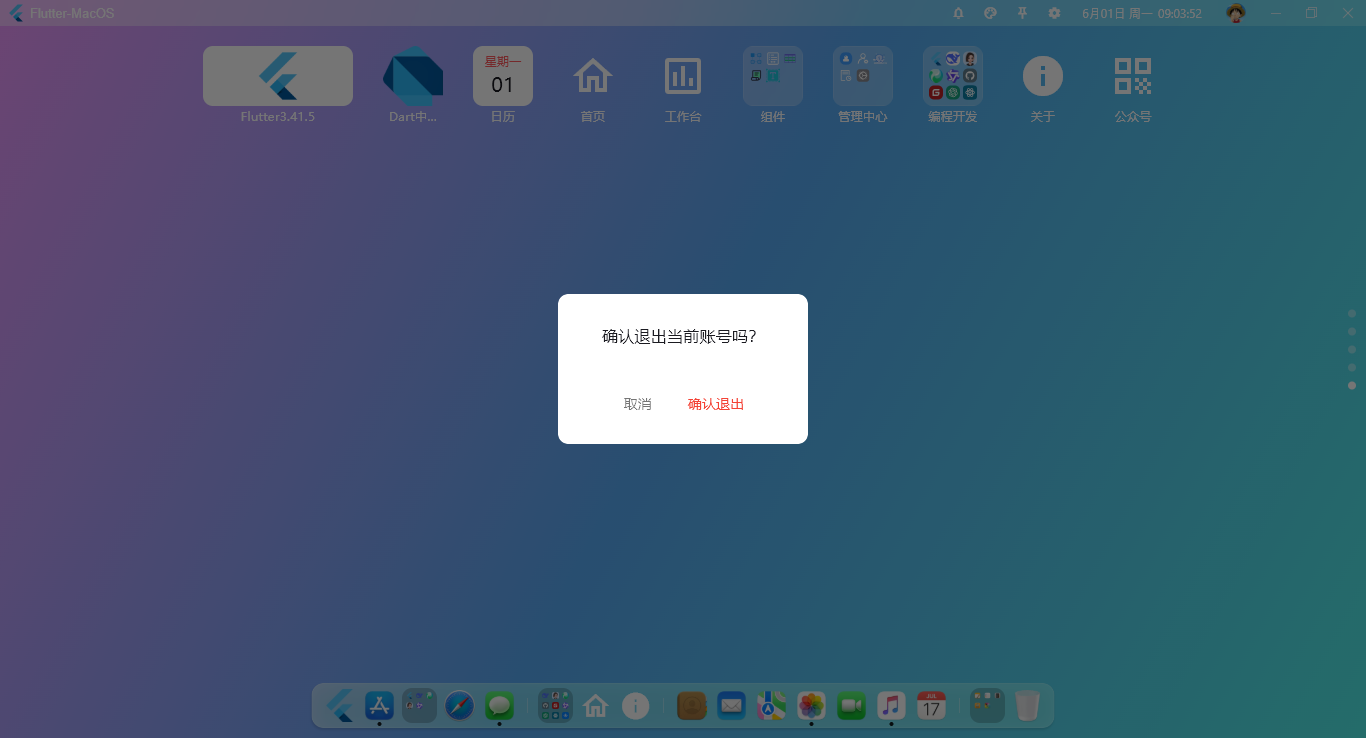
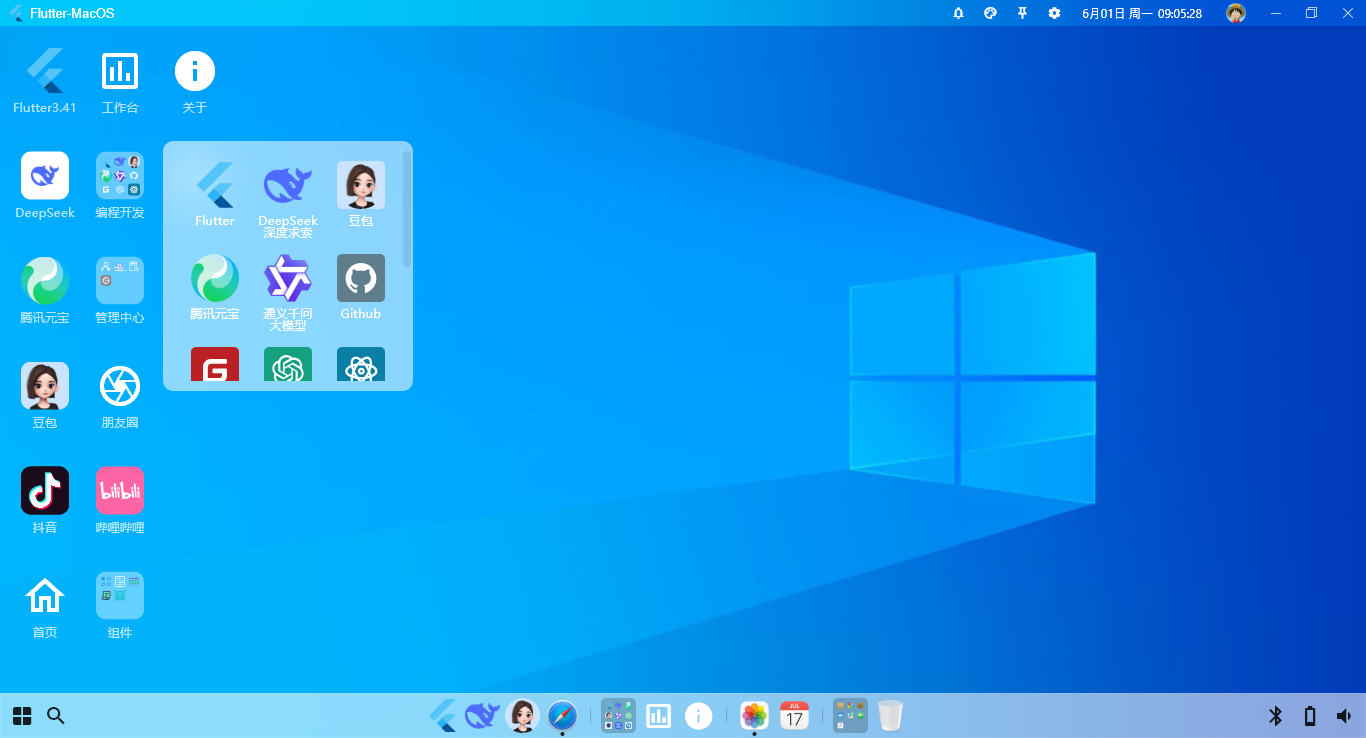
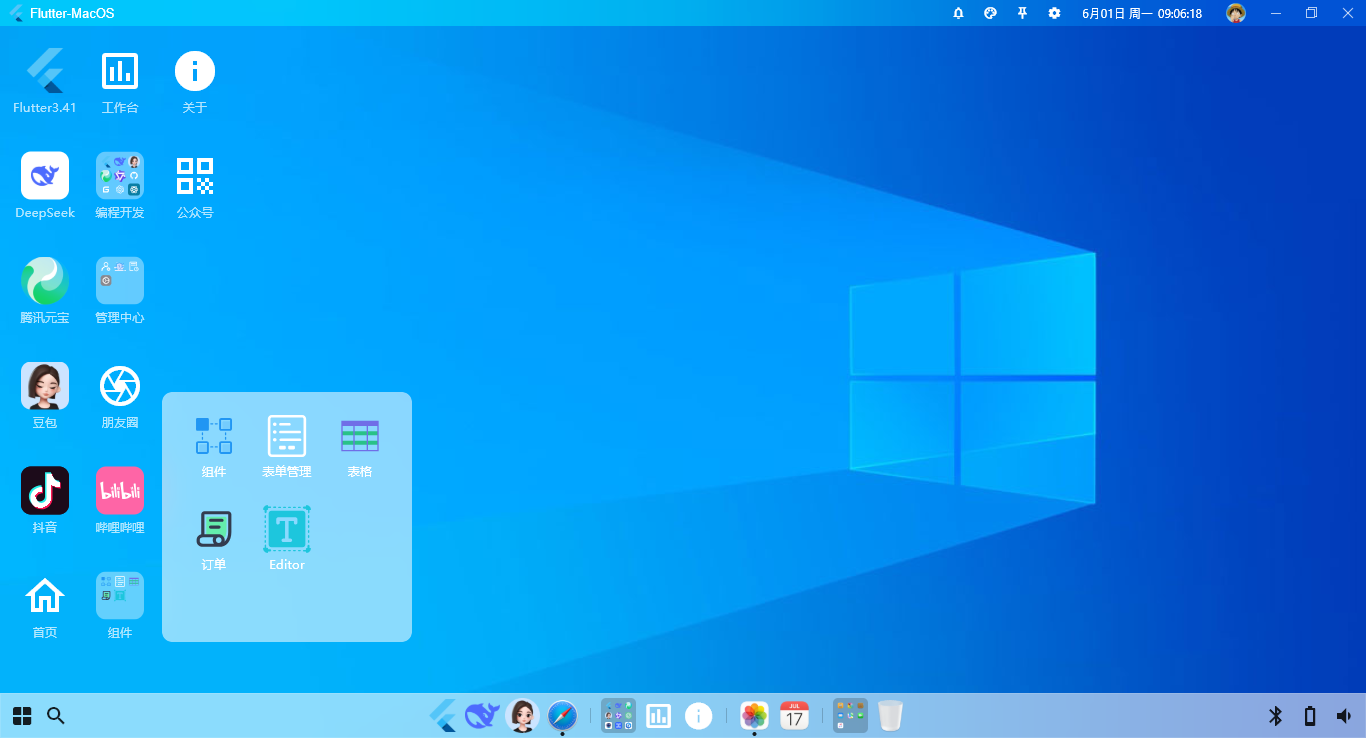
内置macos+windows两种风格桌面布局模板。
return Scaffold(
  key: scaffoldKey,
  body: Obx(() {
    return Container(
      // 背景图主题
      decoration: skinController.skinUrl.isNotEmpty ? BoxDecoration(
        image: DecorationImage(
          image: AssetImage('${skinController.skinUrl}'),
          fit: BoxFit.cover,
        ),
      )
      :
      // 默认渐变色
      BoxDecoration(
        gradient: LinearGradient(
          begin: Alignment.topLeft,
          end: Alignment.bottomRight,
          colors: [Color(0xFF454ED4), Color(0xFFBC40D4)],
        ),
      ),
      child: DragToResizeArea(
        child: Flex(
          direction: Axis.vertical,
          crossAxisAlignment: CrossAxisAlignment.start,
          children: [
            // 顶部模块
            widget.header ?? WindowTitlebar(
              onDrawer: () {
                scaffoldKey.currentState?.openEndDrawer();
              },
            ),

            // 桌面模块
            Expanded(
              child: widget.body ?? Container(),
            ),

            // 底部模块
            Container(
              child: widget.footer,
            ),
          ],
        ),
      ),
    );
  }),
);
桌面布局模板
class _DesktopState extends State<Desktop> {
  SettingController settingController = Get.put(SettingController());

  @override
  Widget build(BuildContext context) {
    return Obx(() {
      final layout = settingController.settingData['dock'];
      return Layout(
        // 桌面菜单
        body: layout == 'macos' ? MacDesktop() : WindowDesktop(),
        // 底部导航
        footer: layout == 'macos' ? MacDock() : WindowDock(),
      );
    });
  }
}
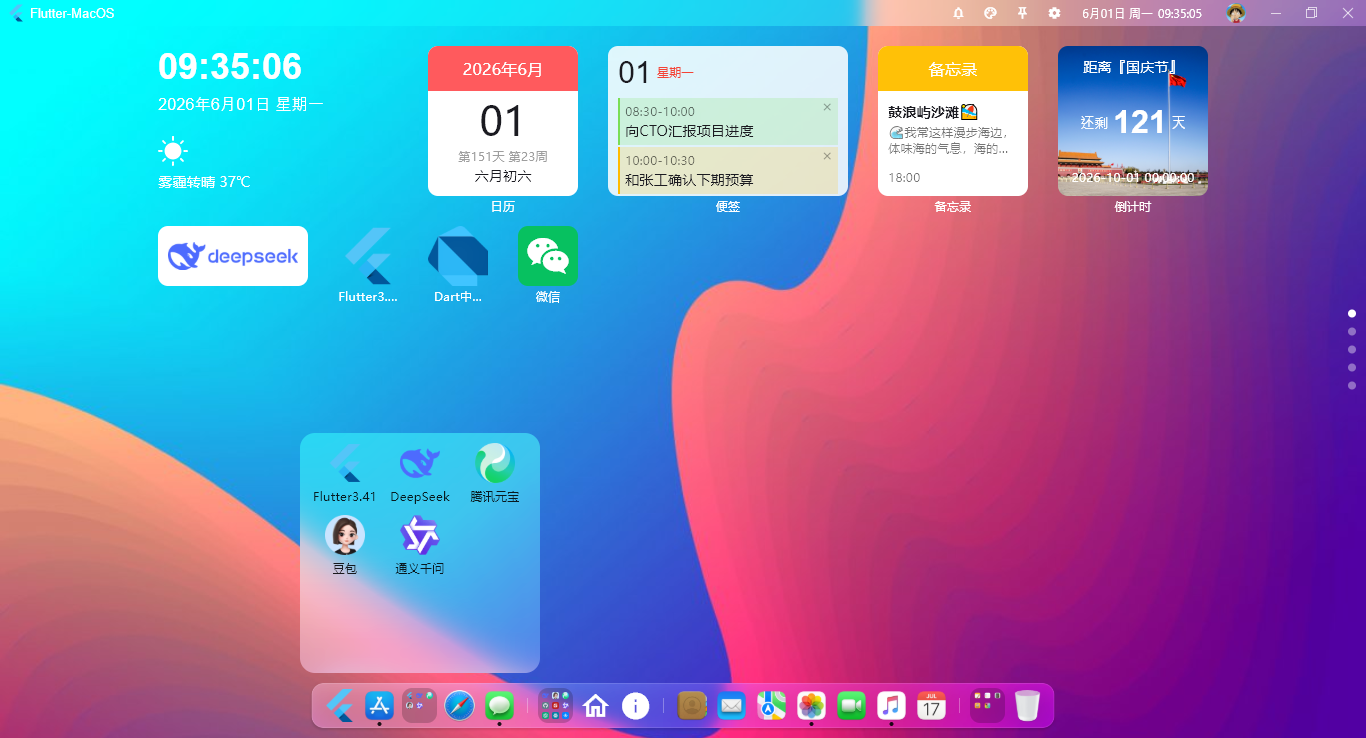
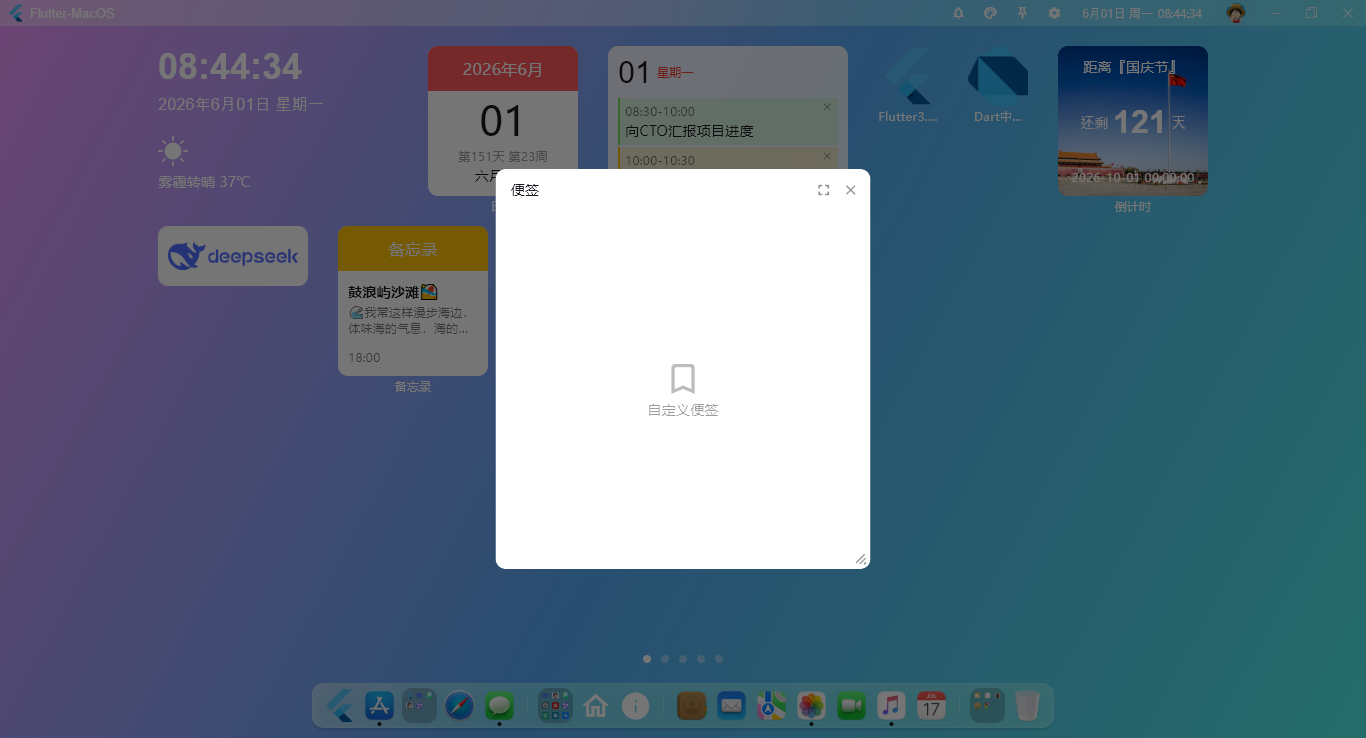
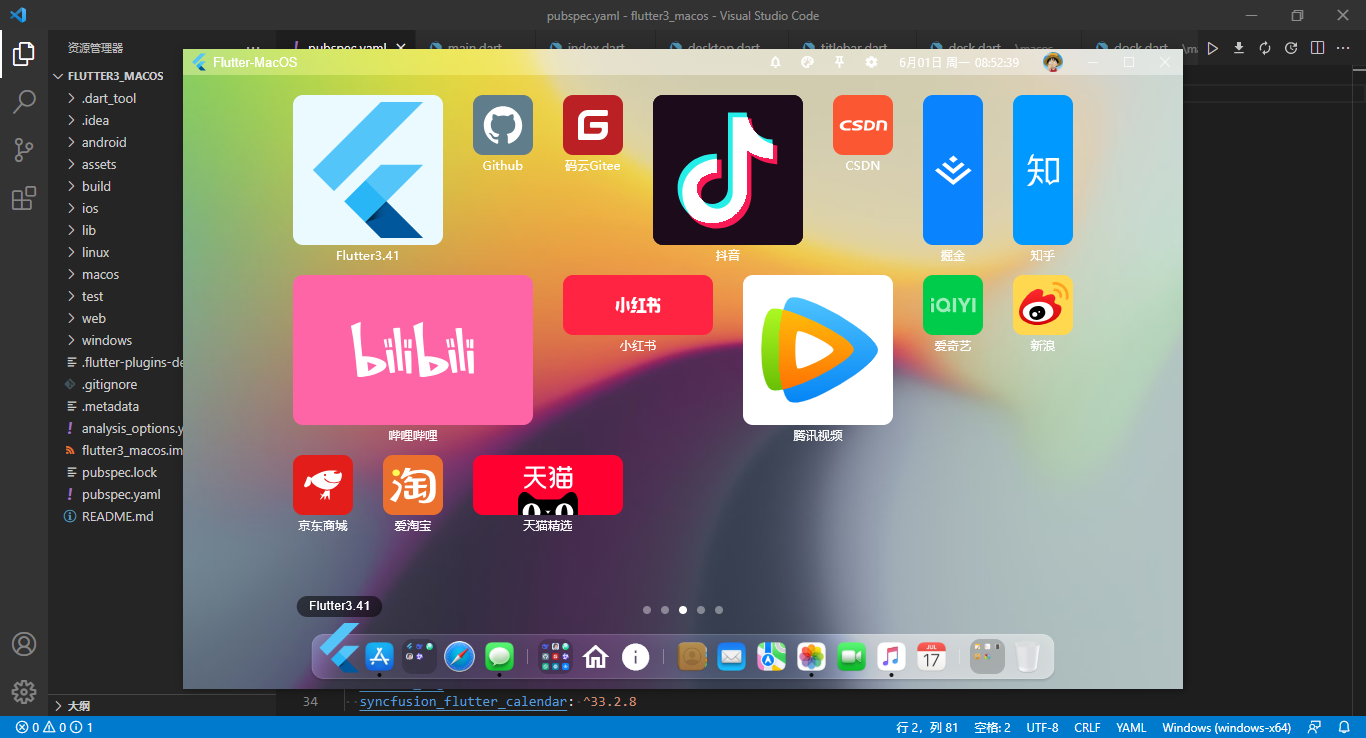
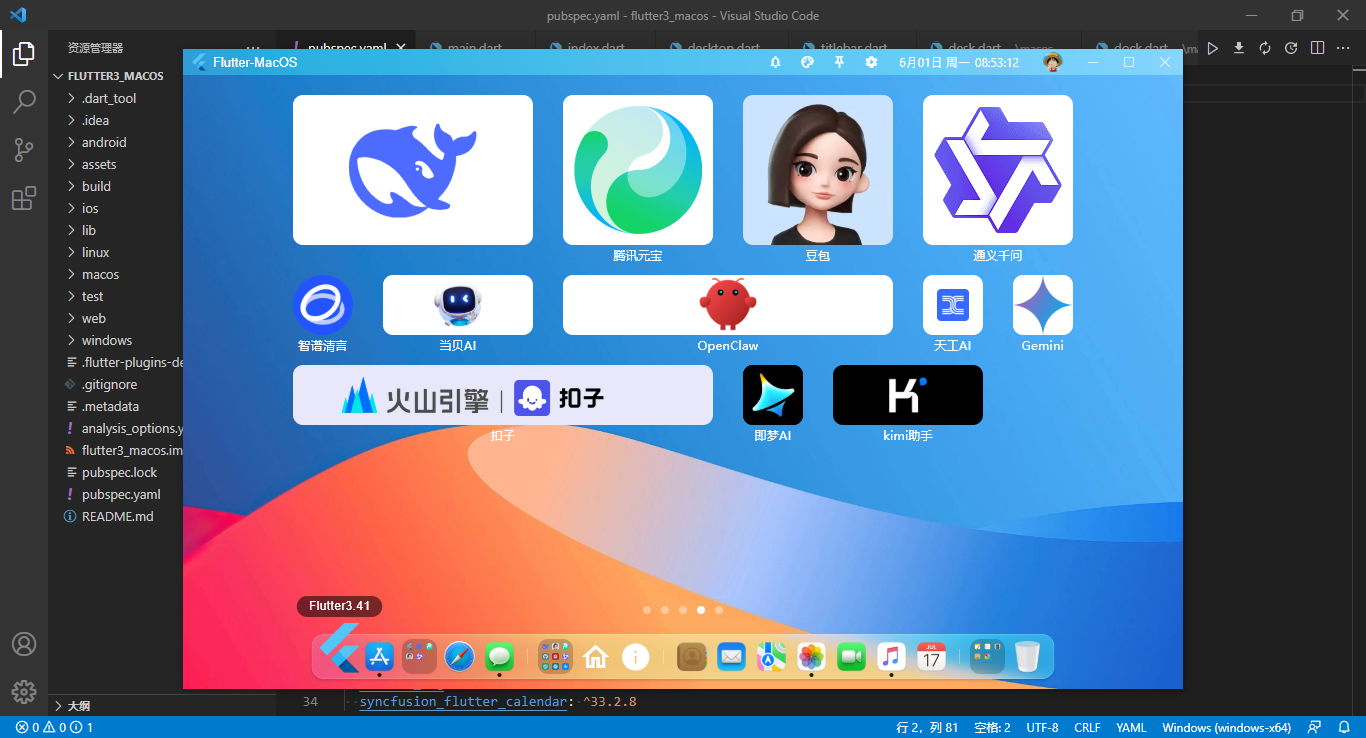
桌面菜单JSON配置参数
/**
  * ================== 桌面OS菜单配置 ==================
  * [label]  图标标题
  * [imgico] 图标(本地或网络图片) 支持Icon图标、自定义组件、svg/png...类型
  * [path]   跳转路由页面
  * [link]   跳转外部链接
  * [hideLabel]  是否隐藏图标标题
  * [background] 自定义图标背景色
  * [size] 栅格磁贴布局(1x1 ... 12x12)
  * [onClick]  点击图标回调函数
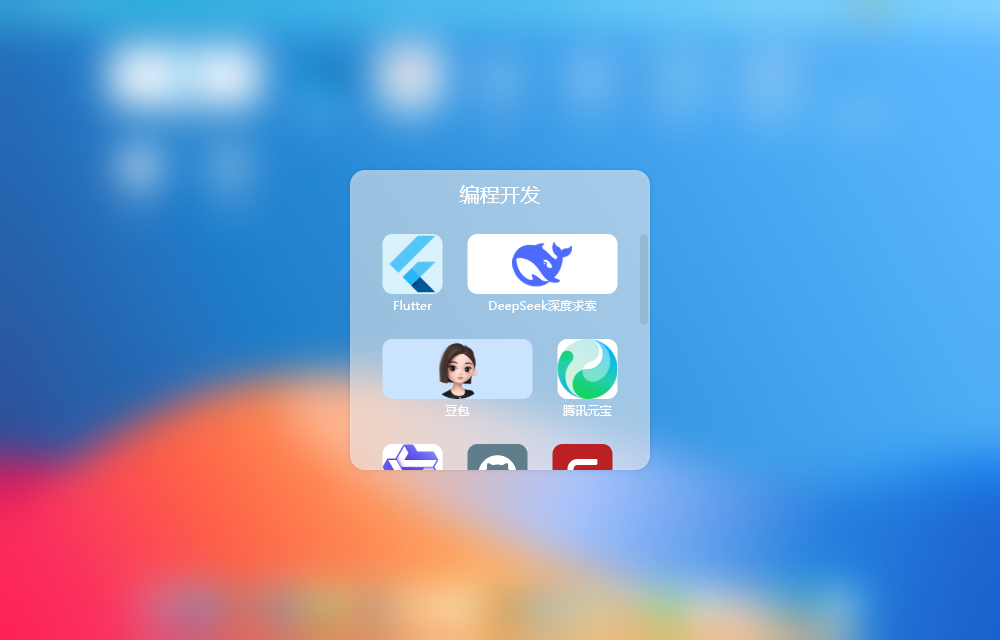
  * children 二级菜单
  */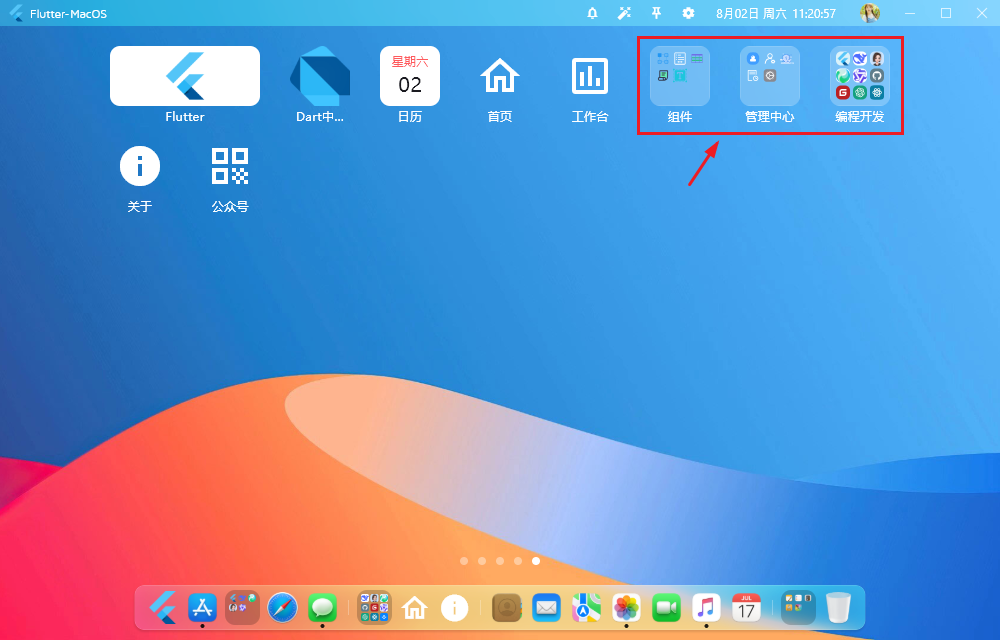
桌面菜单JSON配置片段
late List deskMenus = [
  {
    'uid': '6c84fb90-12c4-11e1-840d-7b25c5ee775a',
    'label': '主页',
    'list': [
      {'label': '今日', 'imgico': const Today(), 'hideLabel': true, 'size': '3x2'},
      {'label': '日历', 'imgico': const Calendar2x2(), 'size': '2x2'},
      {
        'label': '便签', 'imgico': const Notebook(), 'size': '3x2',
        'onClick': () => {
          navigator?.push(FdialogRoute(
            child: Fdialog(
              title: Text('便签'),
              content: Center(
                child: Column(
                  mainAxisAlignment: MainAxisAlignment.center,
                  children: [
                    Icon(Icons.turned_in_not_rounded, color: Colors.black26, size: 40.0,),
                    Text('自定义便签', style: TextStyle(color: Colors.black38),)
                  ],
                )
              ),
              width: 375,
              height: 400,
              maximizable: true,
              resizeable: true,
            ),
          ))
        }
      },
      {'label': '备忘录', 'imgico': const Note(), 'size': '2x2'},
      {'label': '倒计时', 'imgico': const Countdown(), 'size': '2x2'},

      // ...
    ]
  },
  // ...
  {
    'uid': '9a16fb90-12c4-11e1-840d-7b25c5ee775a',
    'label': '摸鱼',
    'list': [
      {'label': 'Flutter3.32', 'imgico': 'assets/images/logo.png', 'link': 'https://flutter.dev/', 'background': Color(0xFFEAFAFF), 'size': '2x2'},
      {'label': 'Github', 'imgico': 'assets/images/svg/github.svg', 'link': 'https://github.com/', 'background': Color(0xff607d8b),},
      {'label': '掘金', 'imgico': 'assets/images/svg/juejin.svg', 'link': 'https://juejin.cn/', 'background': Color(0xff0984fe), 'size': '1x2'},
      {'label': '哔哩哔哩', 'imgico': 'assets/images/svg/bilibili.svg', 'link': 'https://www.bilibili.com/', 'background': Color(0xfffe65a6), 'size': '3x2'},
      // ...
    ]
  },
  {
    'uid': 'u738f210-807e-1e4e-1550-4deefac27e48',
    'label': 'AI',
    'list': [
      {'label': 'DeepSeek', 'imgico': 'https://www.faxianai.com/wp-content/uploads/2025/02/20250205134524-1febd.png', 'link': 'https://chat.deepseek.com/', 'hideLabel': true, 'background': Color(0xffffffff), 'size': '3x2'},
      {'label': '腾讯元宝', 'imgico': 'https://www.faxianai.com/wp-content/uploads/2025/02/20250224143149-7fe1f.png', 'link': 'https://yuanbao.tencent.com/', 'background': Color(0xffffffff), 'size': '2x2'},
      // ...
    ]
  },
  {
    'uid': '3u85fb90-12c4-11e1-840d-7b25c5ee775a',
    'label': '工作台',
    'list': [
      {'label': 'Flutter\n3.22', 'imgico': Padding(padding: EdgeInsets.all(5.0), child: Image.asset('assets/images/logo.png'),), 'link': 'https://flutter.dev/', 'background': Color(0xffffffff), 'size': '2x1'},
      {'label': 'Dart中文官方文档', 'imgico': 'assets/images/dart.png', 'link': 'https://dart.cn/'},
      {'label': '日历', 'imgico': const Calendar1x1(), 'background': const Color(0xffffffff),},
      {'label': '首页', 'imgico': const Icon(Icons.home_outlined), 'path': '/home'},
      {'label': '工作台', 'imgico': const Icon(Icons.poll_outlined), 'path': '/dashboard'},
      {
        'label': '组件',
        'children': [
          {'label': '组件', 'imgico': 'assets/images/svg/component.svg', 'path': '/component'},
          {'label': '表单管理', 'imgico': 'assets/images/svg/form.svg', 'path': '/form'},
          {'label': '表格', 'imgico': 'assets/images/svg/table.svg', 'path': '/table'},
          {'label': '订单', 'imgico': 'assets/images/svg/order.svg', 'path': '/order'},
          {'label': 'Editor', 'imgico': 'assets/images/svg/editor.svg', 'path': '/editor'},
        ]
      },
      {
        'label': '管理中心',
        'children': [
          {
            'label': '个人空间', 'imgico': 'assets/images/svg/my.svg',
            'onClick': () => {
              // ...
            }
          },
          {'label': '用户管理', 'imgico': 'assets/images/svg/user.svg', 'path': '/user'},
          {'label': '权限设置', 'imgico': 'assets/images/svg/role.svg', 'path': '/role'},
          {'label': '日志', 'imgico': 'assets/images/svg/logs.svg', 'path': '/logs'},
          {'label': '设置', 'imgico': 'assets/images/svg/settings.svg', 'path': '/setting'},
        ]
      },
      {
        'label': '编程开发',
        'children': [
          {'label': 'Flutter', 'imgico': 'assets/images/logo.png', 'link': 'https://flutter.dev/', 'background': const Color(0xFFDAF2FA),},
          {'label': 'DeepSeek深度求索', 'imgico': 'https://www.faxianai.com/wp-content/uploads/2025/02/20250205134524-1febd.png', 'link': 'https://chat.deepseek.com/', 'background': Color(0xffffffff), 'size': '2x1'},
          // ...
        ]
      },
      {
        'label': '关于', 'imgico': const Icon(Icons.info),
        'onClick': () => {
          // ...
        }
      },
      {
        'label': '公众号', 'imgico': const Icon(Icons.qr_code),
        'onClick': () => {
          // ...
        }
      },
    ]
  }
];
桌面Dock菜单
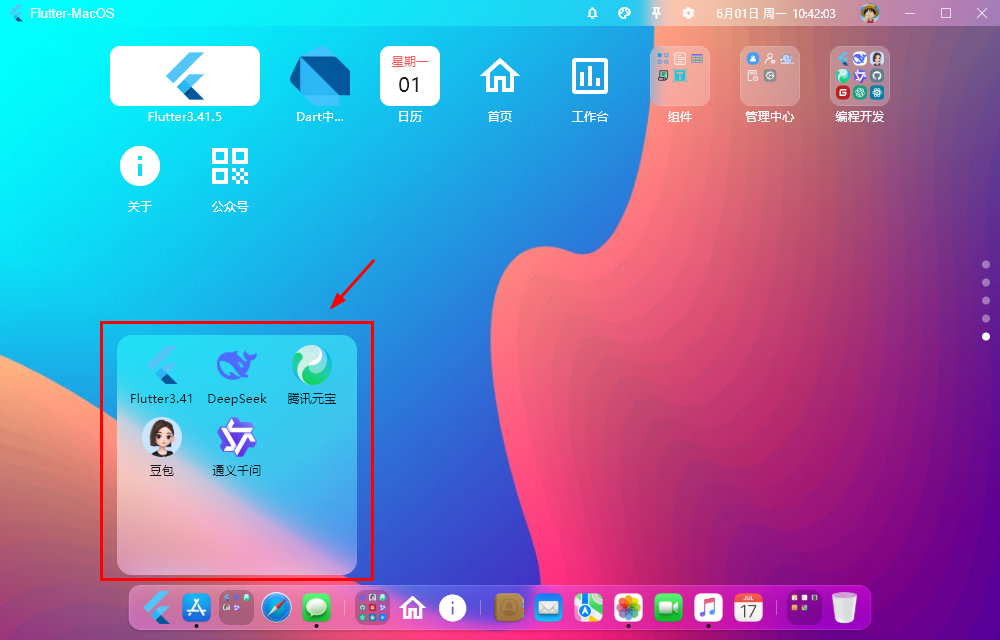
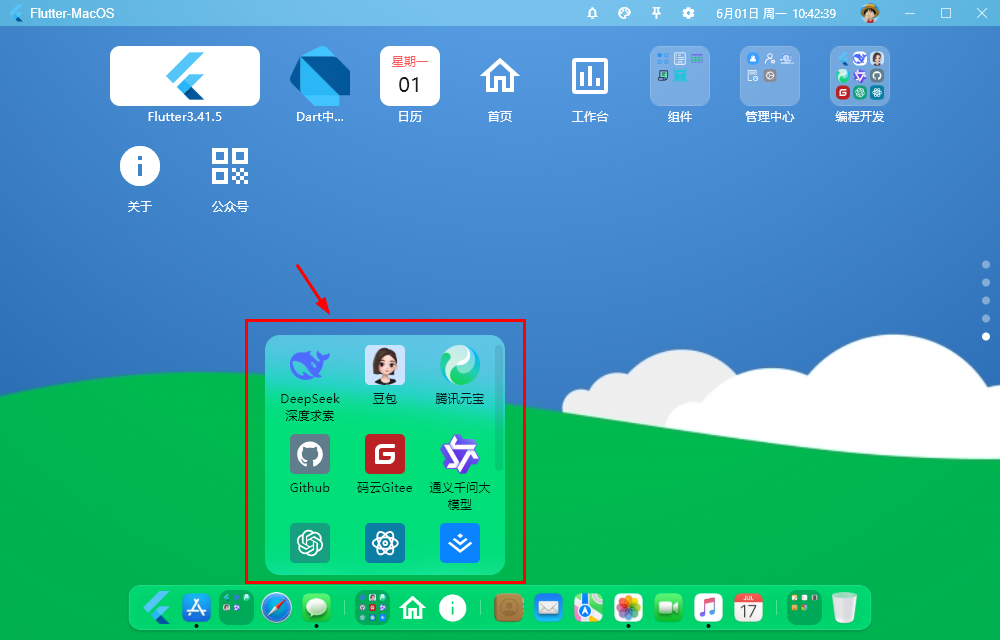
桌面Dock菜单配置参数
/**
  * ================== 桌面dock菜单配置项 ==================
  * [label]  图标标题
  * [imgico] 图标(本地或网络图片) 支持Icon图标、自定义组件、svg/png...类型
  * [path]   跳转路由页面
  * [link]   跳转外部链接
  * [active] 激活圆点
  * [onClick]  点击图标回调函数
  * children 二级菜单
  */
综上就是最新版flutter3.41搭建跨平台仿macOS+windows桌面端os系统的一些知识分享。
推荐几个最新实战项目案例
Flutter3.41构建高性能App聊天界面对话+气泡+朋友圈
Flutter3.41实战AI:从零到一构建app版流式ai系统
Electron41 + Vite8打造流式输出客户端AI助手
Vite8.0+Vue3.5+Arco深度对接DeepSeek网页版AI智能助手
2026版開工新作uni-app+mphtml结合deepseek跨端ai应用
vite7.2-deepseek流式ai对话|vue3.5+vant4+katex+mermaid智能ai打字会话
最新实战Vite7.3+Tauri2.10深度集成DeepSeek桌面端AI智能助手
electron38-vite7-vue3os电脑端os管理系统
最新版electron38-vite7-admin电脑端中后台管理系统
Electron38+Vite7+Pinia3+ElementPlus客户端聊天程序
基于tauri2.8+vite7+vue3+element-plus仿QQ/微信聊天应用
tauri2.9-vite7-vue3admin客户端后台系统管理Exe模板
原创声明:本文系作者授权腾讯云开发者社区发表,未经许可,不得转载。
如有侵权,请联系 cloudcommunity@tencent.com 删除。
目录
腾讯云开发者

Copyright © 2013 - 2026 Tencent Cloud. All Rights Reserved. 腾讯云 版权所有
深圳市腾讯计算机系统有限公司 ICP备案/许可证号:粤B2-20090059  粤公网安备44030502008569号
腾讯云计算(北京)有限责任公司 京ICP证150476号 | 京ICP备11018762号