浏览器里的Word编辑器开源了


大家好,我是 Ai 学习的老章
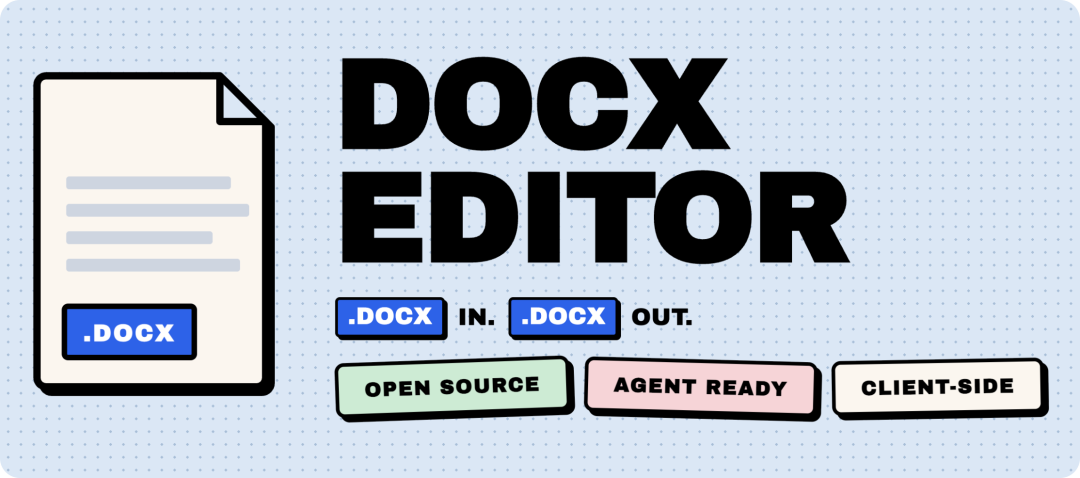
今天介绍一个刚发布 1.0 的开源项目——docx-editor,一个跑在浏览器里的 Word 文档编辑器,React 和 Vue 都能用,纯客户端运行,不需要后端,文档不会离开用户的浏览器,更有意思的是,它还内置了 AI Agent SDK,能让大模型直接操作文档——添加批注、修改追踪、自动审阅,流式输出的同时修改就落在编辑器里
简介
docx-editor 是 eigenpal 团队开源的一个 WYSIWYG(所见即所得).docx 编辑器组件库,定位很清楚:DOCX 进,DOCX 出——加载一个 Word 文档的 ArrayBuffer,在浏览器里编辑,保存回来还是标准的 OOXML 格式,拿去用 Word 打开,格式不丢
底层用 ProseMirror 做编辑引擎,上层封装了 React 和 Vue 3 两套适配器,共享同一个框架无关的 core 包,核心卖点:
- OOXML 原生保真:字体、颜色、粗斜体、高亮、内联图片、浮动图片、表格合并、页眉页脚、分页符,编辑完导出回 .docx 不丢格式
- 修订追踪(Track Changes):切到 suggesting 模式,每一笔编辑自动标记为修订,带作者归属,可以逐条接受或驳回
- 批注系统:锚定到文本范围的线程式批注,支持回复、解决、删除,和 Word 的批注行为一致
- 实时协作:接入 Yjs 即可多人同时编辑,带光标同步、用户在线状态、评论同步
- AI Agent 工具包:14 个工具函数让 LLM 读文档、加批注、建议修改、滚动定位,支持 Vercel AI SDK、OpenAI、Anthropic、MCP
- 插件系统:基于 ProseMirror 插件架构扩展自定义工具栏、快捷键、文档变换
- i18n 国际化:内置 7 种语言(英、德、波兰、巴西葡、土耳其、希伯来、简体中文),按语言 code-split,每个语言包约 7KB
包结构
1.0 版本从之前的单包 @eigenpal/docx-js-editor 拆成了 5 个包:
包名 | 干什么 | 体积 |
|---|---|---|
@eigenpal/docx-editor-core | 框架无关的核心:OOXML 解析器/序列化器、ProseMirror schema、布局引擎 | ~250KB min |
@eigenpal/docx-editor-react | React 适配器:<DocxEditor> 组件 + hooks + UI 组件 | ~120KB |
@eigenpal/docx-editor-vue | Vue 3 适配器:同名组件,composables 替代 hooks,beta 状态 | ~115KB |
@eigenpal/docx-editor-agents | Agent SDK:14 个工具 + MCP server + AI SDK 适配器 | ~80KB |
@eigenpal/docx-editor-i18n | 语言包,7 种语言,按语言拆分 subpath import | ~50KB |
为什么拆?两个原因:第一,tree-shaking 在单包里其实做不干净,导出图纠缠在一起,装了编辑器会把 MCP server 的代码也拉进来;第二,Vue 适配器的出现逼着框架无关层必须独立发包——不能把 Vue 适配器塞进 React 包里
安装
React 项目:
npm install @eigenpal/docx-editor-react
Vue 3 项目:
npm install @eigenpal/docx-editor-vue
Nuxt 项目有专门的模块,一行配置搞定:
npm install @eigenpal/nuxt-docx-editor
// nuxt.config.ts
export default defineNuxtConfig({
  modules: ['@eigenpal/nuxt-docx-editor'],
});
Nuxt 模块会自动注册 <DocxEditor> 为客户端组件,自动导入 composables,自动处理 Vite 的依赖优化配置——不需要手动包 <ClientOnly>,不需要手动配 optimizeDeps
使用
React 最小示例:
import { useState } from 'react';
import { DocxEditor } from '@eigenpal/docx-editor-react';
import '@eigenpal/docx-editor-react/styles.css';

export function App() {
  const [buffer, setBuffer] = useState<ArrayBuffer | null>(null);

  return (
    <>
      <input
        type="file"
        accept=".docx"
        onChange={async (e) =>
          setBuffer((await e.target.files?.[0]?.arrayBuffer()) ?? null)
        }
      />
      {buffer && <DocxEditor documentBuffer={buffer} mode="editing" />}
    </>
  );
}
documentBuffer 传一个 ArrayBuffer 就行,传 null 会挂载一个空文档,mode 支持 "editing"(正常编辑)和 "suggesting"(修订追踪模式)
保存也简单,通过 ref 调 save() 方法,返回一个 ArrayBuffer,可以直接下载或者 POST 到后端:
const editorRef = useRef<DocxEditorRef>(null);
const saved = await editorRef.current?.save();
// saved 就是 .docx 的 ArrayBuffer,想下载就包成 Blob
Next.js 注意:组件依赖 DOM,需要 "use client" 或者 next/dynamic 配 ssr: false
Vue 版本写法几乎一样,组件名相同,props 相同,只是 hooks 换成了 composables,回调 props 换成了事件:
<script setup lang="ts">
import { ref } from 'vue';
import { DocxEditor } from '@eigenpal/docx-editor-vue';
import '@eigenpal/docx-editor-vue/styles.css';

const buffer = ref<ArrayBuffer | null>(null);

async function loadFile(e: Event) {
  const file = (e.target as HTMLInputElement).files?.[0];
  buffer.value = file ? await file.arrayBuffer() : null;
}
</script>

<template>
  <input type="file" accept=".docx" @change="loadFile" />
  <DocxEditor v-if="buffer" :document-buffer="buffer" mode="editing" />
</template>
实时协作
接入 Yjs 就能做多人同时编辑,编辑器暴露了 externalPlugins prop,把 Yjs 的 ProseMirror 插件传进去就行:
import * as Y from 'yjs';
import { WebrtcProvider } from 'y-webrtc';
import { ySyncPlugin, yCursorPlugin, yUndoPlugin } from 'y-prosemirror';

const ydoc = new Y.Doc();
const provider = new WebrtcProvider('my-room', ydoc);
const fragment = ydoc.getXmlFragment('prosemirror');

const plugins = [
  ySyncPlugin(fragment),
  yCursorPlugin(provider.awareness),
  yUndoPlugin(),
];

<DocxEditor
  document={createEmptyDocument()}
  externalContent
  externalPlugins={plugins}
  author={user.name}
/>
y-webrtc 是零基础设施方案,适合开发和演示,生产环境可以换成 PartyKit(Cloudflare 边缘)、Liveblocks(托管服务)、Hocuspocus(自建 Node 服务器),都是换一行 provider 初始化的事
修订追踪在协作模式下自动同步——它们本质上就是 ProseMirror marks,ySyncPlugin 会一起搬运,批注线程需要额外镜像到 Y.Array,官方文档有完整的双向同步示例
AI Agent 集成
这是 docx-editor 最有意思的部分,@eigenpal/docx-editor-agents 提供了 14 个工具函数,让 LLM 像操作 Word 一样操作文档:read_document、find_text、add_comment、suggest_change、scroll……
三种运行模式:
1. Live 模式:Agent 直接操作浏览器里正在编辑的文档,用户实时看到 Agent 加的批注和修改建议
import { useDocxAgentTools } from '@eigenpal/docx-editor-agents/react';
import { useChat } from '@ai-sdk/react';

const { tools } = useDocxAgentTools({ editorRef });
const chat = useChat({
  api: '/api/agent-chat',
  body: { tools },
});
服务端用 getAiSdkTools() 包一层就能对接任意模型:
import { streamText } from'ai';
import { getAiSdkTools } from'@eigenpal/docx-editor-agents/ai-sdk/server';

exportasyncfunction POST(req: Request) {
const { messages, tools: clientTools } = await req.json();
return streamText({
    model: 'openai/gpt-4o',
    messages,
    tools: getAiSdkTools(clientTools),
  }).toUIMessageStreamResponse();
}
2. Headless 模式:DocxReviewer.fromBuffer(buf) 不需要浏览器,不需要 DOM,直接在服务端对 OOXML 字节跑工具调用,适合 CI 流水线里的自动审阅、批量处理
3. MCP 模式:同一套工具通过 stdio 或 HTTP 暴露为 MCP server,任何支持 MCP 的客户端都能接入
工具定义兼容 OpenAI 的 function-calling schema,Vercel AI SDK、Anthropic Claude、OpenAI、LangChain 直接拿来用
一个细节设计值得一提:工具之间用 Word 的 w14:paraId 做寻址,这是 Word 文档里每个段落的稳定 ID,在并发编辑和多轮工具调用之间不会变,Agent 在第 1 轮用 find_text 找到段落,第 5 轮还能用同一个 paraId 加批注,不需要重新定位
Agent 的 UI 组件也是现成的:AgentPanel、AgentChatLog、AgentComposer,React 和 Vue 都有
框架支持
官方提供了 6 个框架的示例工程:
框架 | 适配方式 |
|---|---|
Vite | 直接用,HMR 开发 |
Next.js | "use client" + dynamic import |
Remix | 客户端懒加载 |
Astro | client:only 指令 |
Vue 3 | 直接用 |
Nuxt 3/4 | 官方模块,自动注册 |
优缺点
优点:
- 纯客户端,零后端依赖,文档隐私性好
- OOXML 保真度高,编辑完拿 Word 打开格式不丢
- React 和 Vue 共用一套 core,API surface 基本一致
- Agent SDK 设计得很用心,paraId 寻址、三种运行模式、MCP 支持
- Apache 2.0 协议,商业友好
- 插件系统基于 ProseMirror,生态可复用
不足:
- Vue 适配器目前还是 beta 状态,Vue 侧的 UI 组件(toolbar、picker)要等 1.1
- ~200KB gzipped 的体积,对于轻量级场景偏大
- 复杂排版(嵌套表格、脚注引用)官方自己也承认还有 OOXML 边界情况
- 目前只支持 .docx 格式,不支持 .doc、.pdf 等其他格式
我本地实测了一下
我把 GitHub 项目拉到本地,按官方方式跑了 React / Vite 示例,安装依赖、启动开发服务、浏览器打开页面、保存当前文档、生产构建都实际跑了一遍
本地跑起来后的第一感觉是:它已经很像一个嵌入网页里的 Word 编辑器了,页面不是空壳,默认会加载一份 docx-editor-demo.docx,里面能直接看到分页、标尺、格式工具栏、修订痕迹和右侧批注卡片
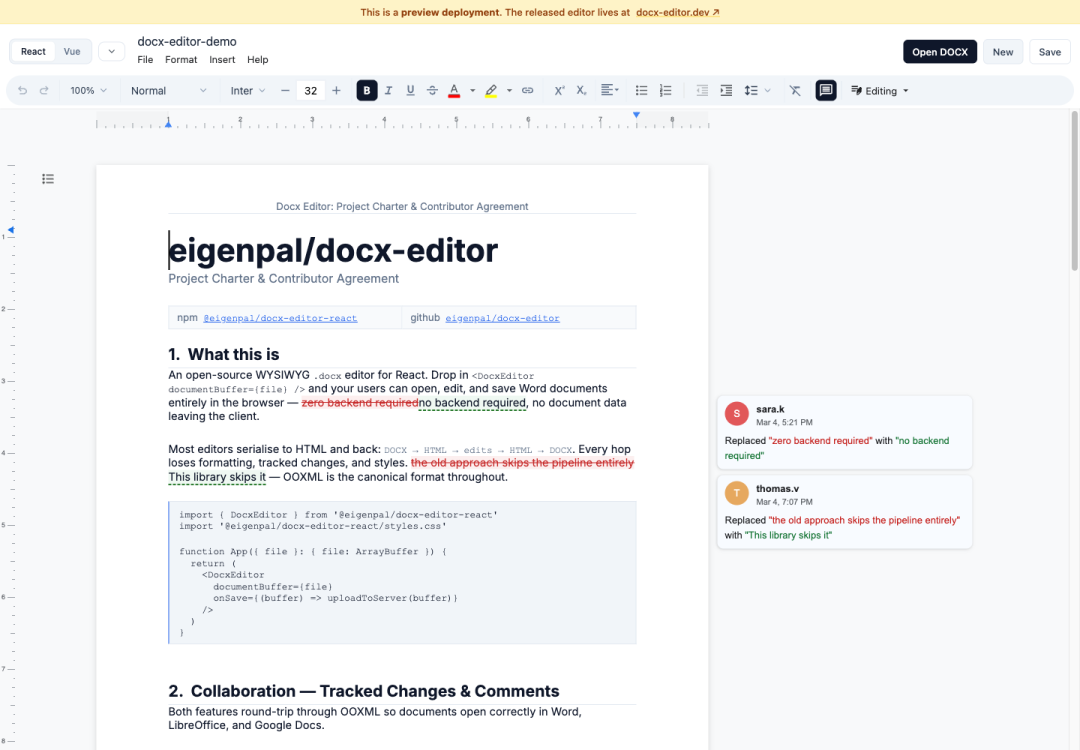
我也试了保存能力,页面可以把当前文档导出成 .docx 数据,本地拿到的文件数据大小是 15660 bytes,这个结果至少说明:示例不是只把 Word 内容渲染出来看一眼,编辑器确实走到了”重新导出 docx”的那一步
然后我打开了它的 Assistant 面板,当前示例里的面板还是占位内容,但入口已经在工具栏里了,也就是说,docx-editor 已经把”文档编辑器 + AI 助手”的界面位置预留好了,真正要落地时,还需要开发者自己接模型和服务端接口
构建也能过,日志里有几个警告:包体积偏大、Tailwind 扫描范围偏宽、部分依赖在浏览器环境里有兼容提示,这些不影响启动和打包,但如果要放进生产项目,包体积和构建配置还是值得单独优化
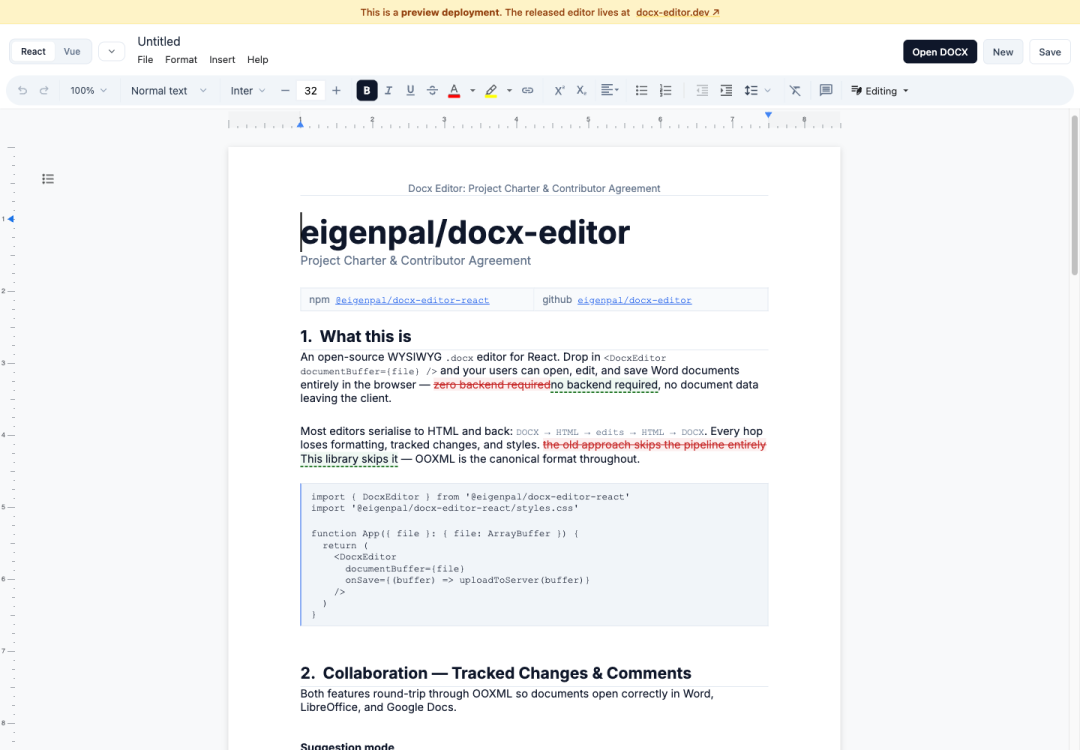
有个小细节我也记录一下:我点击 New 后,顶部标题切到了 Untitled,但正文区域仍然显示演示文档内容,这个现象更像示例工程的状态刷新问题,不影响我对编辑器主体能力的判断,但后续真要集成到产品里,新建、打开、保存这些状态切换要重点测
总结
docx-editor 填的是一个很实际的空缺:在 Web 应用里嵌入一个能正经编辑 Word 文档的组件,不依赖后端服务,不依赖 Office Online,对于需要做合同编辑、文档审批、模板填充这类场景的 SaaS 产品来说,这个库省去了大量的基础工作,Agent SDK 是加分项,把 LLM 接入文档审阅流程的门槛拉得很低
项目地址: GitHub:/eigenpal/docx-editor
#docx-editor #Word编辑器 #开源 #React #AIAgent
制作不易,如果这篇文章觉得对你有用,可否点个关注。给我个三连击:点赞、转发和在看。若可以再给我加个🌟,谢谢你看我的文章,我们下篇再见!
本文参与 腾讯云自媒体同步曝光计划,分享自微信公众号。
原始发表:2026-06-05,如有侵权请联系 cloudcommunity@tencent.com 删除
评论
登录后参与评论
推荐阅读
目录
腾讯云开发者

Copyright © 2013 - 2026 Tencent Cloud. All Rights Reserved. 腾讯云 版权所有
深圳市腾讯计算机系统有限公司 ICP备案/许可证号:粤B2-20090059  粤公网安备44030502008569号
腾讯云计算(北京)有限责任公司 京ICP证150476号 | 京ICP备11018762号