2分钟创建一个“不依赖任何外部库”的粒子动画背景



生成前端周刊图.png
我一直想做一个轻量的、细腻的动画背景效果,不依赖任何外部库。 这个 React 组件完全使用 HTML5 Canvas API 来渲染一个带有动画连线的粒子系统,既轻量、可定制,又容易集成到任何现代 UI 中。
在进入代码之前,先看看它的运行效果。你也可以访问我的个人网站 stevejonk.com 在浏览器中查看。
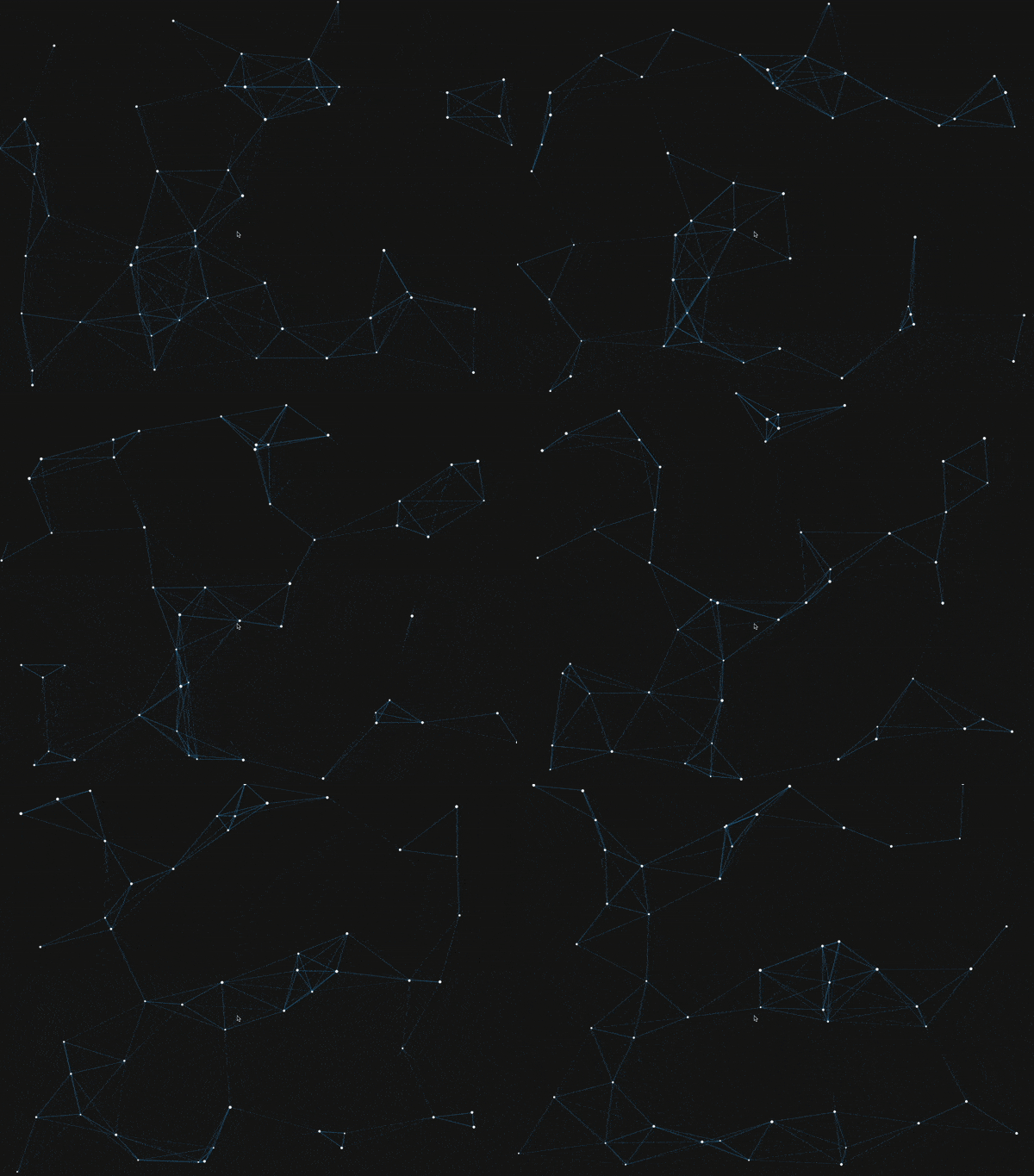
result.gif
组件结构
效果的核心是一个 React 组件 Background.tsx,它会在 <canvas> 上绘制并动画化粒子。 每个粒子独立移动,当两个粒子彼此靠近时,会绘制一条连接它们的线。
主要特性:
- 自适应:Canvas 会随窗口大小调整。
- 可定制:粒子数量、速度、颜色、连线半径等参数都可以轻松修改。
- 高效:使用
requestAnimationFrame实现流畅动画。
工作原理
- 粒子:每个粒子有位置、速度、方向和颜色,它们会在 Canvas 边缘反弹。
- 连线:当两个粒子之间的距离小于指定阈值时,会绘制一条线,透明度与距离成反比。
- 动画循环:组件通过
requestAnimationFrame更新并重绘画面。
代码解析
Canvas 初始化
使用 ref 获取 Canvas 元素,并将其尺寸设为窗口大小,同时在窗口调整时重置:
const resizeReset = () => { w = canvas.width = window.innerWidth h = canvas.height = window.innerHeight } window.addEventListener('resize', resizeReset)粒子类
每个粒子由一个类表示,包含位置、速度、方向和颜色。update 方法负责移动粒子并在触碰边界时反弹:
Plain Text class Particle { update() { this.border() this.x += this.vector.x this.y += this.vector.y } border() { if (this.x >= w || this.x <= 0) this.vector.x *= -1 if (this.y >= h || this.y <= 0) this.vector.y *= -1 if (this.x >= w) this.x = w if (this.y >= h) this.y = h if (this.x < 0) this.x = 0 if (this.y < 0) this.y = 0 } }初始化粒子
粒子会被随机赋予位置和速度,数量与连线半径会根据窗口大小动态调整:
Plain Text const initializeParticles = () => { options.particleAmount = (w + h) / 50 options.linkRadius = w / 10 + h / 5 particles = [] for (let i = 0; i < options.particleAmount; i++) { particles.push(new Particle()) } }绘制与动画
每一帧会先清除 Canvas,再更新并绘制粒子,同时绘制相邻粒子间的连线:
Plain Text const drawParticles = () => { particles.forEach((p) => { p.update() p.draw() }) }

const linkPoints = (point, hubs) => { hubs.forEach((hub) => { const distance = checkDistance(point.x, point.y, hub.x, hub.y) const opacity = 1 - distance / options.linkRadius if (opacity > 0) { ctx.strokeStyle = `rgba(${rgb[0]}, ${rgb[1]}, ${rgb[2]}, ${opacity})` ctx.beginPath() ctx.moveTo(point.x, point.y) ctx.lineTo(hub.x, hub.y) ctx.stroke() } }) }

const loop = () => { ctx.clearRect(0, 0, w, h) drawLines() drawParticles() loopId = requestAnimationFrame(loop) }
源码
完整代码可在本仓库的 components/Background.tsx 中查看。
这个效果是一种无需引入庞大依赖,就能为网站背景增添现代感与交互性的好方法。
html版本
Plain Text Particle Background — Vanilla Canvas

**Particles** + 多 - 少 暂停/继续
译者点评
这种完全不依赖第三方库、直接基于 HTML5 Canvas API 的粒子背景实现,非常轻量,且易于集成到任意项目中。
作为一次动手实践,这类效果既能训练你对 Canvas 绘图与动画的掌握,也能帮助理解动画性能优化与响应式适配的思路,是前端开发者日常积累中很值得尝试的一个小项目。
本文参与 腾讯云自媒体同步曝光计划,分享自作者个人站点/博客。
原始发表:2025-08-15,如有侵权请联系 cloudcommunity@tencent.com 删除
目录
腾讯云开发者

Copyright © 2013 - 2026 Tencent Cloud. All Rights Reserved. 腾讯云 版权所有
深圳市腾讯计算机系统有限公司 ICP备案/许可证号:粤B2-20090059  粤公网安备44030502008569号
腾讯云计算(北京)有限责任公司 京ICP证150476号 | 京ICP备11018762号