
QT旋转对象问题
我目前正在从事一个具有旋转对象的项目。改变物体的旋转速度,改变其旋转方向(向前/向后)。在做了一些研究之后,我在QT文档上遇到了QT文档,它似乎有我所需要的一切,而且我可以很容易地逆转方向。唯一的问题是在QML中。我的程序完全在Qt的C++中。
我尝试过使用QVariantAnimation (文档这里),但我尝试过的每一种方法都存在一些问题。改变速度是相对容易的,只要fooAnimation->setLoop(-1) (无限期循环)和改变动画的持续时间。我遇到的问题是前后循环。或者换个说法,改变方向。我试图用fooAnimation->setDirection(<Direction goes here>)改变动画的方向,但是如果我反向运行动画足够长的时间,就会完全停止动画。是问题的关键部分。
所以我尝试了改变方向的其他方法。一个想法是将endValue从360度改为-360度,当我想逆转的时候使用fooAnimation->setEndValue(<value goes here>),但这会产生负面影响。如果我交换方向,当前的旋转:假设它是110,将被反转。所以现在它突然跳到-110,从那里开始。这会导致非常紧张的旋转,因为每次方向交换发生时,它都会传送物体的旋转。
这似乎是一个很简单的东西来实现,旋转一个物体,可以改变它的旋转速度和方向,但我只是无法思考如何用动画来实现它。
这里需要注意的是,所有这些都是在Qt 3D中完成的,这样我就可以从旋转对象(或者在本例中是它的QTransform)获取旋转和其他属性。
回答 1
Stack Overflow用户
发布于 2021-12-17 22:08:28
要达到这一效果,有多种方法。在这个Qt/QML演示中,我使用了一种基于NumberAnimation的方法来旋转立方体。
以下是其背后的关键想法:
- 多维数据集具有一个
Transform组件,该组件定义Qt3D使用预定义的旋转和缩放值将多维数据集放置在世界中的4x4矩阵。NumberAnimation只需改变在此转换中使用的旋转角度,以使立方体在屏幕上旋转; - 旋转速度由
NumberAnimation的NumberAnimation属性定义:一个较小的值可以使立方体旋转得更快。立方体从0到360度旋转需要5秒; - 改变旋转速度意味着根据当前旋转角度离0度的距离来重新计算动画的
duration。当我们更改任何NumberAnimation属性时,动画都需要重新启动; - 当旋转方向改变时,我们将当前旋转角存储在
cubeTransform.startAngle中,并与duration一起更新NumberAnimation的to和from属性,从而使立方体从当前角度开始向一个新的方向旋转。
我在UI中添加了几个按钮,以改变运行时的方向和速度:
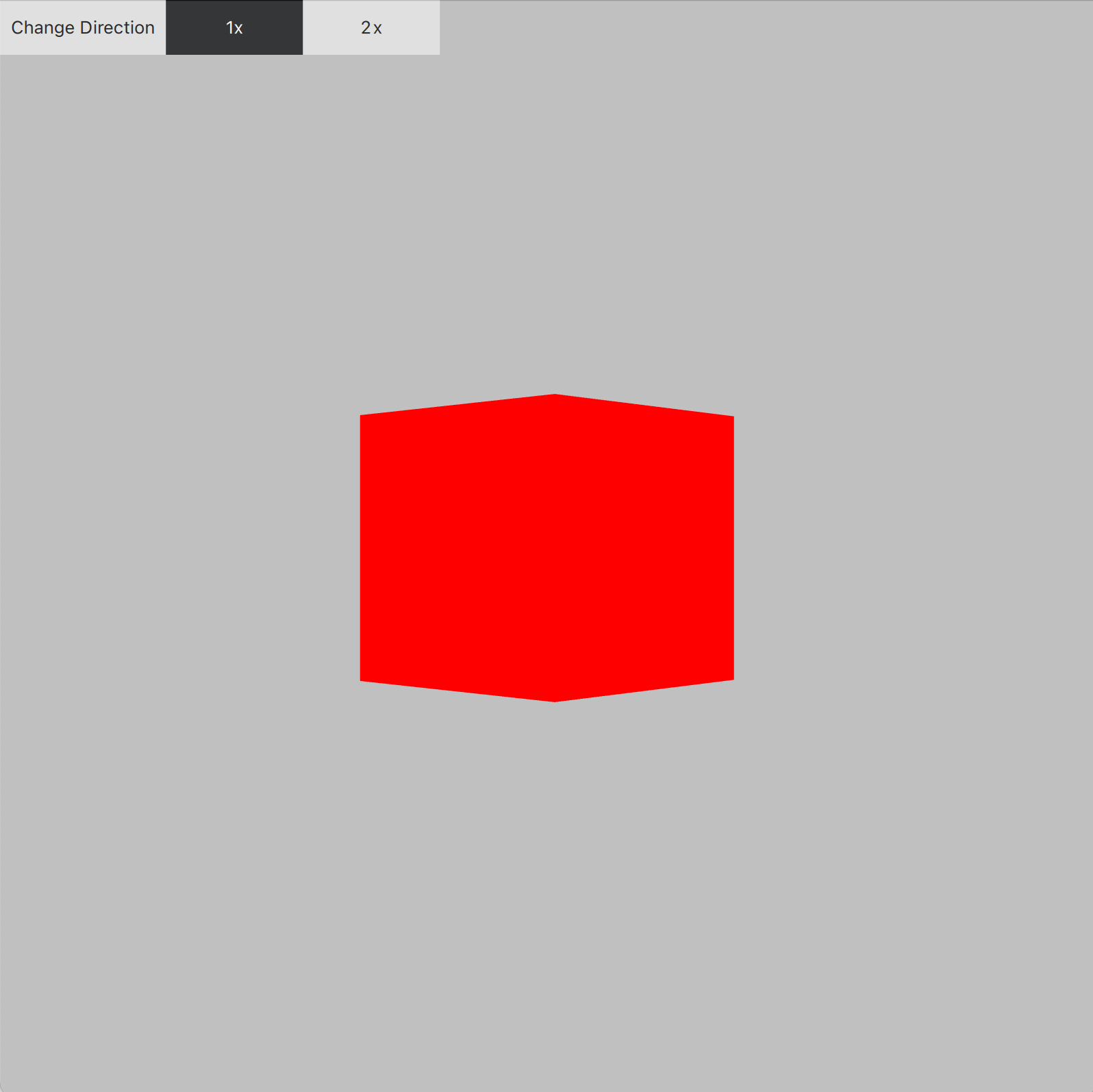
main.qml
import QtQuick 2.12 as QQ2
import QtQuick.Controls 2.12
import QtQuick.Scene3D 2.12

import Qt3D.Core 2.0
import Qt3D.Render 2.0
import Qt3D.Input 2.0
import Qt3D.Extras 2.0
import Qt3D.Logic 2.0

QQ2.Item {
    id: windowId
    width: 800
    height: 800

    property real cubeScale: 100.0
    property int rotationSpeed: 5000
    property real speedFactor: 1.0
    property bool clockwiseRotation: true

    Scene3D {
        id: scene3D
        anchors.fill: parent
        aspects: ["input", "logic"]
        focus: true
        cameraAspectRatioMode: Scene3D.AutomaticAspectRatio

        Entity {
            id: rootEntity

            Camera {
                id: camera
                projectionType: CameraLens.PerspectiveProjection
                fieldOfView: 45
                nearPlane : 0.1
                farPlane : 100000.0
                position: Qt.vector3d(0.0, 0.0, 500.0)
                viewCenter: Qt.vector3d(0.0, 0.0, 0.0)
                upVector: Qt.vector3d( 0.0, 1.0, 0.0 )
            }

            components: [
                RenderSettings {
                    activeFrameGraph: ForwardRenderer {
                        camera: camera
                        clearColor: "silver"
                    }
                },
                InputSettings { }
            ]

            Entity {
                id: lightEntity
                enabled: true

                DirectionalLight {
                    id: infiniteLight
                    color: "white"
                    intensity: 1.0
                    worldDirection: Qt.vector3d(0, 0, 0)
                }

                Transform {
                    id: infiniteLightTransform
                    translation: Qt.vector3d(0.0, 0.0, 500.0)
                }

                components: [ infiniteLight, infiniteLightTransform ]
            }

            Entity {
                id: cubeEntity

                CuboidMesh {
                    id: cubeMesh
                }

                PhongMaterial {
                    id: cubeMaterial
                    ambient: "red"
                    diffuse: Qt.rgba(1.0, 1.0, 1.0, 1.0)
                }

                Transform {
                    id: cubeTransform

                    property real angle: 0.0
                    property real startAngle: 0.0

                    matrix: {
                        var m = Qt.matrix4x4();
                        m.rotate(cubeTransform.angle, Qt.vector3d(0, 1, 0));
                        m.translate(Qt.vector3d(0, 0, 0));
                        m.scale(windowId.cubeScale, windowId.cubeScale, windowId.cubeScale);
                        return m;
                    }
                }

                components: [ cubeMesh, cubeMaterial, cubeTransform ]
            }

            QQ2.NumberAnimation {
                id: cubeAnimation

                property int startPos: {
                    if (cubeTransform.startAngle === 0)
                    {
                        if (windowId.clockwiseRotation === true)
                            return 0;

                        return 360;
                    }

                    return cubeTransform.startAngle;
                }

                property int endPos: (windowId.clockwiseRotation === true) ? 360 : 0

                target: cubeTransform
                property: "angle"
                duration: windowId.rotationSpeed / windowId.speedFactor
                from: cubeAnimation.startPos
                to: cubeAnimation.endPos
                loops: 1
                running: true

                onStarted: {
                    console.log("onStarted");
                }

                onFinished: {
                    console.log("onFinished");
                    // reset the starting angle
                    cubeTransform.startAngle = 0;

                    // reset the duration of the animation
                    cubeAnimation.duration = windowId.rotationSpeed / windowId.speedFactor;

                    // the animation is currently stopped, run it again
                    cubeAnimation.running = true;
                }
            }
        }
    }

    QQ2.Row {
        anchors.fill: parent

        Button {
            text: "Change Direction"

            onClicked: {
                // pause the animation
                cubeAnimation.pause();

                // invert rotation
                windowId.clockwiseRotation = !windowId.clockwiseRotation;

                // store current angle as the starting angle for the rotation
                cubeTransform.startAngle = cubeTransform.angle;

                // update the remaining time to avoid changing the rotation speed
                let progressPercentage = cubeTransform.startAngle / 360.0;
                if (windowId.clockwiseRotation)
                    progressPercentage = 1.0 - progressPercentage;

                cubeAnimation.duration = (windowId.rotationSpeed / windowId.speedFactor) * progressPercentage;

                // restart the animation from this angle using a new direction
                cubeAnimation.restart();
            }
        }

        Button {
            text: "1x"
            highlighted: (windowId.speedFactor === 1.0)

            onClicked: changeSpeed(1.0)
        }

        Button {
            text: "2x"
            highlighted: (windowId.speedFactor === 2.0)

            onClicked: changeSpeed(2.0)
        }
    }

    function changeSpeed(newSpeed) {
        windowId.speedFactor = newSpeed;

        // pause the animation
        cubeAnimation.pause();

        // store current angle as the starting angle for the rotation
        cubeTransform.startAngle = cubeTransform.angle;

        // update the remaining time to avoid changing the rotation speed
        let progressPercentage = cubeTransform.startAngle / 360.0;
        if (windowId.clockwiseRotation)
            progressPercentage = 1.0 - progressPercentage;

        cubeAnimation.duration = (windowId.rotationSpeed / windowId.speedFactor) * progressPercentage;

        // restart the animation from this angle using a new direction
        cubeAnimation.restart();
    }
}https://stackoverflow.com/questions/68370526
复制相似问题
腾讯云开发者

Copyright © 2013 - 2026 Tencent Cloud. All Rights Reserved. 腾讯云 版权所有
深圳市腾讯计算机系统有限公司 ICP备案/许可证号:粤B2-20090059  粤公网安备44030502008569号
腾讯云计算(北京)有限责任公司 京ICP证150476号 | 京ICP备11018762号