
使用枕头将透视图校正图像与透明背景模板图像合并[PIL,Python]
问题:我有多张书封面图片。我制作了一个带有3D透视图的"book"-like模板。现在我所要做的就是把每一张书封面图像都取下来,校正一个透视图(因为模板总是不变的,因为模板总是不变的),并将我的透视图校正的图像与模板(背景/画布)合并。
为了更容易理解,下面是在Adobe中创建的一个示例:
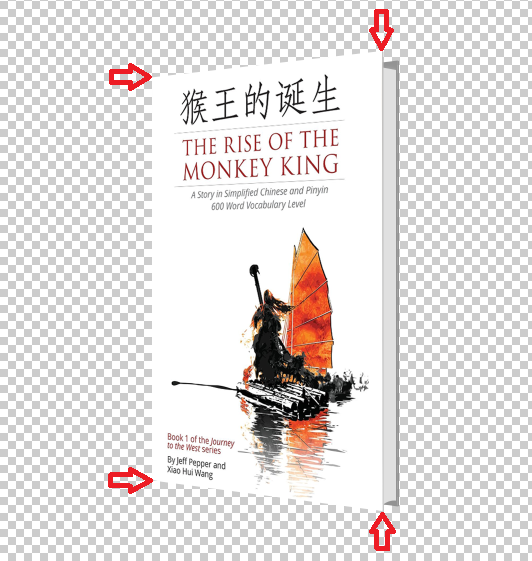
使用红色箭头,我试图显示原始封面图像的顶点点(在透视校正之前)。如你所见,右边的两个顶点必须保持不变。左边的另外两个点必须始终保持不变。
你能告诉我如何做到这一点吗?
更新我拥有的内容:
1)盖住自己
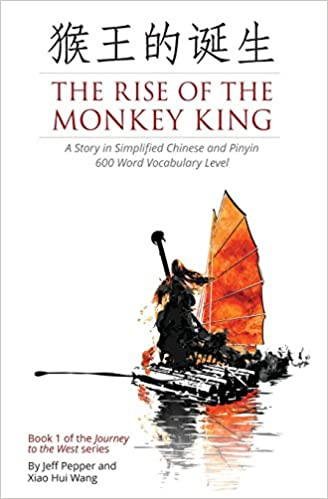
2)背景透明的模板:
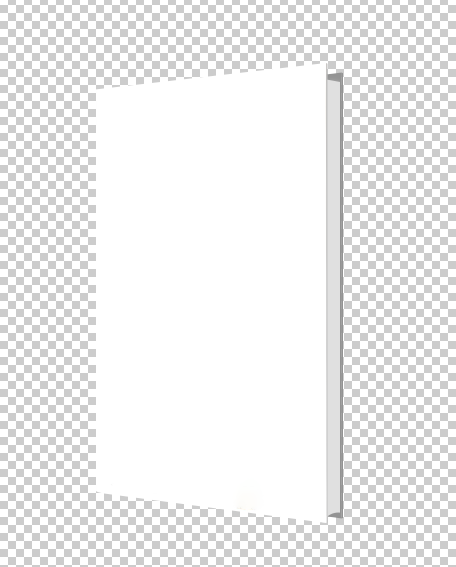
我需要转换封面透视图,并将其与模板图像合并。
回答 1
Stack Overflow用户
发布于 2020-04-15 13:17:48
您不需要编写任何Python,只需在终端中使用ImageMagick,就可以使用如下“透视图转换”:
magick cover.png -virtual-pixel none -distort perspective "0,0 96,89 %w,0 325,63 %w,%h 326,522 0,%h 96,491" template.png +swap -flatten result.png
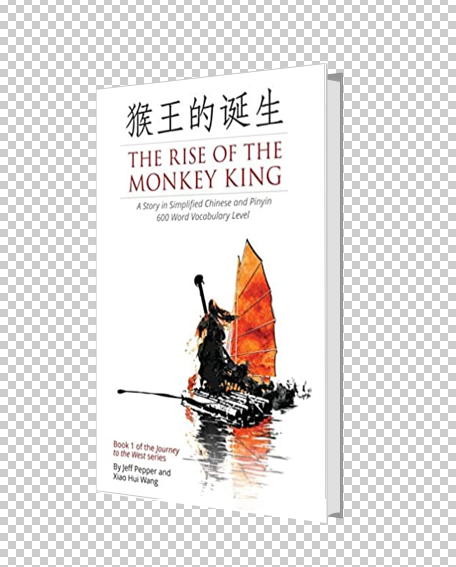
查看透视图转换的参数,您可以希望看到有4对坐标,在转换的每个角落都有一对坐标,显示源位置是如何在输出图像中映射的。
因此,封面(0,0)的左上角被映射到模板(96,89)中空区域的左上角。封面的右上角(宽度,0)被映射到模板(325,63)的空区域的右上角。盖的右下角(宽度、高度)被映射到模板(326,522)上空区域的右下角。封面的左下角(0,高度)被映射到模板空区域(96,491)的左下角。
如果使用的是旧的v6 ImageMagick,请将magick替换为convert。
请注意,如果您真的想在Python中这样做,那么有一个名为wand 这里的Python绑定。我在wand方面不是很有经验,但这似乎相当于:
#!/usr/bin/env python3

from itertools import chain
from wand.color import Color
from wand.image import Image

with Image(filename='cover.png') as cover, Image(filename='template.png') as template:
    w, h = cover.size
    cover.virtual_pixel = 'transparent'
    source_points = (
        (0, 0),
        (w, 0),
        (w, h),
        (0, h)
    )
    destination_points = (
        (96, 89),
        (325, 63),
        (326, 522),
        (96, 491)
    )
    order = chain.from_iterable(zip(source_points, destination_points))
    arguments = list(chain.from_iterable(order))
    cover.distort('perspective', arguments)

    # Overlay cover onto template and save
    template.composite(cover,left=0,top=0)
template.save(filename='result.png')关键词:Python、ImageMagick、wand、图像处理、透视变换、失真。
https://stackoverflow.com/questions/61227501
复制相似问题
腾讯云开发者

Copyright © 2013 - 2026 Tencent Cloud. All Rights Reserved. 腾讯云 版权所有
深圳市腾讯计算机系统有限公司 ICP备案/许可证号:粤B2-20090059  粤公网安备44030502008569号
腾讯云计算(北京)有限责任公司 京ICP证150476号 | 京ICP备11018762号