
UIKeyboard避免与自动布局
考虑到iOS 6中对自动布局的关注,以及苹果工程师的建议(参见2012年iOS视频),我们不再直接操作视图的框架,我们该如何避免只使用自动布局和NSLayoutConstraint的键盘?
更新
这看起来是一种合理的解决方案:键盘敏感布局的一个例子 (GitHub源),但我看到的一个潜在问题是,当用户旋转设备而键盘已经在屏幕上时会发生什么?)
回答 6
Stack Overflow用户
发布于 2012-11-28 21:07:06
我的想法是创建一个UIView,我们称之为键盘视图,并将其放置到视图控制器的视图中。然后观察键盘帧更改通知UIKeyboardDidChangeFrameNotification,并将键盘帧与键盘视图相匹配(我建议将更改动画化)。注意到此通知处理您提到的旋转,并在iPad上移动键盘。
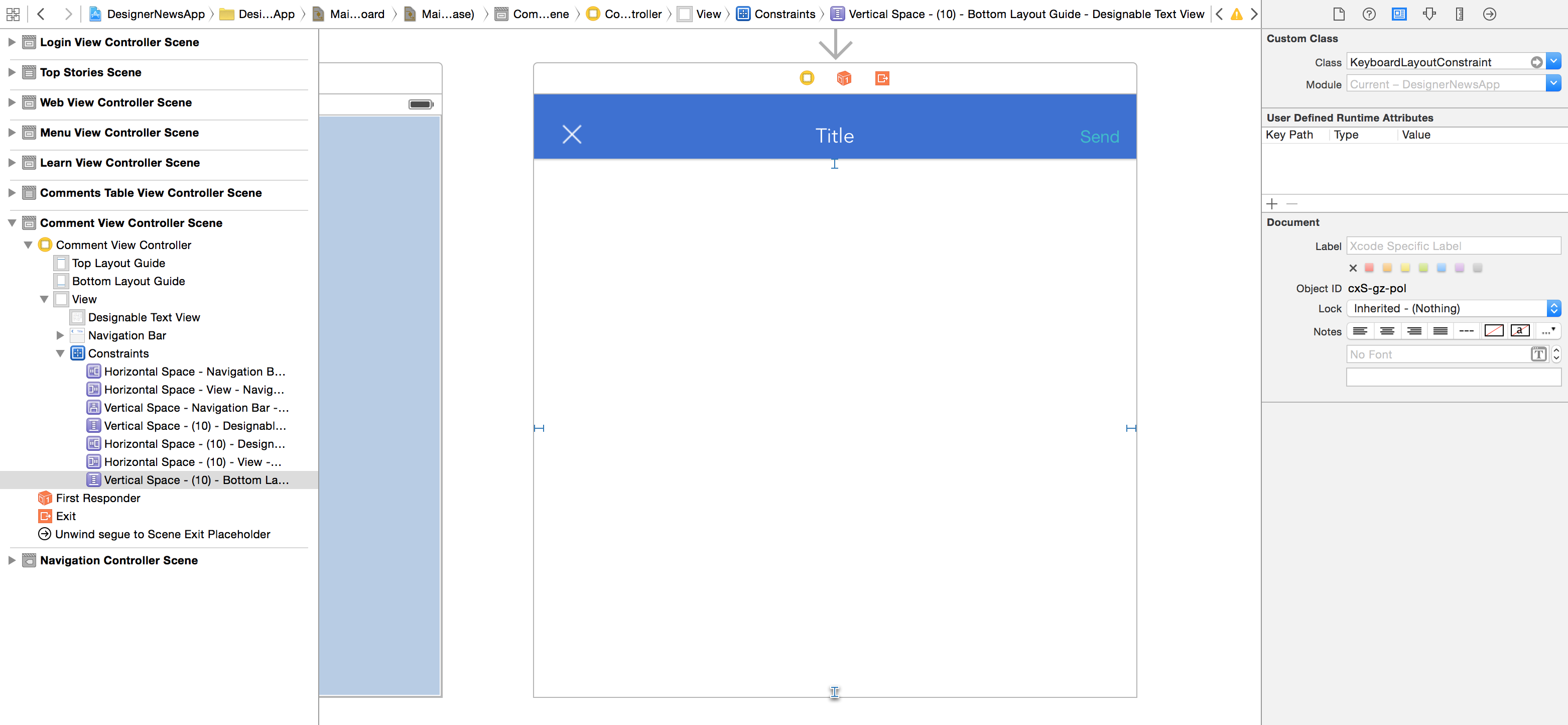
然后,只需创建相对于此键盘视图的约束。不要忘记将约束添加到他们常用的superview中。
要使键盘帧正确地翻译和旋转到视图坐标,请检查UIKeyboardFrameEndUserInfoKey的docs。
Stack Overflow用户
发布于 2013-11-23 01:09:11
那篇博文很棒,但我想提出一些改进建议。首先,您可以注册来观察帧更改,因此您不需要注册来观察显示和隐藏通知。其次,您应该将键盘的CGRects从屏幕转换为视图坐标。最后,您可以复制iOS为键盘本身使用的精确动画曲线,因此键盘和跟踪视图同步移动。
把所有这些放在一起,你会得到以下信息:
@interface MyViewController ()
// This IBOutlet holds a reference to the bottom vertical spacer
// constraint that positions the "tracking view",i.e., the view that
// we want to track the vertical motion of the keyboard
@property (weak, nonatomic) IBOutlet NSLayoutConstraint *bottomVerticalSpacerConstraint;
@end


@implementation MyViewController
-(void)viewDidLoad
{
  [super viewDidLoad];
  // register for notifications about the keyboard changing frame
  [[NSNotificationCenter defaultCenter] addObserver:self
                                           selector:@selector(keyboardWillChangeFrame:)
                                               name:UIKeyboardWillChangeFrameNotification
                                             object:self.view.window];
}

-(void)keyboardWillChangeFrame:(NSNotification*)notification
{
  NSDictionary * userInfo = notification.userInfo;
  UIViewAnimationCurve animationCurve  = [userInfo[UIKeyboardAnimationCurveUserInfoKey] intValue];
  NSTimeInterval duration = [userInfo[UIKeyboardAnimationDurationUserInfoKey] doubleValue];

  // convert the keyboard's CGRect from screen coords to view coords
  CGRect kbEndFrame = [self.view convertRect:[[userInfo objectForKey:UIKeyboardFrameEndUserInfoKey] CGRectValue]
                                    fromView:self.view.window];
  CGRect kbBeginFrame = [self.view convertRect:[[userInfo objectForKey:UIKeyboardFrameBeginUserInfoKey] CGRectValue]
                                      fromView:self.view.window];
  CGFloat deltaKeyBoardOrigin = kbEndFrame.origin.y - kbBeginFrame.origin.y;

  // update the constant factor of the constraint governing your tracking view
  self.bottomVerticalSpacerConstraint.constant -= deltaKeyBoardOrigin;
  // tell the constraint solver it needs to re-solve other constraints.
  [self.view setNeedsUpdateConstraints];

  [UIView beginAnimations:nil context:NULL];
  [UIView setAnimationDuration:duration];
  [UIView setAnimationCurve:animationCurve];
  [UIView setAnimationBeginsFromCurrentState:YES];
  // within this animation block, force the layout engine to apply
  // the new layout changes immediately, so that we
  // animate to that new layout. We need to use old-style
  // UIView animations to pass the curve type.
  [self.view layoutIfNeeded];
  [UIView commitAnimations];
}

-(void)dealloc {
  [[NSNotificationCenter defaultCenter] removeObserver:self
                                                  name:UIKeyboardWillChangeFrameNotification
                                                object:nil];
}
@end
只要你在键盘打开的时候不改变方向,这就可以了。
这是如何在iOS 7上模仿键盘动画,在数字键盘上添加“完成”按钮?上的一个答案,展示了如何正确地模仿键盘动画曲线。
对于所有这些基于通知的解决方案,最后要注意的一点是:如果应用程序中的其他屏幕也使用键盘,它们可能会产生意想不到的效果,因为您的视图控制器仍然会收到通知,只要它没有被释放,即使它的视图被卸载。解决这一问题的一种方法是在通知处理程序中添加一个条件,以确保它只在视图控制器在屏幕上运行时才能运行。
Stack Overflow用户
发布于 2015-02-01 17:05:02
https://stackoverflow.com/questions/12727898
复制相似问题
腾讯云开发者

Copyright © 2013 - 2026 Tencent Cloud. All Rights Reserved. 腾讯云 版权所有
深圳市腾讯计算机系统有限公司 ICP备案/许可证号:粤B2-20090059  粤公网安备44030502008569号
腾讯云计算(北京)有限责任公司 京ICP证150476号 | 京ICP备11018762号