
d3:位置文本元素依赖于元素之前的长度
我被困在d3 (或一般的JavaScript )中。
我想和d3一起创造一个传奇。这9个项目的位置应该相互依赖。更具体而言:
这是我简化的数组: var数据集=“非洲”、“亚洲”、“加勒比”、“中美洲”、“欧洲”、“中东”、“北美”、“大洋洲”、“南美洲”;
在x轴上,我想画下一个文本40 On (向右),然后最后一个文本结束。我的意图是每次在圆圈之间都有相同的空间。因此,下一个文本总是取决于最后一个国家名称的长度。
我试过这个:
.attr("x", function(d, i) {return i * 40 + d[i-1].length + 7;})但是控制台说di-1是未定义的。
我遗漏了什么?你怎么解决这个问题?
事先非常感谢!非常感谢您的帮助!
埃瓦
更新:实际上,我想画的图例不仅包括文字,还包括小圆圈。
这是一个数组(用硬编码的x_pos作为d2: var dataset =[“非洲”、"#4B7985“、5、”亚洲“、"#58AB86”、55、“加勒比”、"#63A4B5“、100、”中美洲“、"#818181”、165号、“欧洲”、"#E9726C“、255个、”中东“、"#E3AC73”、310号、“北美”、#B 65856、383、“大洋洲”、"#287E5C“、470,“南美洲”,“# 530 8358”,530 ];
如何根据国名的长度绘制圆圈,并在圆圈之间得到相同的间距?
回答 3
Stack Overflow用户
发布于 2013-11-28 19:42:08
您可以绘制文本元素以获得画布上的边框。然后根据最后一个元素的宽度调整位置:
svg.selectAll("text")
  .data(data).enter()
  .append("text")
  .attr("x", function(d) {
    return x_pos;
  })
  .attr("y", 50)
  .style("display", "none")
  .text(function(d) { return d; });

svg.selectAll("text")
  .style("display", "block")
  .attr("x", function(d) {
    var c_pos = x_pos;
    x_pos = x_pos + this.getBBox().width + distance;
    return c_pos;
});Stack Overflow用户
发布于 2016-03-31 19:04:24
我就是这样做的。
//This will be your array of legends
var legendItems = []

var legendCount = legendItems.length;
var legendSectionWidth = width / (legendCount+1);
//This will be your "y" value going forward. You can assign anything you want. I have used the following if else case, you should replace it with your logic to calculate y.
var vert = 0;
if(legendPosition == "bottom"){
    if(showAxes)
        vert = height + legendVerticalPad + containerHeight*0.04;
    else
        vert = height + legendVerticalPad + containerHeight*0.02;
}

for(var i = 0; i < legendCount; i++){
    var text = svg.append('text')
        .attr('x', (i+1)*legendSectionWidth)
        .attr('y', vert)
        .attr('class', 'legend-text '+legendItems[i])
        .style('text-anchor', 'middle')
        .style('dominant-baseline', 'central')
        .text(function() {
            return legendItems[i];
        });

    var len = text[0][0].getComputedTextLength();

// you could use circles here, just change the width n height to rx and x and y to cx and cy// you could use circles here, just change the width n height to rx and x and y to cx and cy`enter code here`
//The value 5 is your choice, i use 5px between my rect and text
    svg.append('rect')
        .attr('x', (i+1)*legendSectionWidth - len/2 - 5 - legendRectSize)
        .attr('y', vert - legendRectSize/2)
        .attr('width', legendRectSize)
        .attr('height', legendRectSize)
        .attr('class', function () { return 'legend '+ legendItems[i];} )
        .attr('label', function()  {
            return legendItems[i];
        })
}
结果是这样的
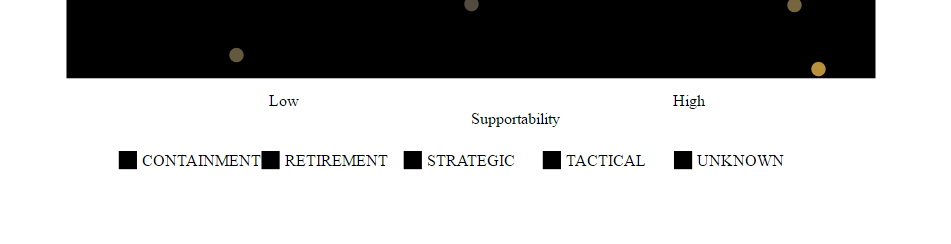
下面的图片证明,传说(直指和文字的组合)与每一个地方都是等距的,正好在规定宽度的中心。按照这种逻辑,无论你需要什么传说,都会被放置在彼此之间的等距位置,并出现在屏幕的中间。
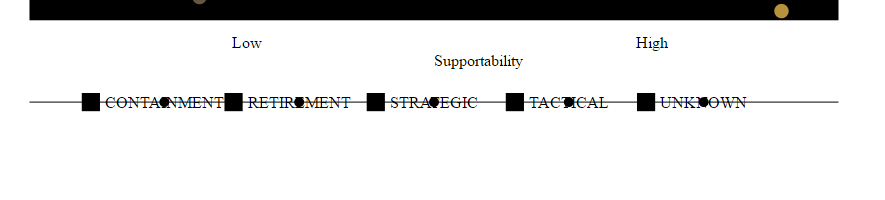


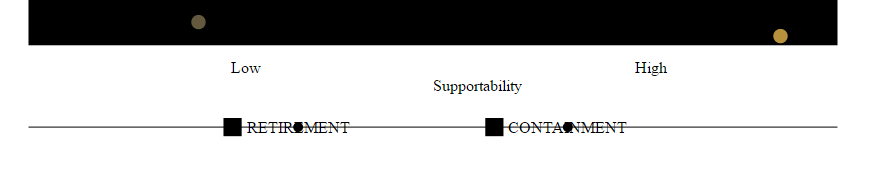

我希望这能帮到你。
Stack Overflow用户
发布于 2013-11-26 18:03:44
首先,d引用单个绑定数据点,而i引用数据集中的索引。要查看前面的数据点,您需要引用原始数据集,而不是提供的数据池。
假设你有:
var dataset = ["Africa","Asia", "Caribbean", "Central America", "Europe", "Middle East", "North America", "Oceania", "South America"];

d3.select('.foo').data(dataset)....
您可能希望将位置处理程序中的di -1引用更改为dataseti -1。
有了这个修正,您的第一个元素仍然会爆炸,因为它在dataset[0]。在这种情况下,dataset[i - 1]是dataset[-1]。
您可以将返回语句更改为:
return i ? (i * 40 + dataset[i-1].length + 7) : i;https://stackoverflow.com/questions/20224611
复制相似问题
腾讯云开发者

Copyright © 2013 - 2026 Tencent Cloud. All Rights Reserved. 腾讯云 版权所有
深圳市腾讯计算机系统有限公司 ICP备案/许可证号:粤B2-20090059  粤公网安备44030502008569号
腾讯云计算(北京)有限责任公司 京ICP证150476号 | 京ICP备11018762号