
更改复选框的CheckMark WPF的大小
更改复选框的CheckMark WPF的大小
提问于 2014-08-15 11:16:08
我已经为我的CheckBox实现了这种风格:
<Style x:Key="{x:Type CheckBox}" TargetType="CheckBox">
  <Setter Property="SnapsToDevicePixels" Value="true"/>
  <Setter Property="OverridesDefaultStyle" Value="true"/>
  <Setter Property="FontFamily" Value="{DynamicResource MetroFontRegular}"/>
  <Setter Property="FocusVisualStyle" Value="{StaticResource CheckBoxFocusVisual}"/>
  <Setter Property="Foreground" Value="#999999"/>
  <Setter Property="Background" Value="#3f3f3f"/>
  <Setter Property="FontSize" Value="12"/>
  <Setter Property="VerticalContentAlignment" Value="Center"/>
  <Setter Property="Template">
   <Setter.Value>
   <ControlTemplate TargetType="CheckBox">
     <BulletDecorator Background="Transparent">
       <BulletDecorator.Bullet>
         <Border x:Name="Border"
                 Width="13"
                 Height="13"
                 CornerRadius="6,6,6,6"
                 Background="#ffffff"
                 BorderBrush="#999999"
                 BorderThickness="1" >
             <Image x:Name="CheckMark" Source="Images/CheckMark.png" Width="15" Height="15" HorizontalAlignment="Center" VerticalAlignment="Center"/>
          </Border>
       </BulletDecorator.Bullet>
       <ContentPresenter Margin="8,0,0,0" VerticalAlignment="Center" HorizontalAlignment="Left" RecognizesAccessKey="True"/>
    </BulletDecorator>
    <ControlTemplate.Triggers>
      <Trigger Property="IsChecked" Value="false">
        <Setter TargetName="CheckMark" Property="Visibility" Value="Collapsed"/>
      </Trigger>
      <Trigger Property="IsMouseOver" Value="true">
        <Setter TargetName="Border" Property="Background" Value="#91814E" />
      </Trigger>
      <Trigger Property="IsEnabled" Value="false">
        <Setter Property="Foreground" Value="#c1c1c1"/>
      </Trigger>
   </ControlTemplate.Triggers>
 </ControlTemplate>
</Setter.Value>
</Setter>
</Style>
所以现在我的复选框看起来像一个圆圈,它的复选标记实际上是一个名为" checkmark“的图像。所以我对它的外观很满意,但是我想要做的是让我的复选框比我的复选框大一点。例如,如下所示:
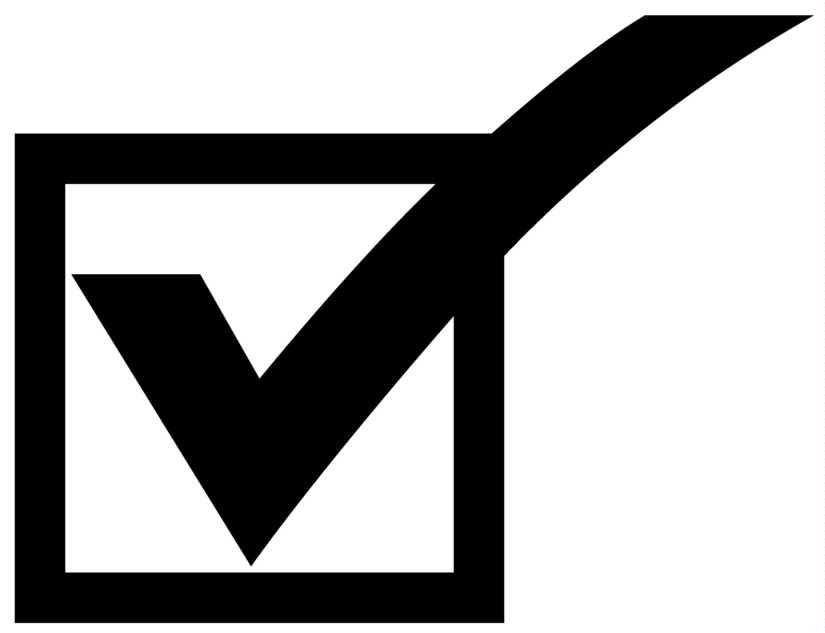
我试图改变我的图像的大小,但当我改变它时,它只会在复选框中被更改。它不会在边界之外。我该怎么处理呢?
回答 2
Stack Overflow用户
回答已采纳
发布于 2014-08-15 11:44:47
如果您的Border元素限制了在其中声明的Image的大小,您可以简单地将Image移出Border并增加它的大小:
<Border x:Name="Border"
            Width="13"
            Height="13"
            CornerRadius="6,6,6,6"
            Background="#ffffff"
            BorderBrush="#999999"
            BorderThickness="1" >
</Border>
<Image x:Name="CheckMark" Source="Images/CheckMark.png" Width="30" Height="30"
HorizontalAlignment="Center" VerticalAlignment="Center"/>Stack Overflow用户
发布于 2014-08-15 11:43:33
根据假设,这应该是可行的。
<Border x:Name="Border"
        Width="13"
        Height="13"
        CornerRadius="6,6,6,6"
        Background="#ffffff"
        BorderBrush="#999999"
        BorderThickness="1">
    <Canvas>
        <Image x:Name="CheckMark"
                Canvas.Bottom="0"
                Width="20"
                Height="20"
                Source="Images/CheckMark.png"/>
    </Canvas>
</Border>
我已经放置了一个画布作为边界的内容,并将检查标记放置在其中,并将检查图像的底部对齐到其底部。由于画布在默认情况下不裁剪其内容,这将导致溢出,而且由于我们设置了更大的大小,它将给我们希望的效果。
页面原文内容由Stack Overflow提供。腾讯云小微IT领域专用引擎提供翻译支持
原文链接:
https://stackoverflow.com/questions/25325503
复制相关文章
相似问题
腾讯云开发者

Copyright © 2013 - 2026 Tencent Cloud. All Rights Reserved. 腾讯云 版权所有
深圳市腾讯计算机系统有限公司 ICP备案/许可证号:粤B2-20090059  粤公网安备44030502008569号
腾讯云计算(北京)有限责任公司 京ICP证150476号 | 京ICP备11018762号