
调整CGPath大小
Introduction
我使用CGPath API从一个SVG文件创建了一个PocketSVG。一切都很好。
问题
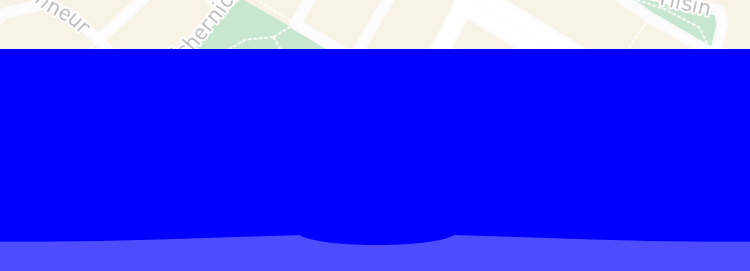
问题是这个形状是因为某种原因而展开的,请看一下这张图片(蓝色只是为了让你更容易看到,请忽略它,它应该是ClearColor):
目标
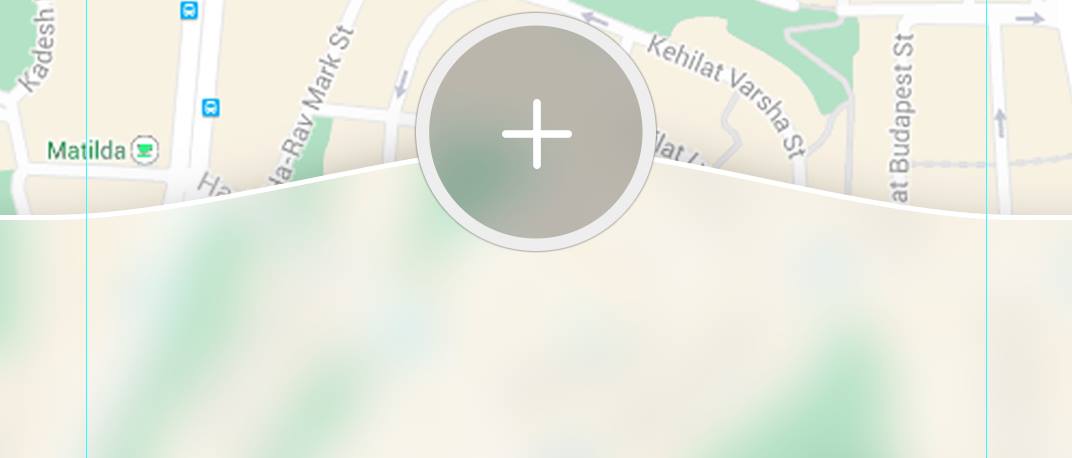
我想实现什么?我想要实现屏幕宽度的形状(我不在乎高度,它应该根据宽度修改自己),并坚持到屏幕底部,也请看这张图片(请忽略圆形按钮):
代码
重要的部分;)
我有一个UIView子类,它从SVG文件中提取这个形状,称为CategoriesBarView。然后,在我的MainViewController (UIViewController的一个子类)上,我创建一个CategoriesBarView对象,并以编程方式将其设置为子视图。
CategoriesBarView__:
class CategoriesBarView: UIView {
    override func layoutSubviews() {
        let myPath = PocketSVG.pathFromSVGFileNamed("CategoriesBar").takeUnretainedValue()

        var transform = CGAffineTransformMakeScale(self.frame.size.width / 750.0, self.frame.size.height / 1334.0)
        let transformedPath = CGPathCreateCopyByTransformingPath(myPath, &transform)

        let myShapeLayer = CAShapeLayer()
        myShapeLayer.path = transformedPath

        let blur = UIBlurEffect(style: .Light)
        let effectView = UIVisualEffectView(effect: blur)
        effectView.frame.size = self.frame.size
        effectView.frame.origin = CGPointMake(0, 0)
        effectView.layer.mask = myShapeLayer

        self.addSubview(effectView)

    }
}MainViewController__:
override func viewDidLoad() {
    super.viewDidLoad()

    let testHeight = UIScreen.mainScreen().bounds.size.height / 6 // 1/6 of the screen’s height, that is the height in the target picture approximately, doesn’t it?

    let categoriesBarView = CategoriesBarView(frame: CGRect(x: 0, y: UIScreen.mainScreen().bounds.size.height - testHeight , width: UIScreen.mainScreen().bounds.size.width, height: testHeight))
        categoriesBarView.backgroundColor = UIColor.blueColor() // AS I said, it should be ClearColor
    self.view.addSubview(categoriesBarView)
}
你们中有谁知道这里的问题是什么,以及为什么形状是那样伸展的?如果有人能在这里帮我,我会很感激的。
(非常感谢:)
回答 1
Stack Overflow用户
发布于 2016-08-12 13:00:07
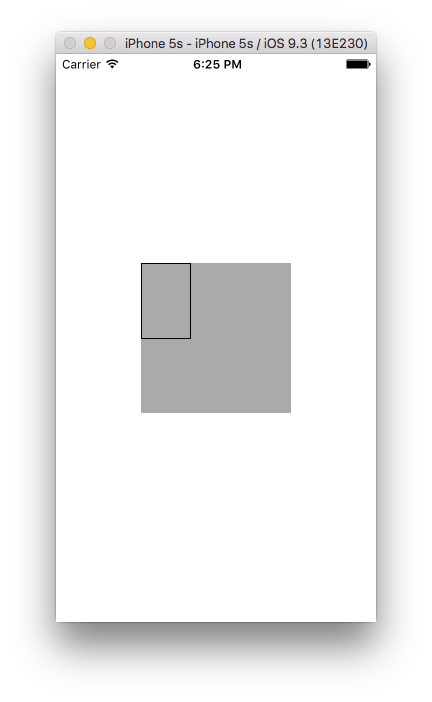
请考虑以下绘制100x100维平方的代码。我在这里所做的是将100x100作为基本维度(因为它很容易计算各自的比率或比例维),正如您所看到的,我已经定义了scaleWidth和scaleHeight变量,它们代表了路径的当前比例。刻度目前是1.0,这意味着它画一个100x100的平方,如果您分别将它更改为0.5和0.75,它将绘制一个50X75像素的矩形。请参阅清楚地描述尺度、宽度和高度之间差异的图像,分别为1.0、0.5和0.75。
CGFloat scaleWidth = 0.50f;
CGFloat scaleHeight = 0.75f;

//// Square Drawing
UIBezierPath* bezierSquarePath = [UIBezierPath bezierPath];

// ***Starting point of path ***
[bezierSquarePath moveToPoint: CGPointMake(1, 1)];

// *** move to x and y position to draw lines, calculate respective x & y position using scaleWidth & scaleHeight ***
[bezierSquarePath addLineToPoint: CGPointMake(100*scaleWidth, 1)];
[bezierSquarePath addLineToPoint: CGPointMake(100*scaleWidth, 100*scaleHeight)];
[bezierSquarePath addLineToPoint: CGPointMake(1, 100*scaleHeight)];

// *** end your path ***
[bezierSquarePath closePath];
[UIColor.blackColor setStroke];
bezierSquarePath.lineWidth = 1;
[bezierSquarePath stroke];
图1:使用scaleWidth = 1.0和scaleHeight = 1.0表示100x100平方
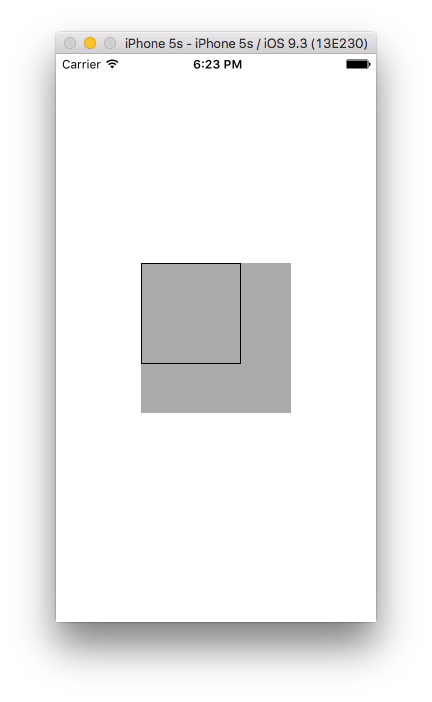
图2:使用scaleWidth = 0.50和scaleHeight = 0.75表示50x75平方
注意:在给定的图像中,所有的绘图都是在
UIView的- (void)drawRect:(CGRect)rect方法中完成的,因为只有UIView能够绘制。我在图像中放置了一个用GrayColor突出显示的UIView。
我相信它为您提供了一个关于扩展路径以解决问题的视角,因为您不能使用相同的代码,但是您可以使用它生成一个。
有用工具:如果您不是图形编码专家,您可以推荐使用PaintCode软件生成带有UI的Objective代码。我想你还可以选择其他的软件。
快乐编码:)
https://stackoverflow.com/questions/38913510
复制相似问题
腾讯云开发者

Copyright © 2013 - 2026 Tencent Cloud. All Rights Reserved. 腾讯云 版权所有
深圳市腾讯计算机系统有限公司 ICP备案/许可证号:粤B2-20090059  粤公网安备44030502008569号
腾讯云计算(北京)有限责任公司 京ICP证150476号 | 京ICP备11018762号