
Windrose图例括号格式和loc
Windrose图例括号格式和loc
提问于 2016-10-13 15:13:40
下面我用基于这的Windrose绘制了一幅风玫瑰图。首先,传说是覆盖部分玫瑰,但当我试图使用loc设置它的位置,传奇消失了。
其次,图例结尾括号是错误的,也就是说,[0.0 : 1.0[知道我如何将其修复为[0.0 : 1.0]
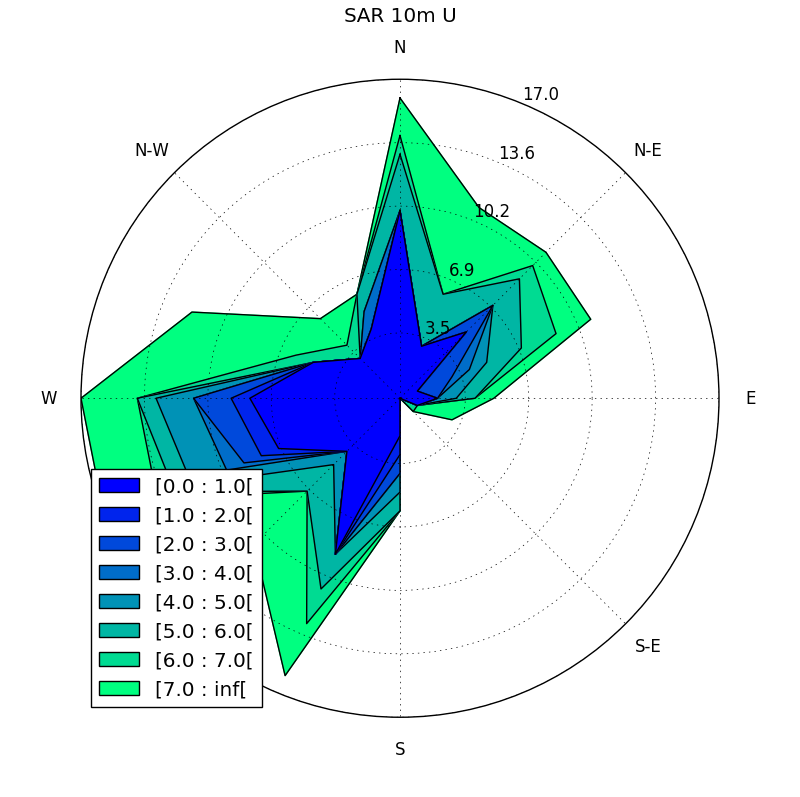
代码:
from windrose import WindroseAxes
import matplotlib.cm as cm
import matplotlib.pyplot as plt
import numpy as np
import pandas as pd

df = pd.read_csv("C:\2007_GG_wind rose.csv")
ws_SAR = df[' SARwind_10m']
wd_SAR = df['wind direction SAR model_int']
ws_mde = df['gg_mde']
wd_mde = df['wind direction MDE ']

ax=WindroseAxes.from_ax()
ax.bar(wd_SAR,ws_SAR,normed=True, opening=0.8, edgecolor='white')
ax.set_legend()
plt.title("SAR 10m U",y=1.08) #y=1.08 raises the title回答 1
Stack Overflow用户
回答已采纳
发布于 2017-02-03 15:12:02
将原始windrose.py从您的python文件夹复制到您想要的工作目录中。以其他方式命名该副本,例如windrose_edit.py。编辑文件并查找get_labels()函数。我是这样编辑的,但你可以按你的目的接受它。
def get_labels():
        labels = np.copy(self._info['bins'])
        labels = ["%.1f : %0.1f" %(labels[i], labels[i+1]-0.1) \
                  for i in range(len(labels)-1)]
        return labels
此外,您还可以增加图例的字体大小,下面的一些行。
def set_legend(self):
    l = self.legend(borderaxespad=-0.10)
    plt.setp(l.get_texts(), fontsize=12)
最后,导入已编辑的文件,例如将windrose_edit导入为wind2
然后把它和
winddir_ = yourdata
windspeed_ = yourdata

fig = plt.figure(figsize=(12, 8), dpi=100, facecolor='w', edgecolor='w')
rect = [0.1, 0.1, 0.8, 0.8]

ax = wind2.WindroseAxes(fig, rect, facecolor='w')

ax.contourf(winddir_, windspeed_, bins=6, normed=True, cmap=cm.RdYlBu_r)
ax.set_legend()
虽然这是一个相对快速和懒惰的解决方案,但它并不漂亮
页面原文内容由Stack Overflow提供。腾讯云小微IT领域专用引擎提供翻译支持
原文链接:
https://stackoverflow.com/questions/40024824
复制相关文章
相似问题
腾讯云开发者

Copyright © 2013 - 2026 Tencent Cloud. All Rights Reserved. 腾讯云 版权所有
深圳市腾讯计算机系统有限公司 ICP备案/许可证号:粤B2-20090059  粤公网安备44030502008569号
腾讯云计算(北京)有限责任公司 京ICP证150476号 | 京ICP备11018762号