
TranslucentNavigation与BottomNavigationView
TranslucentNavigation与BottomNavigationView
提问于 2016-12-25 00:12:31
我正在阅读material.io指南,我在底部导航部分看到了这张照片,并试图做出这样的结果,但结果不是我想要的。
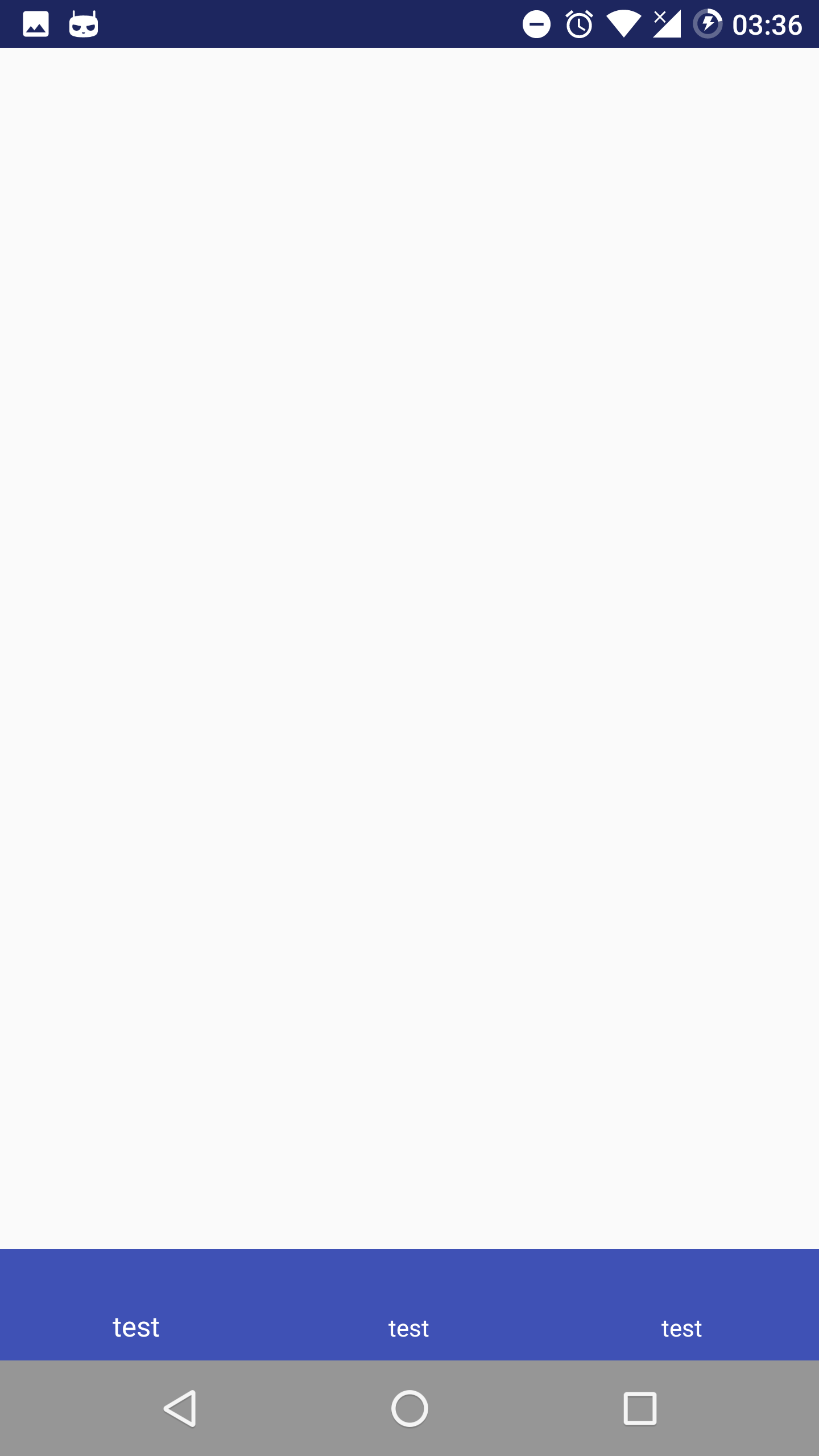
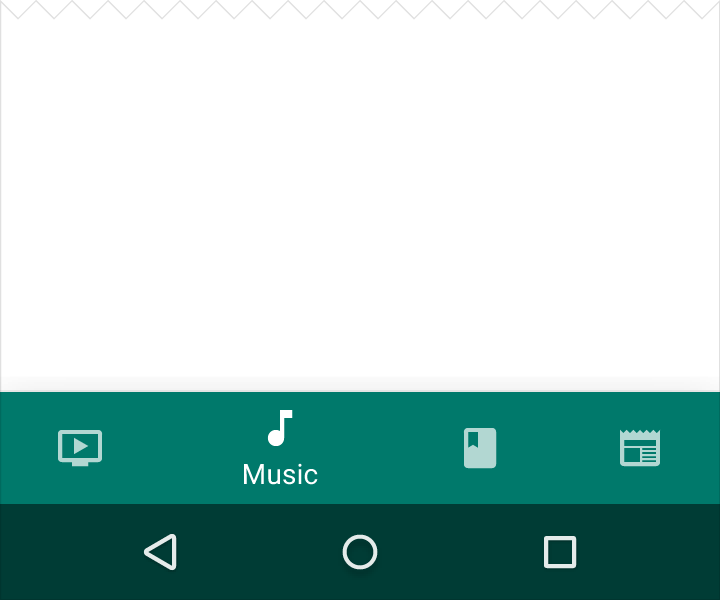
styles.xml
<style name="AppTheme" parent="Theme.AppCompat.Light.NoActionBar">
        <item name="colorPrimary">@color/colorPrimary</item>
        <item name="colorPrimaryDark">@color/colorPrimaryDark</item>
        <item name="colorAccent">@color/colorAccent</item>
        <item name="android:windowTranslucentNavigation" tools:targetApi="kitkat">true</item>
        <item name="android:windowTranslucentStatus" tools:targetApi="kitkat">true</item>
</style>
activity_main.xml
<?xml version="1.0" encoding="utf-8"?>
<android.support.design.widget.CoordinatorLayout xmlns:android="http://schemas.android.com/apk/res/android"
    xmlns:app="http://schemas.android.com/apk/res-auto"
    xmlns:tools="http://schemas.android.com/tools"
    android:id="@+id/activity_main"
    android:layout_width="match_parent"
    android:layout_height="match_parent"
    android:fitsSystemWindows="true"
    tools:context="com.amir_p.headphone.MainActivity">

    <android.support.design.widget.BottomNavigationView
        android:layout_width="match_parent"
        android:layout_height="wrap_content"
        android:layout_gravity="bottom"
        android:fitsSystemWindows="true"
        app:itemBackground="@color/colorPrimary"
        app:itemIconTint="@color/white"
        app:itemTextColor="@color/white"
        app:menu="@menu/navigation" />
</android.support.design.widget.CoordinatorLayout>如何使用BottomNavigationView制作半透明导航条,就像材料指南上的那样?
回答 1
Stack Overflow用户
发布于 2017-06-15 12:42:36
我就是这样解决这个问题的:
MyBottomNavigation.java
public final class MyBottomNavigationView extends BottomNavigationView implements View.OnApplyWindowInsetsListener {

private int height;

public MyBottomNavigationView(Context context) {
    super(context);

    init(context);
}

public MyBottomNavigationView(Context context, AttributeSet attrs) {
    super(context, attrs);

    init(context);
}

public MyBottomNavigationView(Context context, AttributeSet attrs, int defStyleAttr) {
    super(context, attrs, defStyleAttr);

    init(context);
}

private void init(final Context context) {
    height = getDefaultHeight(context);
    setMenuViewGravity(getMenuView(), Gravity.TOP);
    setOnApplyWindowInsetsListener(this);
}

private int getDefaultHeight(Context context) {
    int height;

    TypedArray a = context.getTheme().obtainStyledAttributes(new int[] {android.R.attr.actionBarSize});

    try {
        height = a.getDimensionPixelSize(0, 0);
    } finally {
        a.recycle();
    }

    return height;
}

private View getMenuView() {
    return getChildAt(0);
}

private void setMenuViewGravity(View menuView, int gravity) {
    ((LayoutParams) menuView.getLayoutParams()).gravity = gravity;
}

private void setNavigationHeight(final int height) {
    getViewTreeObserver().addOnPreDrawListener(new ViewTreeObserver.OnPreDrawListener() {
        @Override
        public boolean onPreDraw() {
            getLayoutParams().height = height;
            getViewTreeObserver().removeOnPreDrawListener(this);
            return true;
        }
    });
}

@Override
public WindowInsets onApplyWindowInsets(View v, WindowInsets insets) {
    setNavigationHeight(height + insets.getSystemWindowInsetBottom());
    return insets.replaceSystemWindowInsets(insets.getSystemWindowInsetLeft(), 0, insets.getSystemWindowInsetRight(), 0);
}
}和activity_main.xml
<?xml version="1.0" encoding="utf-8"?>
<android.support.design.widget.CoordinatorLayout
    xmlns:android="http://schemas.android.com/apk/res/android"
    xmlns:app="http://schemas.android.com/apk/res-auto"
    xmlns:tools="http://schemas.android.com/tools"
    android:layout_width="match_parent"
    android:layout_height="match_parent"
    android:fitsSystemWindows="true"
    tools:context="as.ways.iqey.main.MainActivity">

<android.support.design.widget.AppBarLayout
    android:id="@+id/app_bar"
    android:layout_width="match_parent"
    android:layout_height="wrap_content"
    android:animateLayoutChanges="true">

    <android.support.v7.widget.Toolbar
        android:id="@+id/toolbar"
        android:layout_width="match_parent"
        android:layout_height="wrap_content"
        />

</android.support.design.widget.AppBarLayout>

<android.support.v4.widget.NestedScrollView
    android:layout_width="match_parent"
    android:layout_height="match_parent"
    android:fillViewport="true"
    android:paddingBottom="56dp"
    android:overScrollMode="never"
    app:layout_behavior="@string/appbar_scrolling_view_behavior">

    <FrameLayout
        android:id="@+id/container"
        android:layout_width="match_parent"
        android:layout_height="wrap_content"/>

</android.support.v4.widget.NestedScrollView>

<as.ways.iqey.main.MyBottomNavigationView
    android:id="@+id/navigation"
    android:layout_width="match_parent"
    android:layout_height="wrap_content"
    android:fitsSystemWindows="true"
    android:background="?android:attr/windowBackground"
    app:theme="@style/AppTheme.BottomNavigationOverlay"
    android:layout_gravity="bottom"
    app:menu="@menu/navigation" />

</android.support.design.widget.CoordinatorLayout>页面原文内容由Stack Overflow提供。腾讯云小微IT领域专用引擎提供翻译支持
原文链接:
https://stackoverflow.com/questions/41317812
复制相关文章
相似问题
腾讯云开发者

Copyright © 2013 - 2026 Tencent Cloud. All Rights Reserved. 腾讯云 版权所有
深圳市腾讯计算机系统有限公司 ICP备案/许可证号:粤B2-20090059  粤公网安备44030502008569号
腾讯云计算(北京)有限责任公司 京ICP证150476号 | 京ICP备11018762号