
快速3/4如何动画contentMode of UIImageView
快速3/4如何动画contentMode of UIImageView
提问于 2017-10-12 03:54:43
我的目标是点击按钮来切换contentMode: scaleAspectFit & scaleAspectFill和动画。
    @IBAction func toggleContentModeAction(_ sender: UIButton) {
    sender.isSelected = !sender.isSelected
    if sender.isSelected {
        UIView.animate(withDuration: 0.3) {
            self.popImageView.contentMode = .scaleAspectFit
            self.view.layoutIfNeeded()
        }
    }else {
        UIView.animate(withDuration: 0.3) {
            self.popImageView.contentMode = .scaleAspectFill
            self.view.layoutIfNeeded()
        }
    }
}
但对我的目标无效。请帮我修理一下,谢谢柬埔寨的帮助。
回答 1
Stack Overflow用户
回答已采纳
发布于 2017-10-12 04:41:00
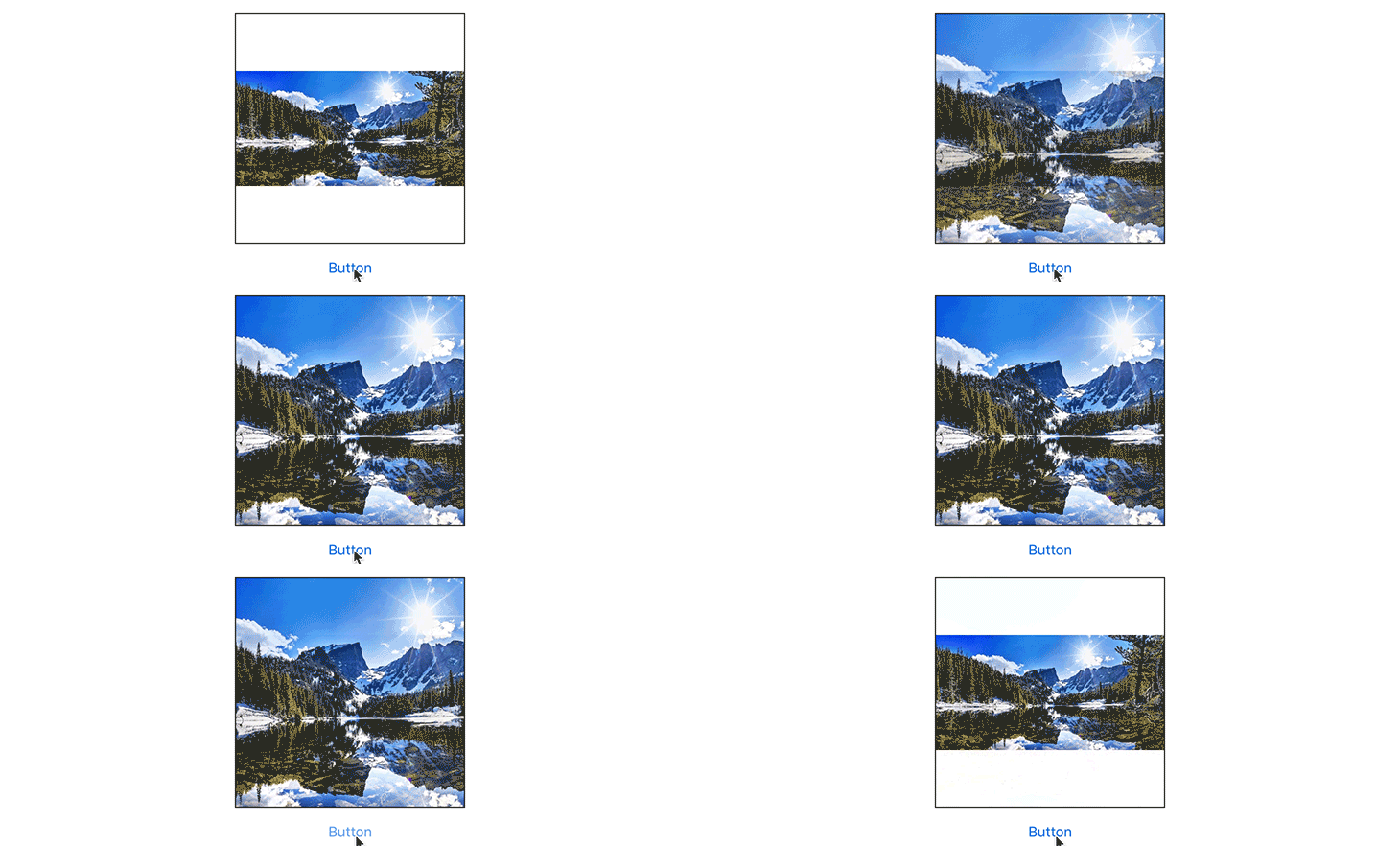
contentMode本身不是一个可动的属性。但是您可以使用transition(with:duration:options:animations:completion:)在视图的两种不同的呈现之间进行动画处理。
@IBAction func didTapButton(_ sender: UIButton) {
    let contentMode: UIViewContentMode = imageView.contentMode == .scaleAspectFill ? .scaleAspectFit : .scaleAspectFill

    UIView.transition(with: imageView, duration: 1, options: .transitionCrossDissolve, animations: {
        self.imageView.contentMode = contentMode
    }, completion: nil)
}
这会产生:
页面原文内容由Stack Overflow提供。腾讯云小微IT领域专用引擎提供翻译支持
原文链接:
https://stackoverflow.com/questions/46701140
复制相关文章
相似问题
腾讯云开发者

Copyright © 2013 - 2026 Tencent Cloud. All Rights Reserved. 腾讯云 版权所有
深圳市腾讯计算机系统有限公司 ICP备案/许可证号:粤B2-20090059  粤公网安备44030502008569号
腾讯云计算(北京)有限责任公司 京ICP证150476号 | 京ICP备11018762号