
使用SegmentController使TableView消失,UIContainerView出现
我试图使用段控制器在我的tableView和容器视图之间切换,但是当我试图在它们之间切换时,它只工作了一半。TableView出现并消失,但容器视图从未出现。
这是我的代码:
@IBAction func switchAction(_ sender: UISegmentedControl) {
    if sender.selectedSegmentIndex == 0 {
        profileTableView.isHidden = false
        modelsContainerView.isHidden = true
    } else {
        profileTableView.isHidden = true
        modelsContainerView.isHidden = false
    }
}
更新
如果我使用这个代码,模拟类的工作。出现容器视图,但它不像tableview那样填充屏幕。
    @IBAction func switchAction(_ sender: UISegmentedControl) {
    if sender.selectedSegmentIndex == 0 {
        UIView.animate(withDuration: 0.5, animations: {
            self.profileTableView.alpha = 1
            self.modelsContainerView.alpha = 0
        })
    } else {
        UIView.animate(withDuration: 0.5, animations: {
            self.profileTableView.alpha = 0
            self.modelsContainerView.alpha = 1
        })
    }
}
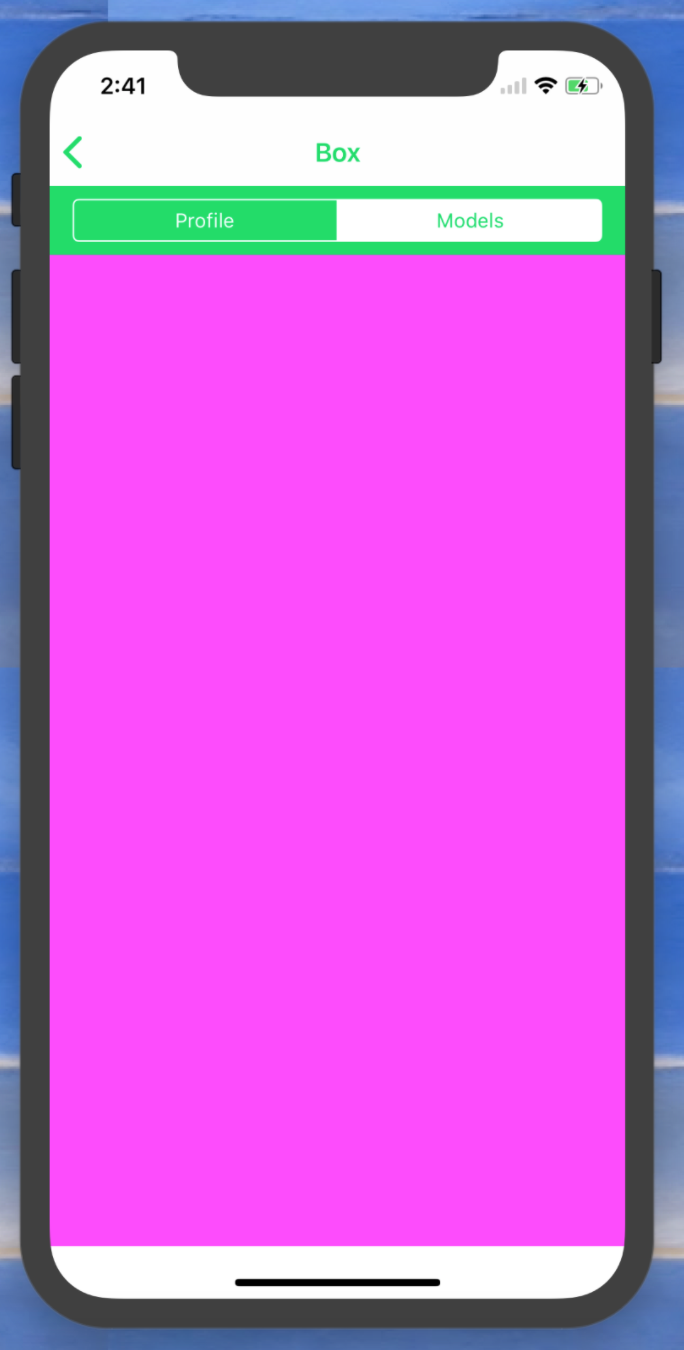
我可以看出它不起作用,因为我已经将容器视图的背景颜色设置为粉红色。这就是当我尝试从TableView切换到容器视图时的样子:
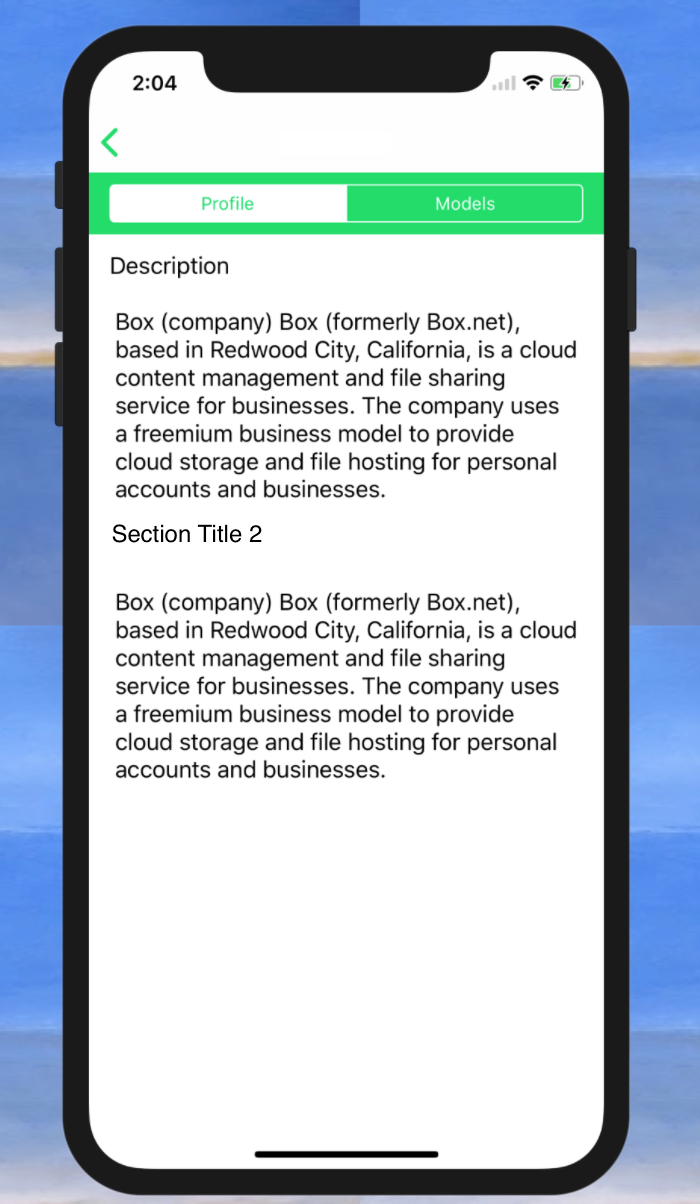
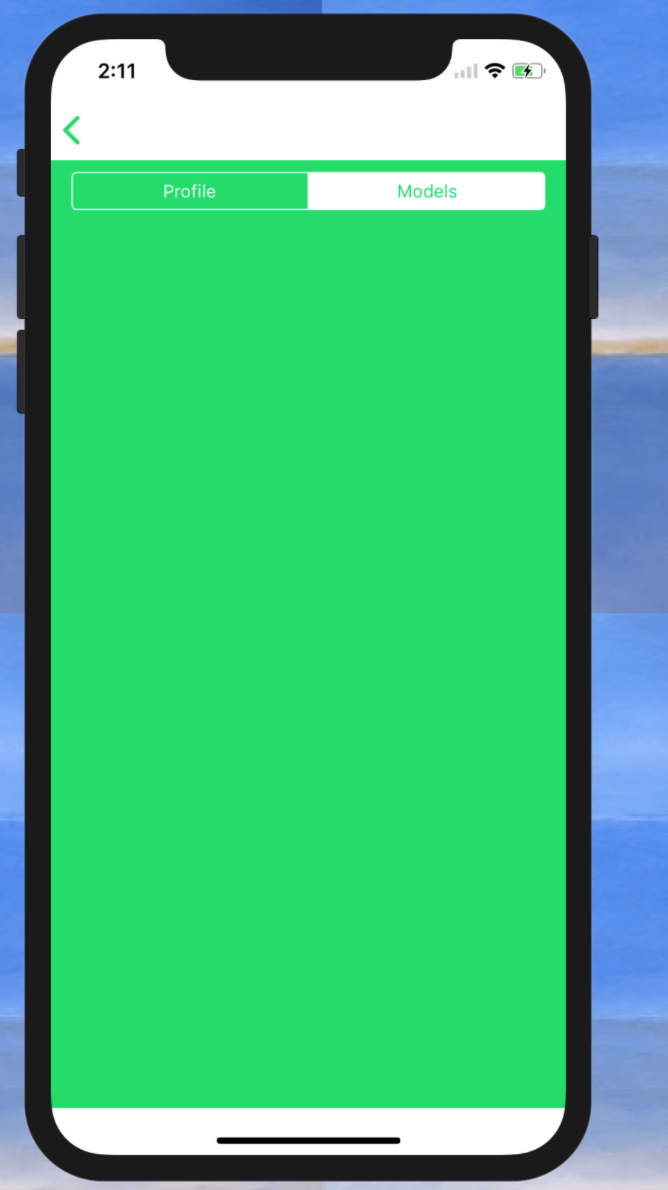
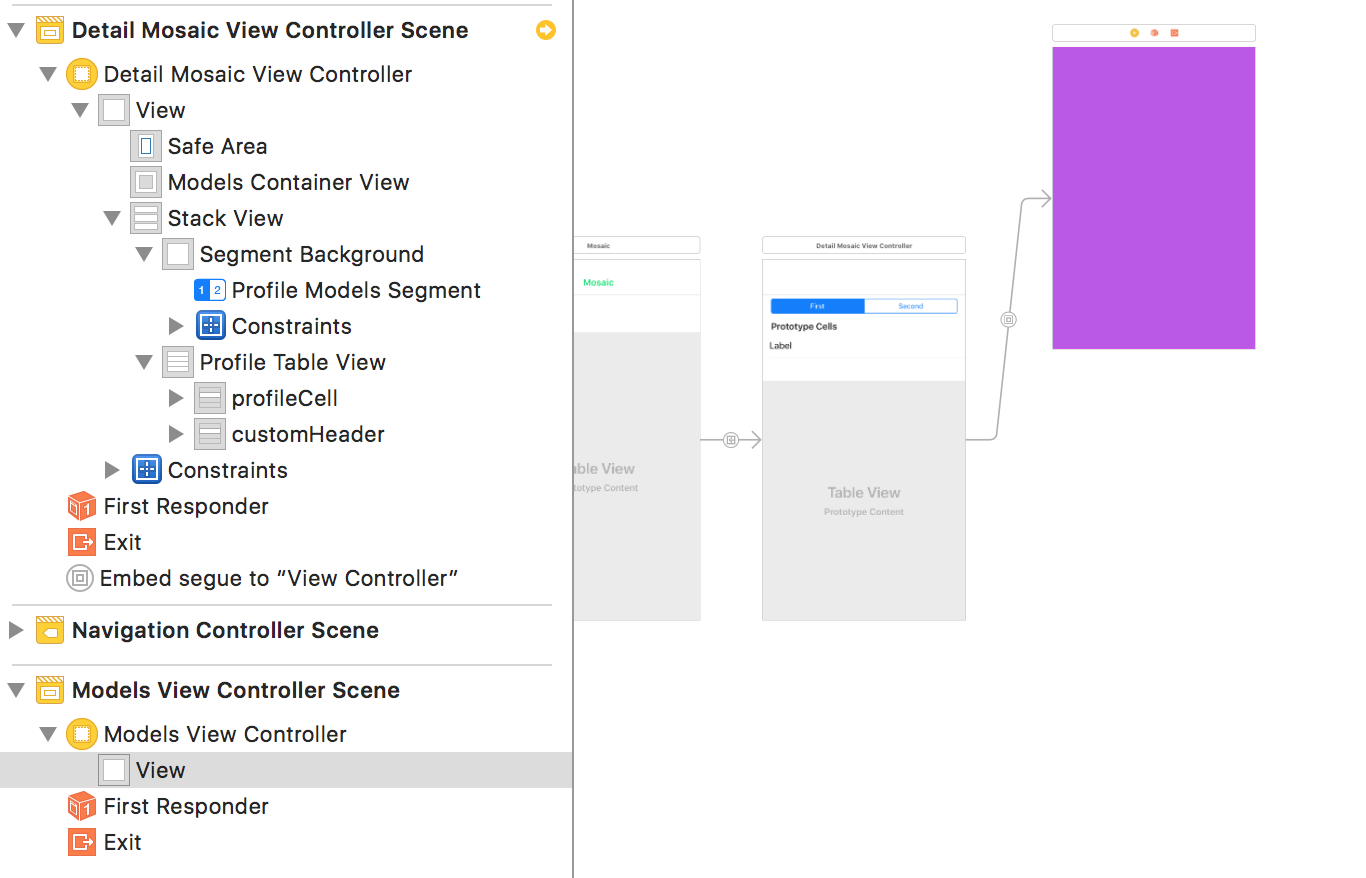
所有的插座似乎都是相连的。我的UI设置是段控制器后面的绿色视图,下面有一个tableView,而containerView位于相同的位置。
非常感谢您的帮助。
回答 1
Stack Overflow用户
发布于 2017-10-26 20:12:13
试试这个方法..。
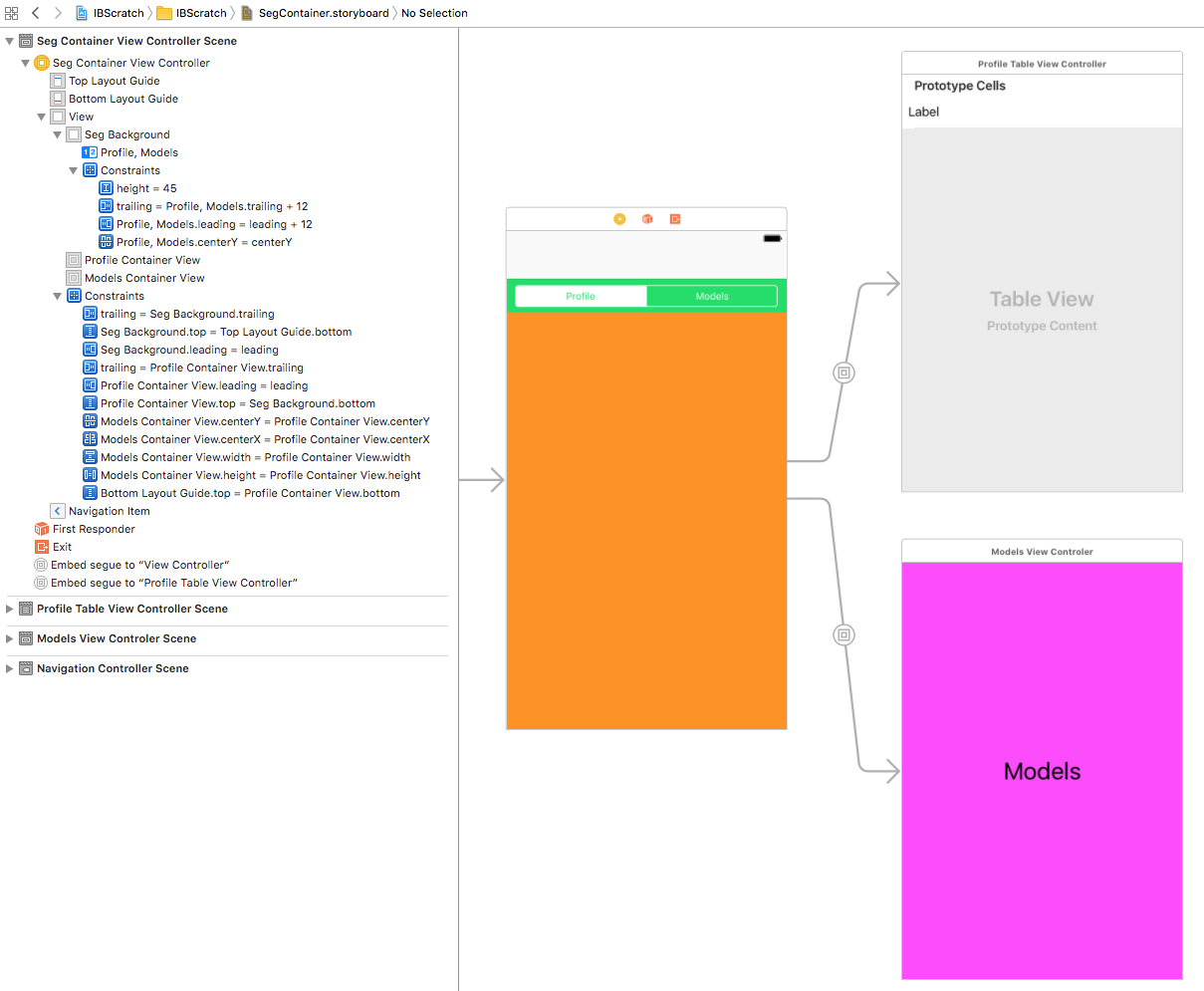
Seg背景视图的高度为45秒,并固定在顶部,引导,尾随都等于0.
配置文件容器被固定为前导、尾随、底部都等于0,顶部固定在Seg背景的底部。
但是您看不到配置文件容器(红色背景),因为模型容器(橙色背景)就在上面,而且.
模型容器是相同的宽度和高度,中心水平和垂直,所有的配置文件容器。
配置文件容器中嵌入了概要表VC。
模型容器中嵌入了模型VC。
这样做的目的是:
当选择Seg 0时,配置文件容器是alpha 1,而不是隐藏,而模型容器是alpha 0,是隐藏的。
当选择Seg 1时,配置文件容器是alpha 0,是隐藏的,而模型容器是alpha 1,不是隐藏的。
class SegContainerViewController: UIViewController {

    @IBOutlet weak var profileContainerView: UIView!
    @IBOutlet weak var modelsContainerView: UIView!

    override func viewDidLoad() {
        super.viewDidLoad()

        // start with Profile visible
        // so hide Models and set its alphs to 0
        self.modelsContainerView.alpha = 0
        self.modelsContainerView.isHidden = true

    }

    @IBAction func switchAction(_ sender: UISegmentedControl) {

        // on segment select, the "other" container will be
        // transparent and hidden, so
        // un-hide it, then animate the alpha for both (for cross-fade)
        // on animation completion, hide the now transparent container

        if sender.selectedSegmentIndex == 0 {

            self.profileContainerView.isHidden = false
            UIView.animate(withDuration: 0.5, animations: {

                self.profileContainerView.alpha = 1
                self.modelsContainerView.alpha = 0

            }, completion: { (finished: Bool) in

                self.modelsContainerView.isHidden = true

            })

        } else {

            self.modelsContainerView.isHidden = false
            UIView.animate(withDuration: 0.5, animations: {

                self.profileContainerView.alpha = 0
                self.modelsContainerView.alpha = 1

            }, completion: { (finished: Bool) in

                self.profileContainerView.isHidden = true

            })

        }

    }
}
编辑:
若要访问嵌入式视图控制器,请重写prepareForSegue:
var theProfileVC: ProfileTableViewController?
var theModelsVC: ModelsViewControler?

override func prepare(for segue: UIStoryboardSegue, sender: Any?) {

    if let vc = segue.destination as? ProfileTableViewController {

        // do something here if desired, like setting a property of the VC

        // save a reference so we can use it later
        theProfileVC = vc
    }

    if let vc = segue.destination as? ModelsViewControler {

        // do something here if desired, like setting a property of the VC

        // save a reference so we can use it later
        theModelsVC = vc

    }

}
我还用这个例子更新了GitHub回购。
我把它作为一个示例项目,如果您想深入研究它:https://github.com/DonMag/SegmentsAndContainers
https://stackoverflow.com/questions/46961231
复制相似问题
腾讯云开发者

Copyright © 2013 - 2026 Tencent Cloud. All Rights Reserved. 腾讯云 版权所有
深圳市腾讯计算机系统有限公司 ICP备案/许可证号:粤B2-20090059  粤公网安备44030502008569号
腾讯云计算(北京)有限责任公司 京ICP证150476号 | 京ICP备11018762号