
100 x100 python块背面图像的分解和收集
我有一个图像数组,我需要将它分解成100×100块,然后用它进行操作后收集回原来的图像。问题:我不能把东西拿回来,我有这样的东西,
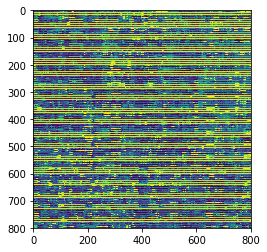
但真实图像是800x800
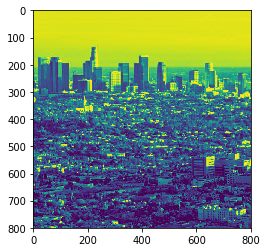
我的代码:
获取img作为数组,删除三维
path_to_image = './la3.jpg'
image_array = plt.imread(path_to_image)
image_array = image_array[:, :, 0]
用新的数组片段100x100编写(工作正常):
main2_array = np.zeros(10000,)
for row in tqdm_notebook(range(0,8)):

    for col in range(0,8):
        main2_array = np.vstack((main2_array, image_array[0 + (100*row):100 + (100*row) ,0 + (100*col):100 + (100*col)].flatten()))

main2_array = np.delete(main2_array, main2_array[0] , axis=0  )
把碎片收集回来(它不起作用)
main_array = np.zeros(100,)

for p in tqdm_notebook(range(0,100)):
    for i in range(0,64):
        main_array = np.vstack((main_array, main2_array[0 + (10000*i) + (100*p): 100 + (10000*i) + (100*p)]))

main_array = np.delete(main_array, main_array[0] , axis=0  )
我收集了一些东西之后
回答 2
Stack Overflow用户
发布于 2018-05-20 05:14:56
假像
x, y = 800,800
img_array = np.arange(x*y).reshape((x,y))解构之后,main2_array.shape是(64,10000);每一行都是一个扁平的100x100修补程序。在解构过程中,您从左到右、从上到下遍历图像,并将每个补丁滑动到前面的修补程序下面.
为了重建这一过程:
main_array = np.zeros((x,y))
for n, patch in enumerate(main2_array):
    patch = patch.reshape(100,100)
    # eight patches per row
    row, col = divmod(n, 8)
    row_offset, col_offset = row*100, col*100
    row_slice = slice(row_offset, 100 + row_offset)
    col_slice = slice(col_offset, 100 + col_offset)
    #print(np.all(patch == image_array[row_slice,col_slice]))
    main_array[row_slice, col_slice] = patch


>>> np.all(main_array == img_array)
True
>>>
或者你可以重新塑造你的方式回到原来的
>>> b = main2_array.reshape(8,8,100,100)
>>> b[0,1].shape    # row zero column 1?
(100, 100)
>>> np.all(b[0,1] == a[0:100, 100:200])
True
>>>
>>> c = np.swapaxes(b, 1,2)
>>> c.shape
(8, 100, 8, 100)
>>> np.all(c[0,:,1,:] == a[0:100, 100:200])    # row zero column 1?
True
>>> d = c.reshape(800,800)
>>> np.all(d==img_array)
True
>>>Stack Overflow用户
发布于 2018-05-21 10:02:41
有点晚了,但我认为这个问题应该得到一个更直观的答案。
您不需要慢循环,您可以通过numpy整形和奇特的索引来完成这一切。
让我们从一个示例图像开始
import numpy as np
import matplotlib as mpl
import matplotlib.pyplot as plt
import skimage.transform
import skimage.data

img = skimage.data.chelsea()
# crop from (300, 451, 3) to (300, 300, 3)
img = img[:,80:380,:]
# resize to (800, 800)
img = skimage.transform.resize(img, (800,800))
plt.imshow(img)
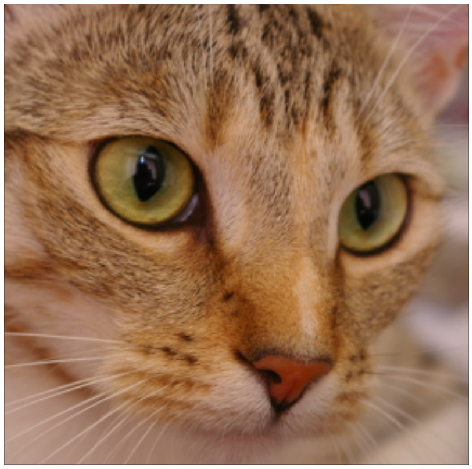
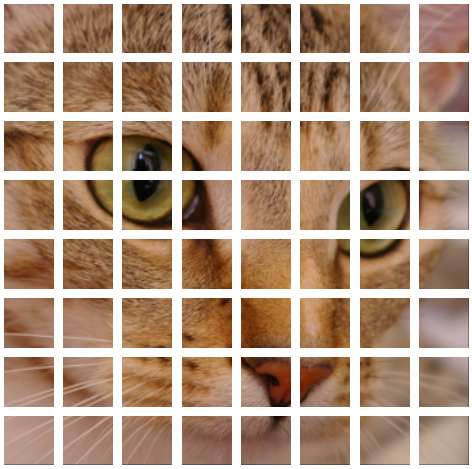
在64 100*100 tiles中分解图像。新的形状是(8, 100, 8, 100, 3),您可以使用img[i, :, j, :, ...]来处理单个图像。不需要将它们存储在一个新的数组中,只是为了更容易阅读。
img = img.reshape(8, 100, 8, 100, 3)
gs = mpl.gridspec.GridSpec(8,8)
for i in range(8):
    for j in range(8):
        ax = plt.subplot(gs[i,j])
        ax.imshow(img[i,:,j,:,...])
现在让我们对这些瓷砖做一些操作。
清除一些随机瓷砖
cells = np.random.randint(8, size=(20,2))
img[cells[:,0],:,cells[:,1],...] = 1
上下翻转,从左到右
img = img[:,::-1,:,::-1,...]添加黑色边框
img[:,:6,...] = 0
img[:,-6:,...] = 0
img[:,:,:,:6,...] = 0
img[:,:,:,-6:,...] = 0
并策划他们
for i in range(8):
    for j in range(8):
        ax = plt.subplot(gs[i,j])
        ax.imshow(img[i,:,j,:,...])
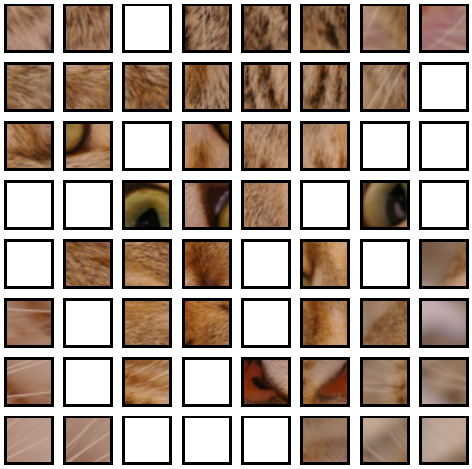
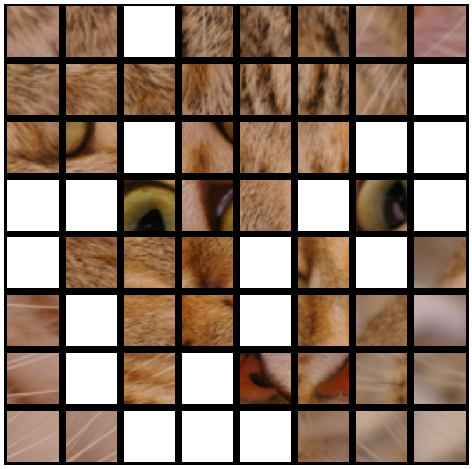
现在要重建,你只需重塑到原来的形状。
img = img.reshape(800, 800, 3)
plt.imshow(img)
https://stackoverflow.com/questions/50431401
复制相似问题
腾讯云开发者

Copyright © 2013 - 2026 Tencent Cloud. All Rights Reserved. 腾讯云 版权所有
深圳市腾讯计算机系统有限公司 ICP备案/许可证号:粤B2-20090059  粤公网安备44030502008569号
腾讯云计算(北京)有限责任公司 京ICP证150476号 | 京ICP备11018762号