
App.xaml指向子文件夹中的库。
App.xaml指向子文件夹中的库。
提问于 2018-08-14 19:59:06
我正在使用材料设计XAML工具包库,目前在app.xaml中有:
<?xml version="1.0" encoding="UTF-8"?>
<Application . . .>
  <Application.Resources>
    <ResourceDictionary>
      <ResourceDictionary.MergedDictionaries>
        <ResourceDictionary Source="pack://application:,,,/MaterialDesignThemes.Wpf;component/Themes/MaterialDesignTheme.Light.xaml" />
        <ResourceDictionary Source="pack://application:,,,/MaterialDesignThemes.Wpf;component/Themes/MaterialDesignTheme.Defaults.xaml" />
        <ResourceDictionary Source="pack://application:,,,/MaterialDesignColors;component/Themes/Recommended/Primary/MaterialDesignColor.DeepPurple.xaml" />
        <ResourceDictionary Source="pack://application:,,,/MaterialDesignColors;component/Themes/Recommended/Accent/MaterialDesignColor.Lime.xaml" />
      </ResourceDictionary.MergedDictionaries>
    </ResourceDictionary>
  </Application.Resources>
</Application>但是,我使用美桶将库移动到一个/lib子文件夹中,这样它就找不到资源目录了。我正在努力找出正确的语法,如何从子文件夹引用这些文件。谢谢。
编辑
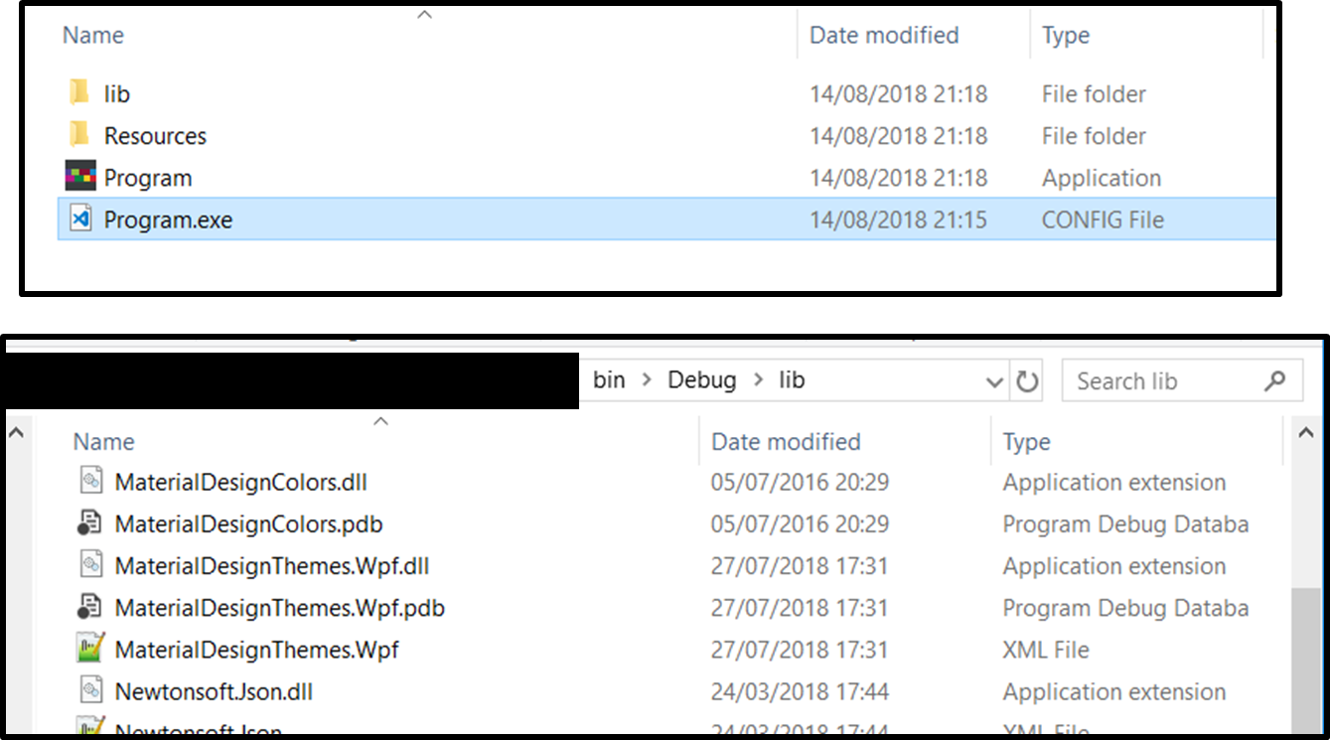
码
  <ResourceDictionary.MergedDictionaries>
            <ResourceDictionary Source="pack://application:,,,/MaterialDesignThemes.Wpf;/component/lib/Themes/MaterialDesignTheme.Light.xaml" />
            <ResourceDictionary Source="pack://application:,,,/MaterialDesignThemes.Wpf;component/lib/Themes/MaterialDesignTheme.Defaults.xaml" />
            <ResourceDictionary Source="pack://application:,,,/MaterialDesignColors;component/lib/Themes/Recommended/Primary/MaterialDesignColor.DeepPurple.xaml" />
            <ResourceDictionary Source="pack://application:,,,/MaterialDesignColors;component/lib/Themes/Recommended/Accent/MaterialDesignColor.Lime.xaml" />
            <ResourceDictionary Source="pack://application:,,,/MaterialDesignThemes.Wpf;component/lib/Themes/MaterialDesignTheme.Flipper.xaml" />
            <ResourceDictionary Source="pack://application:,,,/MaterialDesignColors;component/lib/Themes/MaterialDesignColor.Indigo.Named.xaml" />
        </ResourceDictionary.MergedDictionaries>
编辑2
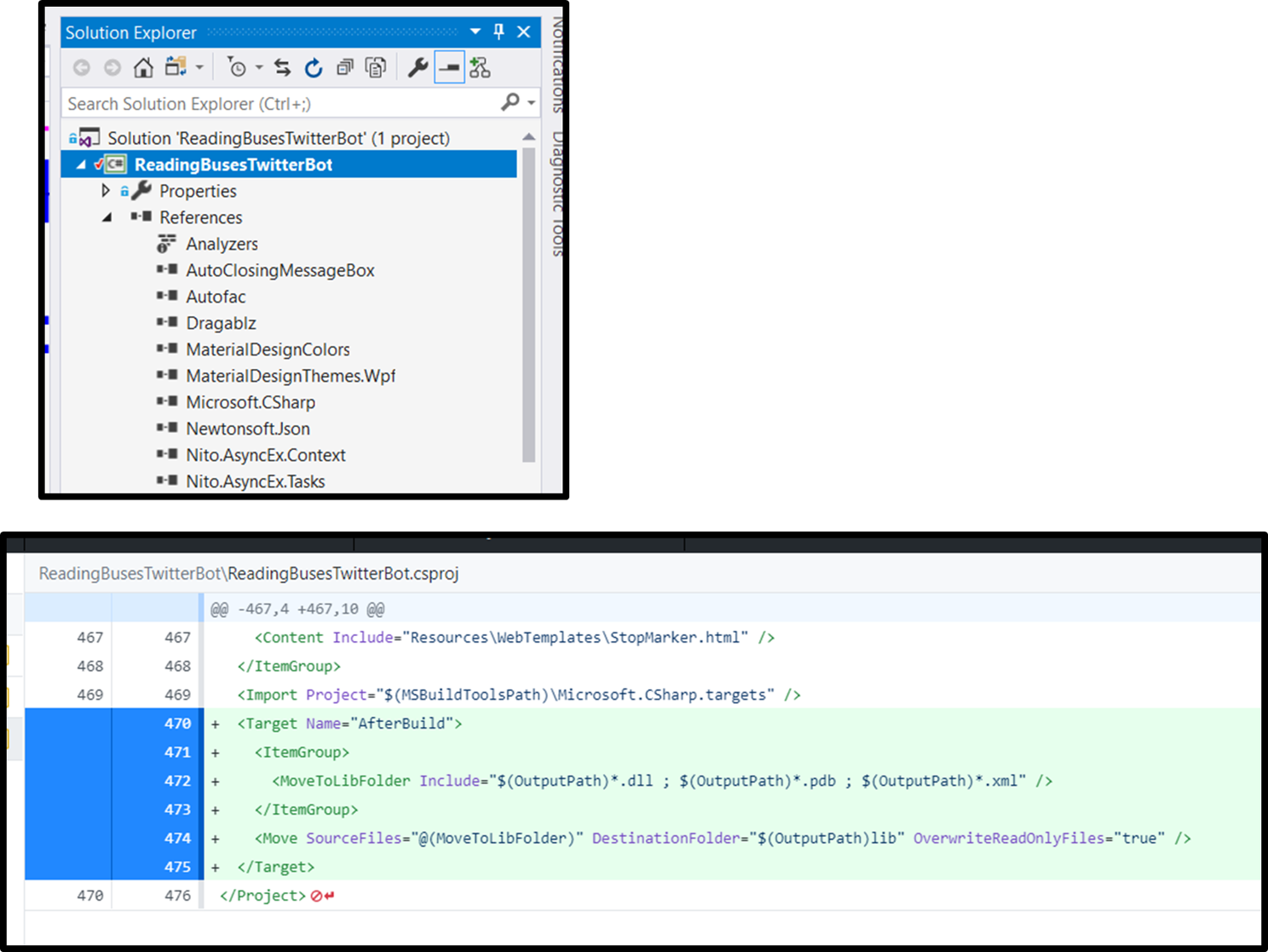
回答 1
Stack Overflow用户
回答已采纳
发布于 2018-08-15 09:14:06
我设法找到了一个答案,我需要编辑App.config文件并放入:
<runtime>
    <assemblyBinding xmlns="urn:schemas-microsoft-com:asm.v1">
<probing privatePath="lib" />我跟踪了这个这里
页面原文内容由Stack Overflow提供。腾讯云小微IT领域专用引擎提供翻译支持
原文链接:
https://stackoverflow.com/questions/51848938
复制相关文章
相似问题
腾讯云开发者

Copyright © 2013 - 2026 Tencent Cloud. All Rights Reserved. 腾讯云 版权所有
深圳市腾讯计算机系统有限公司 ICP备案/许可证号:粤B2-20090059  粤公网安备44030502008569号
腾讯云计算(北京)有限责任公司 京ICP证150476号 | 京ICP备11018762号