
如何使用prefersLargeTitles更改标题注册表?
如何使用prefersLargeTitles更改标题注册表?
提问于 2019-03-27 06:00:22
我知道可以使用prefersLargeTitles分别为“大”和“小”标题设置字体系列、字体大小和颜色。
问题是:导航控制器是否有任何选项可以在打开的大写导航面板中显示大标题?
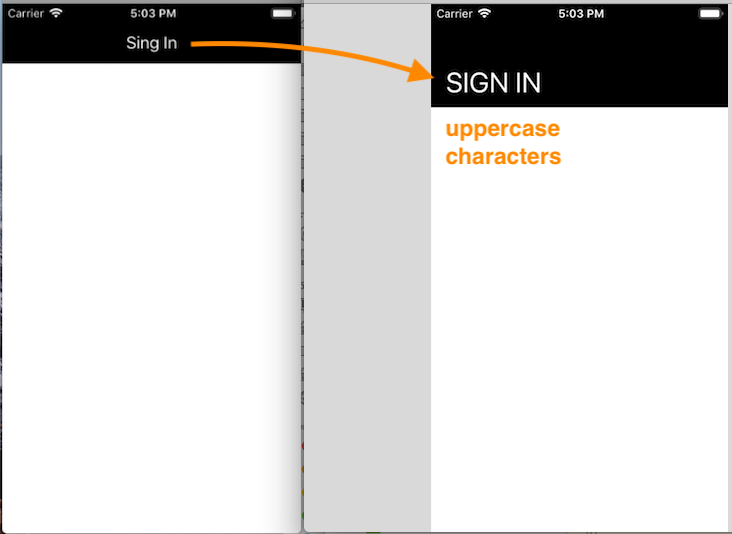
现在我使用自定义导航控制器:
class MyNavigationController: UINavigationController {

    public var titleSaved: String?

    override func viewDidLayoutSubviews() {
        super.viewDidLayoutSubviews()

        guard let topItem = navigationBar.topItem else {
            return
        }

        if navigationBar.frame.size.height > 60 {
            topItem.title = topItem.title?.uppercased()
        } else {
            if let titleSaved = titleSaved {
                topItem.title = titleSaved
            } else {
                topItem.title = topItem.title?.applyingTransform(StringTransform(rawValue: "Title"), reverse: false)
            }
        }
    }
}
从视图控件设置标题:
class MyViewController: UIViewController {

    override func viewDidLoad() {
        super.viewDidLoad()

        navigationController?.navigationBar.prefersLargeTitles = true

        let title = "Sign In"
        navigationItem.title = title

        if let nc = navigationController as? MyNavigationController {
            nc.titleSaved = title
        }
    }

}
此解决方案有效,但当您从“大”标题切换到“小”标题并向后切换时,它会抽搐,而且看起来非常错误。
回答 3
Stack Overflow用户
回答已采纳
发布于 2019-04-06 12:15:26
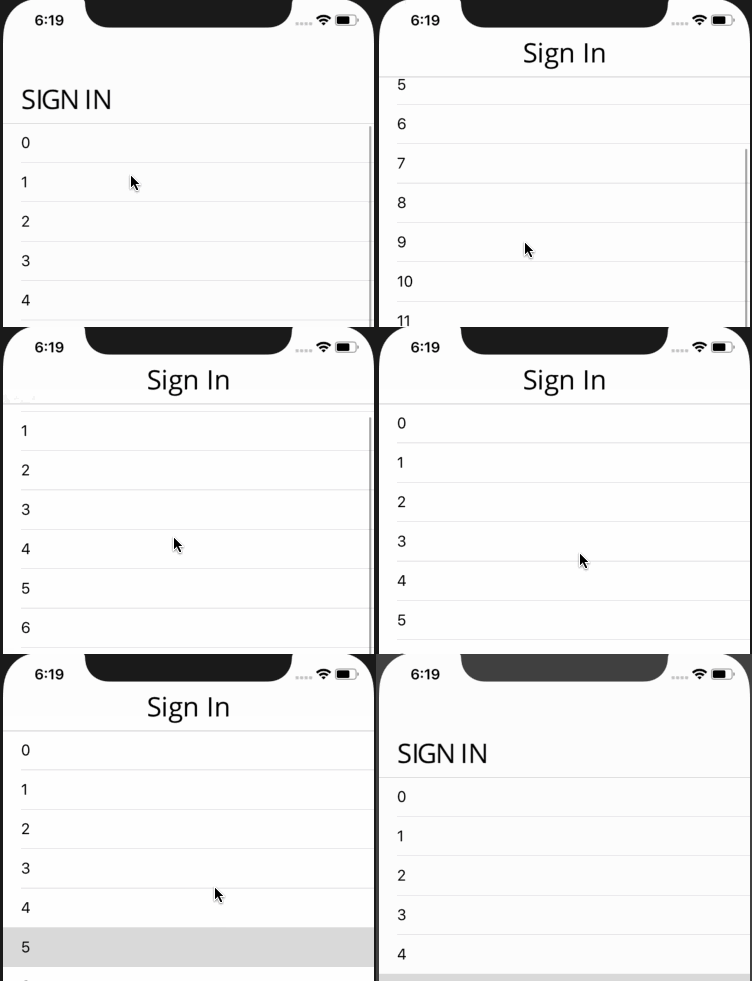
您可以使用小型化字体为“大标题”设置上限标题,为“小标题”设置大写标题。
用其他字体更改titleTextAttributes,用大写字体更改largeTitleTextAttributes
class ViewController: UITableViewController {

    override func viewDidLoad() {
        super.viewDidLoad()

        self.title = "Sign In"
        self.navigationController?.navigationBar.prefersLargeTitles = true
        self.navigationController?.navigationBar.titleTextAttributes = [NSAttributedString.Key.foregroundColor: UIColor.red]
        self.navigationController?.navigationBar.largeTitleTextAttributes = [.foregroundColor: UIColor.red,
                                                                             .font:UIFont(name: "Panton-LightCaps", size: 30)!]
    }
}或者你可以定制你的字体。我使用OpenSans在http://www.glyphrstudio.com/online/中创建了一个新的样式字体
你可以下载它这里
self.title = "Sign In"
self.navigationController?.navigationBar.prefersLargeTitles = true
self.navigationController?.navigationBar.titleTextAttributes = [.font:UIFont(name: "OpenSans-Regular", size: 30)!]
self.navigationController?.navigationBar.largeTitleTextAttributes = [.font:UIFont(name: "MyFontRegular", size: 30)!]
Stack Overflow用户
发布于 2019-04-02 07:36:37
你可以这样做:
navigationController?.navigationBar.prefersLargeTitles = true
let NavigationTitle = "Sign in"
navigationController?.navigationBar.topItem?.title = NavigationTitle.uppercased()Stack Overflow用户
发布于 2019-04-02 10:32:59
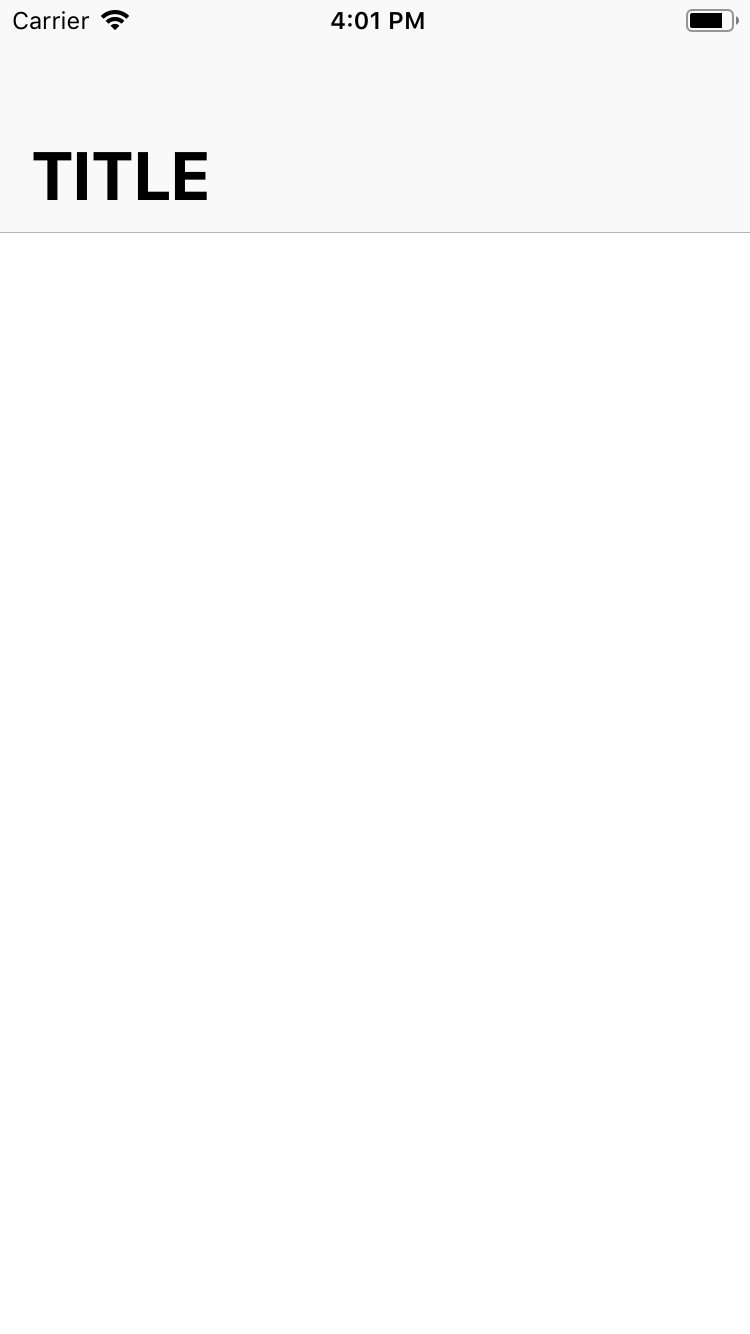
您只需尝试将导航栏标题设置为“超感知”。并将pregfersLargeTitles设为true
self.navigationController?.navigationBar.prefersLargeTitles = true
self.title = "title".uppercased()
检查一下这个:
页面原文内容由Stack Overflow提供。腾讯云小微IT领域专用引擎提供翻译支持
原文链接:
https://stackoverflow.com/questions/55370707
复制相关文章
相似问题
腾讯云开发者

Copyright © 2013 - 2026 Tencent Cloud. All Rights Reserved. 腾讯云 版权所有
深圳市腾讯计算机系统有限公司 ICP备案/许可证号:粤B2-20090059  粤公网安备44030502008569号
腾讯云计算(北京)有限责任公司 京ICP证150476号 | 京ICP备11018762号