OpenCV4.8 + YOLO11 C++ 部署推理

OpenCV4.8 + YOLO11 C++ 部署推理
OpenCV学堂
发布于 2026-04-02 18:12:07
发布于 2026-04-02 18:12:07
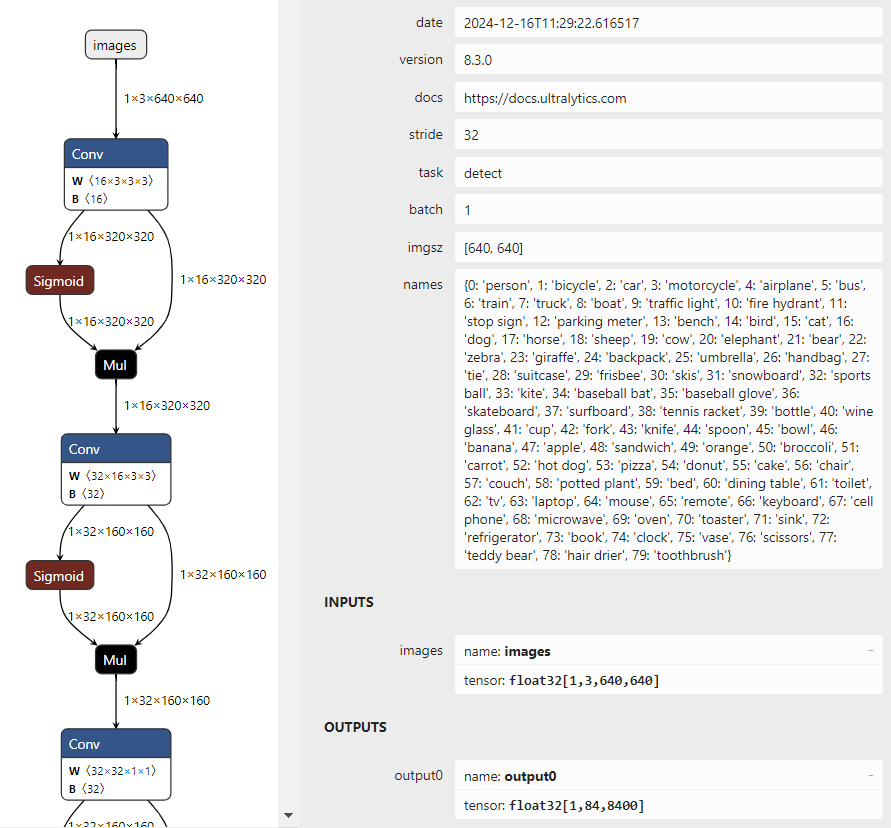
图片
就会发现,跟YOLOv8输入与输出结果完全一致,没有什么改变。
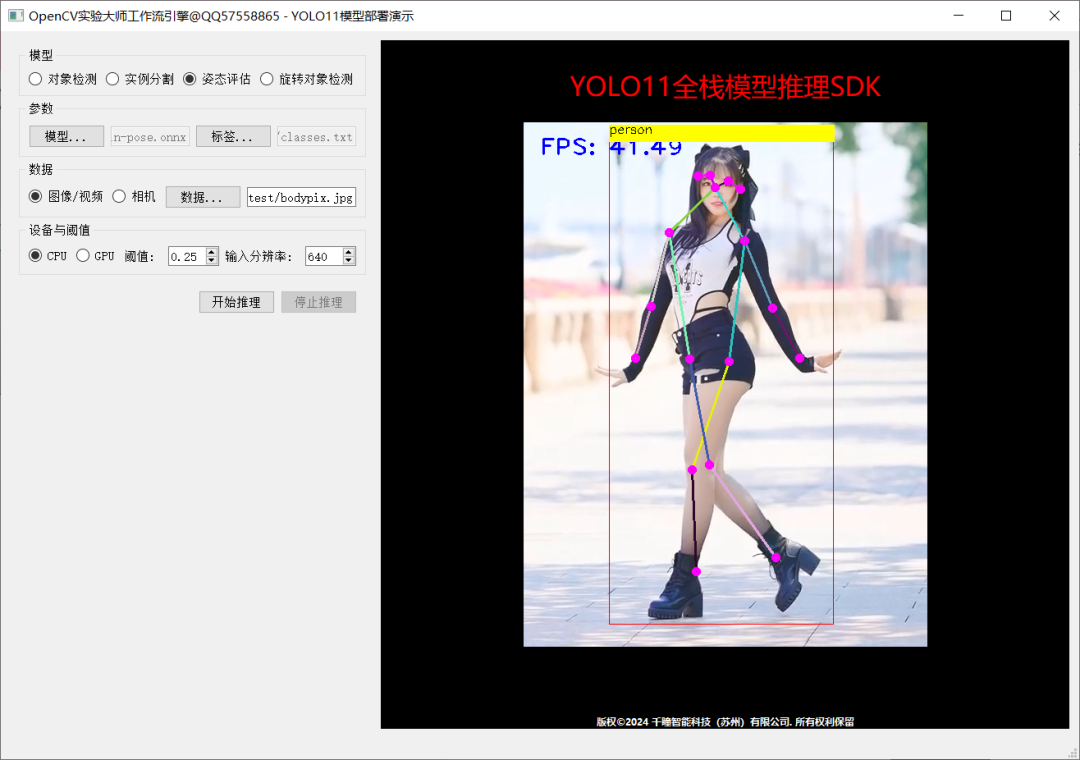
推理演示截图:
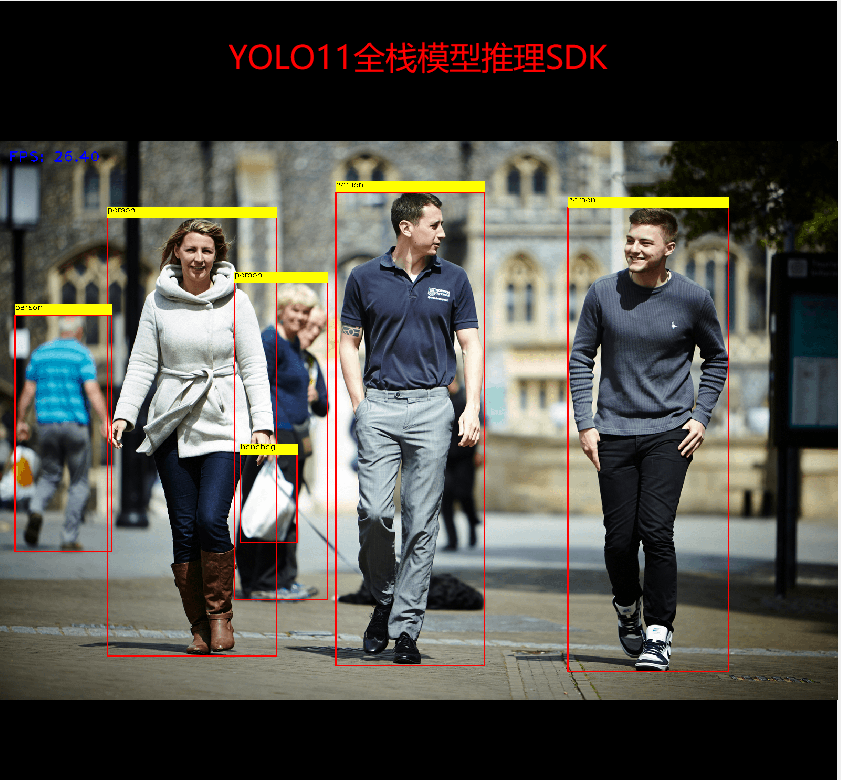
图片
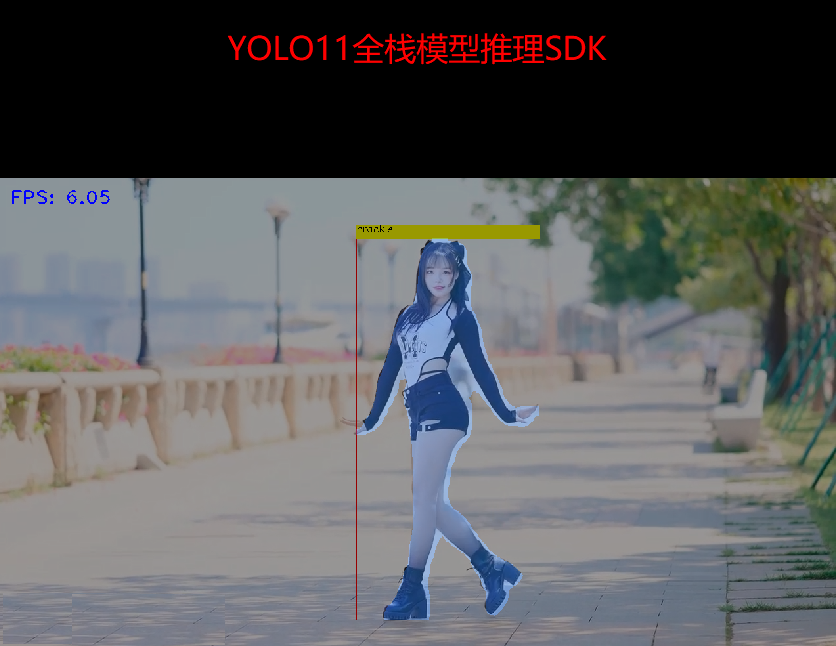
图片
图片
代码已经全部测试过了,可以直接调用:
#include<opencv2/opencv.hpp>
#include<iostream>
#include<fstream>

std::string label_map ="D:/python/yolov5-7.0/classes.txt";
int main(int argc,char** argv){
    std::vector<std::string> classNames;
    std::ifstream fp(label_map);
    std::string name;
while(!fp.eof()){
        getline(fp, name);
if(name.length()){
            classNames.push_back(name);
}
}
    fp.close();
    std::vector<cv::Scalar> colors;
    colors.push_back(cv::Scalar(0,255,0));
    colors.push_back(cv::Scalar(0,255,255));
    colors.push_back(cv::Scalar(255,255,0));
    colors.push_back(cv::Scalar(255,0,0));
    colors.push_back(cv::Scalar(0,0,255));
    std::string onnxpath ="D:/projects/yolov8n.onnx";
auto net = cv::dnn::readNetFromONNX(onnxpath);

    net.setPreferableBackend(cv::dnn::DNN_BACKEND_OPENCV);
    net.setPreferableTarget(cv::dnn::DNN_TARGET_CPU);
    cv::VideoCapture capture("D:/images/video/sample.mp4");
    cv::Mat frame;
while(true){
bool ret = capture.read(frame);
if(frame.empty()){
break;
}
        int64 start = cv::getTickCount();
// 图象预处理 - 格式化操作
int w = frame.cols;
int h = frame.rows;
int _max = std::max(h, w);
        cv::Mat image = cv::Mat::zeros(cv::Size(_max, _max), CV_8UC3);
        cv::Rect roi(0,0, w, h);
        frame.copyTo(image(roi));
float x_factor = image.cols /640.0f;
float y_factor = image.rows /640.0f;

// 推理
        cv::Mat blob = cv::dnn::blobFromImage(image,1/255.0, cv::Size(640,640), cv::Scalar(0,0,0),true,false);
        net.setInput(blob);
        cv::Mat preds = net.forward();
// 后处理, 1x84x8400
        cv::Mat outs(preds.size[1], preds.size[2], CV_32F, preds.ptr<float>());
        cv::Mat det_output = outs.t();
float confidence_threshold =0.5;
        std::vector<cv::Rect> boxes;
        std::vector<int> classIds;
        std::vector<float> confidences;
for(int i =0; i < det_output.rows; i++){
            cv::Mat classes_scores = det_output.row(i).colRange(4, preds.size[1]);
            cv::Point classIdPoint;
double score;
            minMaxLoc(classes_scores,0,&score,0,&classIdPoint);
// 置信度 0~1之间
if(score >0.25)
{
float cx = det_output.at<float>(i,0);
float cy = det_output.at<float>(i,1);
float ow = det_output.at<float>(i,2);
float oh = det_output.at<float>(i,3);
int x =static_cast<int>((cx -0.5* ow)* x_factor);
int y =static_cast<int>((cy -0.5* oh)* y_factor);
int width =static_cast<int>(ow * x_factor);
int height =static_cast<int>(oh * y_factor);
                cv::Rect box;
                box.x = x;
                box.y = y;
                box.width = width;
                box.height = height;

                boxes.push_back(box);
                classIds.push_back(classIdPoint.x);
                confidences.push_back(score);
}
}

// NMS
        std::vector<int> indexes;
        cv::dnn::NMSBoxes(boxes, confidences,0.25,0.50, indexes);
for(size_t i =0; i < indexes.size(); i++){
int index = indexes[i];
int idx = classIds[index];
            cv::rectangle(frame, boxes[index], colors[idx %5],2,8);
            cv::rectangle(frame, cv::Point(boxes[index].tl().x, boxes[index].tl().y -20),
                cv::Point(boxes[index].br().x, boxes[index].tl().y), cv::Scalar(255,255,255),-1);
            cv::putText(frame, classNames[idx], cv::Point(boxes[index].tl().x, boxes[index].tl().y -10), cv::FONT_HERSHEY_SIMPLEX,.5, cv::Scalar(0,0,0));
}

float t =(cv::getTickCount()- start)/static_cast<float>(cv::getTickFrequency());
        putText(frame, cv::format("FPS: %.2f",1.0/ t), cv::Point(20,40), cv::FONT_HERSHEY_PLAIN,2.0, cv::Scalar(255,0,0),2,8);
char c = cv::waitKey(1);
if(c ==27){
break;
}
        cv::imshow("OpenCV4.8 + YOLOv8", frame);
}
    cv::waitKey(0);
    cv::destroyAllWindows();
return0;
}
本文参与 腾讯云自媒体同步曝光计划,分享自微信公众号。
原始发表:2025-04-25,如有侵权请联系 cloudcommunity@tencent.com 删除
腾讯云开发者

Copyright © 2013 - 2026 Tencent Cloud. All Rights Reserved. 腾讯云 版权所有
深圳市腾讯计算机系统有限公司 ICP备案/许可证号:粤B2-20090059  粤公网安备44030502008569号
腾讯云计算(北京)有限责任公司 京ICP证150476号 | 京ICP备11018762号