ggtrace在ggplot2画图时加描边【单细胞降维图+火山图+曲线图演示】

ggtrace在ggplot2画图时加描边【单细胞降维图+火山图+曲线图演示】

KS科研分享与服务-TS的美梦
发布于 2026-04-02 13:05:07
发布于 2026-04-02 13:05:07
我们之前介绍过单细胞UMAP的一种修饰(ggplot修饰单细胞降维聚类图+scpubr包作图)。这里介绍ggplot2做图添加描边的普遍方式---ggtrace。ggtrace (https://github.com/cran/ggtrace)提供了一组基于 ggplot2 的几何对象(geoms),可以为部分数据点添加描边或高亮显示,用于强调这些点。在处理容易出现过度叠加(overplotting)的高密度数据集时,这一点尤其有用。
普通的UMAP图长这样:
library(Seurat)
#DimPlot(sce_cca)
color_pal<-c("#11A579","#F2B701","#66C5CC","#80BA5A","#F6CF71","#7F3C8D","#CF1C90","#3969AC","#f97b72","#E73F74","#4b4b8f","#ACA4E2","#31C53F","#B95FBB","#D4D915","#28CECA")
DimPlot(sce_cca,label = F, pt.size = 0.5,cols = color_pal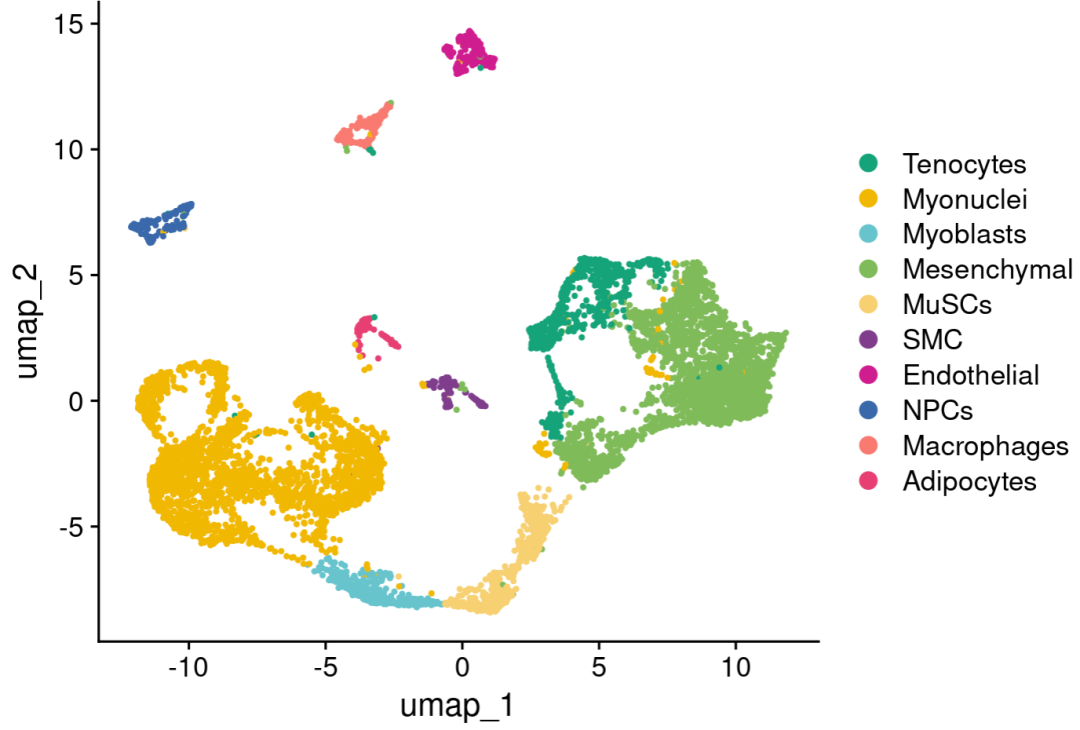
安装ggtrace:
library(ggplot2)
#install.packages("ggtrace")
library(ggtrace)
提取UMAP坐标画图:
reduc.df <- as.data.frame(Embeddings(sce_cca@reductions$umap))#降维坐标
metadata <- as.data.frame(sce_cca@meta.data)#metadata
reduc.df[,"celltype"] <- metadata[,"celltype", drop=T]
colnames(reduc.df)

ggplot(reduc.df, aes(x=umap_1, y=umap_2))+
  geom_point_trace(size=0.8, aes(fill=celltype))+
  # ggrastr::rasterise(geom_point(size=1, color="black"), dpi = 200)+
  # ggrastr::rasterise(geom_point(size=0.8, aes(color=celltype)), dpi = 200) +
  theme_classic()+
  theme(panel.grid.major = element_blank(),
        panel.grid.minor = element_blank())+
  scale_color_manual(values = color_pal)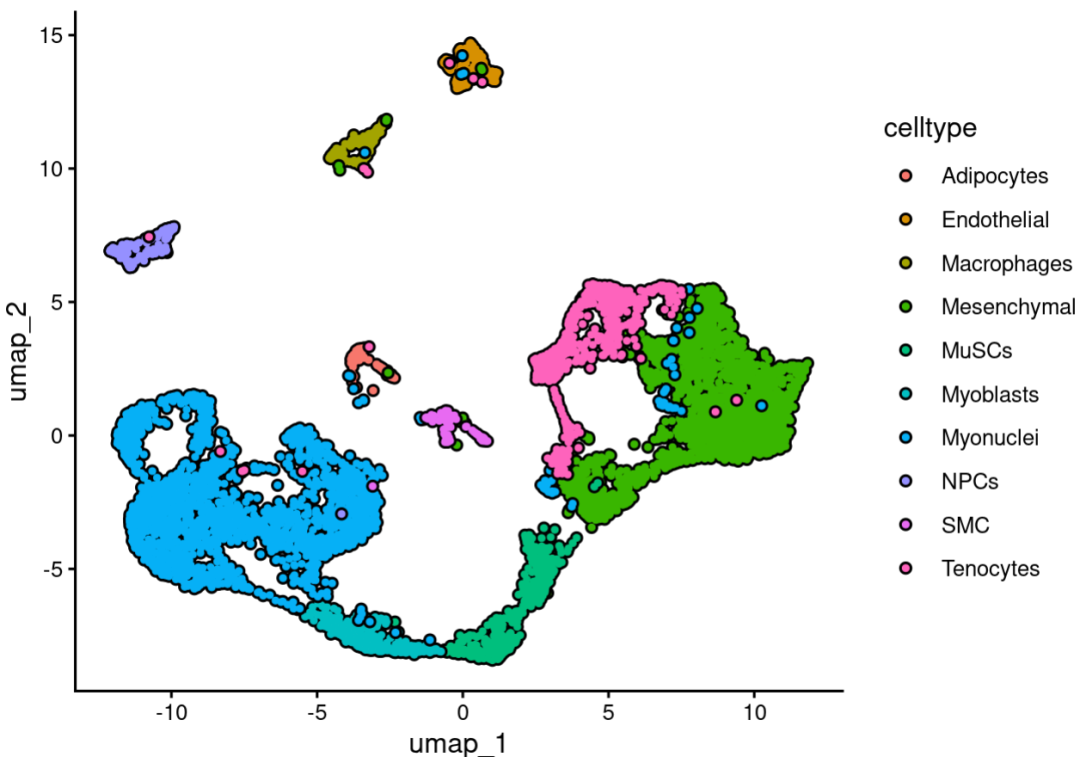
提取坐标比较麻烦,其实直接使用seurat的函数后面添加ggtrace修饰以及其他的主题修饰就可以了,更简洁:
DimPlot(sce_cca,label = F, pt.size = 0.5,cols = color_pal)&
  geom_point_trace(aes(x=umap_1, y=umap_2,fill=ident))&
  guides(fill = "none")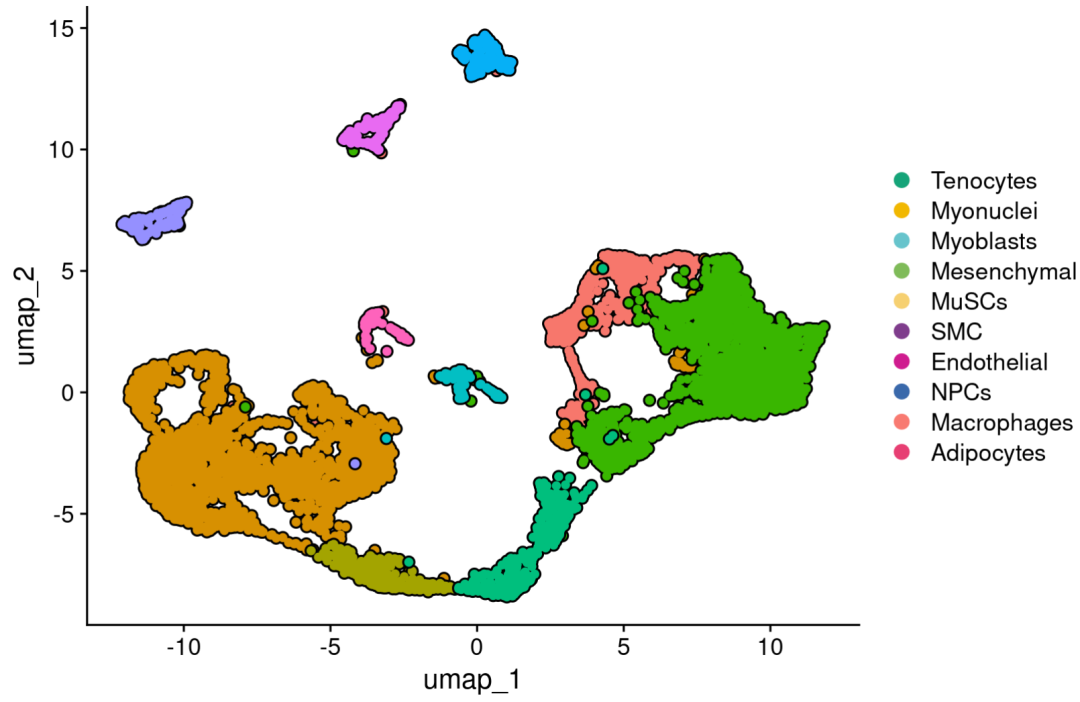
DimPlot(sce_cca,label = F, pt.size = 0.5,cols = color_pal)&
  geom_point_trace(aes(x=umap_1, y=umap_2,fill=ident),
                   stroke=1,#描边粗细
                   linetype=1,#线条类型
                   colour='black',#描边颜色
                   shape=13)& #点的形状等
  guides(fill = "none")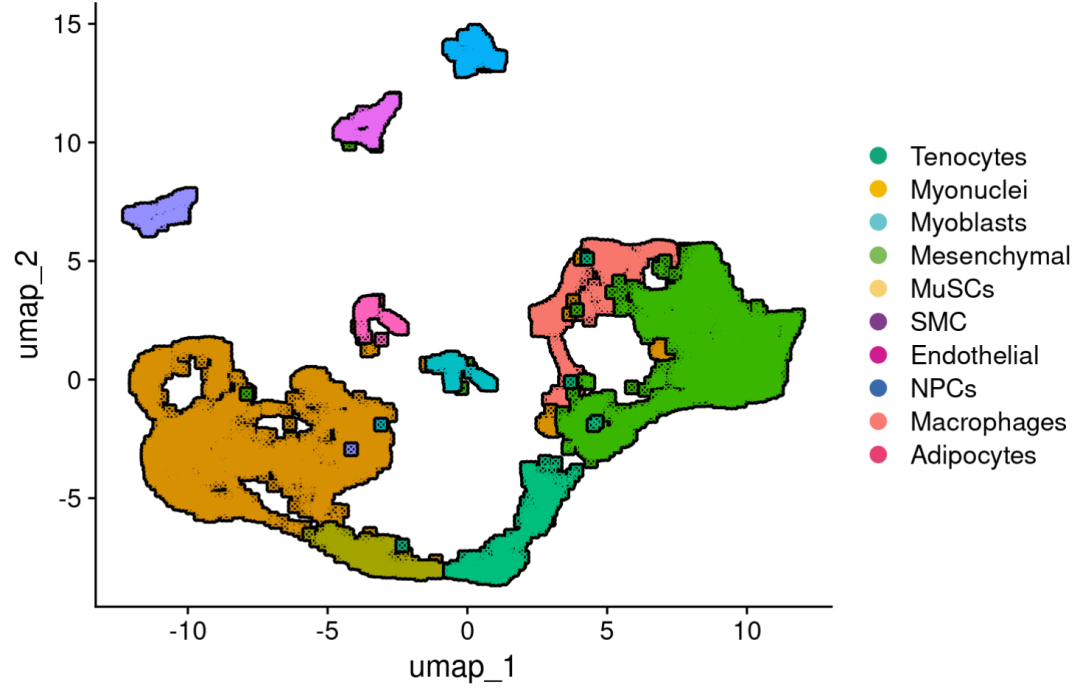
DimPlot(sce_cca,label = F, pt.size = 0.5,cols = color_pal)&
  geom_point_trace(aes(x=umap_1, y=umap_2,color=ident),
                   trace_position = ident == 'Mesenchymal',
                   background_params = list(color = NA, fill = "grey85"),
                   fill= "white")&
  guides(fill = "none")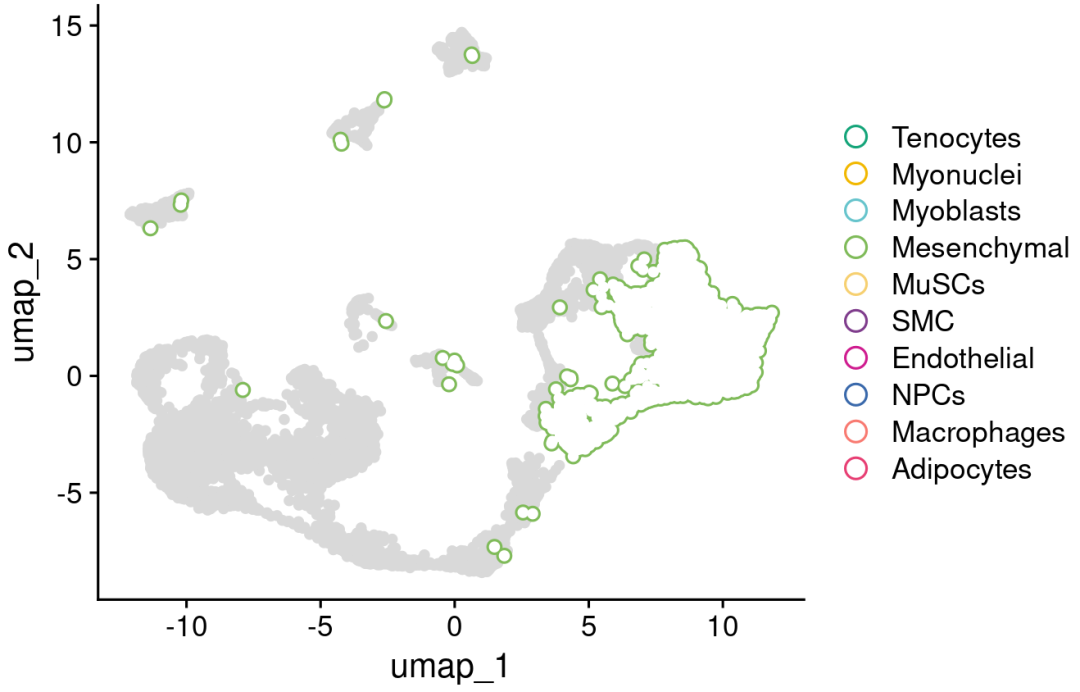
火山图为例:
DEGs <- FindMarkers(sce_cca,group.by = 'orig.ident',ident.1 = 'GO',ident.2 = 'WT')
DEGs$log_pval <- -log10(DEGs$p_val_adj)#p值取对数
DEGs <- DEGs[!is.infinite(DEGs$log_pval), ]

#添加group区分显著上下调基因
DEGs$group <- ifelse(DEGs$avg_log2FC >=1 & DEGs$p_val_adj <=0.05, "up",
                     ifelse(DEGs$avg_log2FC <= -1 & DEGs$p_val_adj <=0.05, "down",'Nosig'))


ggplot(DEGs, aes(avg_log2FC,log_pval))+
  geom_hline(aes(yintercept=20), color = "#999999", linetype="dashed", size=1) +#添加横线
  geom_vline(aes(xintercept=-1), color = "#999999", linetype="dashed", size=1) + #添加纵线
  geom_vline(aes(xintercept=1), color = "#999999", linetype="dashed", size=1) + #添加纵线
  geom_point_trace(aes(fill=group))+
  theme_classic()+ #设置主题
  theme(aspect.ratio = 1,
        axis.text.x=element_text(colour="black",size =10),
        axis.text.y=element_text(colour="black",size =10),
        axis.ticks=element_line(colour="black"))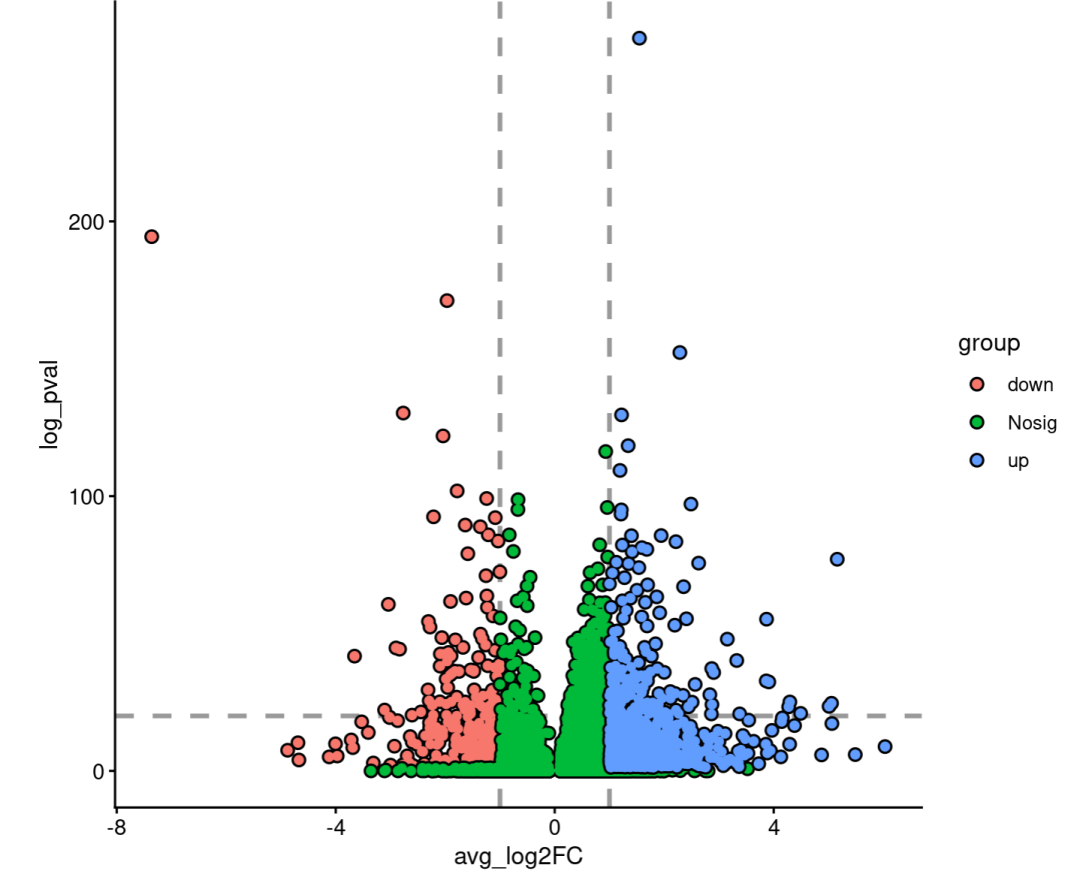
曲线图:
#这是官网的一个例子
ggplot(stocks, aes(day, value, color = name)) +
  geom_line_trace(
    trace_position    = day < 500 | day > 1500,
    stroke            = 1,
    background_params = list(color = NA, fill = "grey75")
  ) +
  theme_minimal()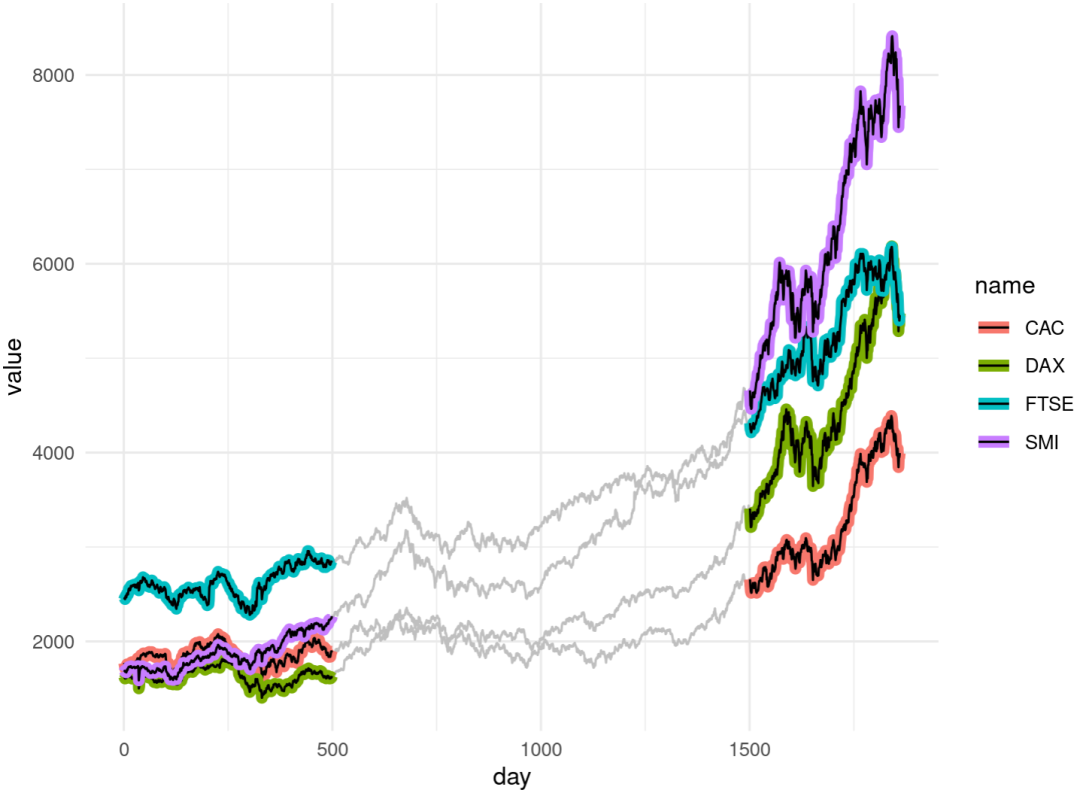
觉得分享有用的点个赞再走呗!
本文参与 腾讯云自媒体同步曝光计划,分享自微信公众号。
原始发表:2026-03-18,如有侵权请联系 cloudcommunity@tencent.com 删除
腾讯云开发者

Copyright © 2013 - 2026 Tencent Cloud. All Rights Reserved. 腾讯云 版权所有
深圳市腾讯计算机系统有限公司 ICP备案/许可证号:粤B2-20090059  粤公网安备44030502008569号
腾讯云计算(北京)有限责任公司 京ICP证150476号 | 京ICP备11018762号